
分数约分与扩展交互练习
几何画板及绘图内容加载中,请稍等……
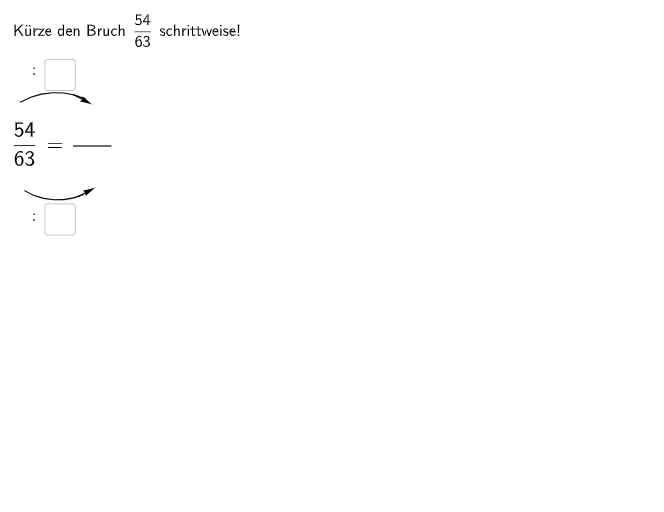
本范例通过两个选择题和一个开放性问题,帮助学生练习分数的约分与扩展。题目1要求找出分母中缺失的数字,题目2要求找出分子中缺失的数字,开放题则要求找出并纠正分数约分过程中的错误。作图方面使用了Textfield文本框、Segment线段、Point点、Vector向量、CircleArc圆弧等几何对象,配合If条件语句实现即时反馈,并使用SpeechBubbleRight和SpeechBubbleLeft提示气泡增强交互体验。适合5-6年级学生使用,可作为课堂练习或课后巩固材料。
GeoGebra 命令及参数
Textfield(aInput) → InputBox1Textfield(bInput) → InputBox2Textfield(cInput) → InputBox3Textfield(dInput) → InputBox4Segment(A, B) → fCircleArc(C, D, E) → cCircleArc(F, G, H) → dPoint(c) → IVector(I, J) → uPoint(d) → KVector(K, L) → vIf(cInput ≟ 3 ∧ dInput ≟ 3, aInput ≟ 18, If[cInput ≟ 6 ∧ dInput ≟ 6, aInput ≟ 6]) → c1If(cInput ≟ 3 ∧ dInput ≟ 3, bInput ≟ 21, If[cInput ≟ 6 ∧ dInput ≟ 6, bInput ≟ 7]) → c2Textfield(eInput) → InputBox5Textfield(fInput) → InputBox6Textfield(gInput) → InputBox7Textfield(hInput) → InputBox8Segment(A_{1}, B_{1}) → f_{1}CircleArc(C_{1}, D_{1}, E_{1}) → c_{1}CircleArc(F_{1}, G_{1}, H_{1}) → d_{1}Point(c_{1}) → I_{1}Vector(I_{1}, J_{1}) → u_{1}Point(d_{1}) → K_{1}Vector(K_{1}, L_{1}) → v_{1}If(cInput ≟ 3 ∧ dInput ≟ 3, c5 ∧ c6 ∧ c7 ∧ c8, If[cInput ≟ 6 ∧ dInput ≟ 6, c1 ∧ c2 ∧ c3 ∧ c4]) → cor2SpeechBubbleRight(O, 4.5, 1.7) → bubble1SpeechBubbleRight(P, 8.3, 2.7) → bubble2Segment(S, T) → gTextfield(iInput) → InputBox9Textfield(jInput) → InputBox10Textfield(kInput) → InputBox11Textfield(lInput) → InputBox12Textfield(mInput) → InputBox13Segment(U, V) → hSpeechBubbleLeft(M_1 - (0, 0.2), 7.5, 1.5) → bubble3Segment(N_1, O_1) → iTextfield(nInput) → InputBox14Textfield(oInput) → InputBox15If(nInput ≟ 9, oInput ≟ 15, If[nInput ≟ 6, oInput ≟ 10, If[nInput ≟ 3, oInput ≟ 5]]) → c15Textfield(pInput) → InputBox16Textfield(qInput) → InputBox17Textfield(rInput) → InputBox18Textfield(sInput) → InputBox19Segment(P_1, Q_1) → jSpeechBubbleRight(T_1, 8.3, 2.7) → poly1
AI 绘图提示语参考
在画面中设置多个可输入的分子分母数值框,用于选择题与纠错练习。绘制两条由给定端点连接形成的长线段,并在其上方与相邻位置放置两段圆弧来表示同一对象的两种状态。再在圆弧各自的末端处标出对应点,并从这些点分别做出方向向量。加入一处右侧对齐的提示气泡用于引导当前选项,在下方再放置另一处左侧提示气泡。最后再画出两条额外线段作为另一组练习的图示,并在右侧放置一个用于多步练习的提示气泡。各输入框的值将决定提示与对应显示。
以上提示语为根据原始绘图命令整理而来,仅供参考。