
输入与输出
几何画板及绘图内容加载中,请稍等……
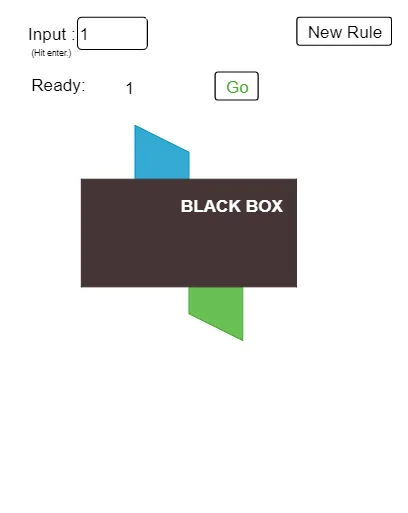
该范例演示了输入与输出的关系,涉及函数的概念。通过使用GeoGebra命令如Random、Textfield、Polygon等,构建了一个动态的函数图像。适合初中数学教学使用。
GeoGebra 命令及参数
Random(2, 5) → kRandom(2, 5) → aRandom(2, 5) → bRandom(2, 5) → hTextfield(inpt) → InputBox1Random(1, Length[list1]) → newRandom(0, 1) → fncPolygon(C, D, E, G) → poly1, c, d, e, g_1Translate(Polygon[C, C + (1, 0), C + (1, 0.5), C + (0, 1)], (1, 0)) → poly2Translate(Mirror[poly2, C + (2, 0)], Vector[C, D]) → poly3Element(inlist, 1) → A1Element(inlist, 2) → A2Element(inlist, 3) → A3Element(inlist, 4) → A4Element(inlist, 5) → A5Element(outlist, 1) → B1Element(outlist, 2) → B2Element(outlist, 3) → B3Element(outlist, 4) → B4Element(outlist, 5) → B5Element(inlist, 15) → A15Element(inlist, 14) → A14Element(inlist, 13) → A13Element(inlist, 12) → A12Element(inlist, 11) → A11Element(inlist, 10) → A10Element(inlist, 9) → A9Element(inlist, 7) → A7Element(outlist, 6) → B6Element(outlist, 7) → B7Element(outlist, 8) → B8Element(outlist, 9) → B9Element(outlist, 10) → B10Element(outlist, 11) → B11Element(outlist, 12) → B12Element(outlist, 13) → B13Element(outlist, 14) → B14Element(outlist, 15) → B15Element(inlist, 8) → A8Element(inlist, 6) → A6Random(1, Length[list2]) → ckn_0Sequence(F(i), i, -5, 5) → list3, {-2.5, -2, -1.5, -1, -0.5, 0, 0.5, 1, 1.5, 2, 2.5}Textfield(rule) → InputBox2Sequence(rule(i), i, -5, 5) → list4, {-5, -4, -3, -2, -1, 0, 1, 2, 3, 4, 5}Sequence(rule(Element[inlist, i]), i, 1, Length[inlist]) → list5, {}
AI 绘图提示语参考
绘制一个函数输入输出关系的动态示意图。左侧放置一个输入框,右侧放置一个输出框,中间用一条函数曲线连接。输入框内列出若干数值,输出框内显示对应的函数结果。在坐标平面上,用多边形表示输入到输出的映射过程,每个输入值对应一个输出点,并用箭头或连线指示对应关系。函数曲线由随机参数生成,整体布局清晰,适合教学演示。
以上提示语为根据原始绘图命令整理而来,仅供参考。