
用质因数分解表示合数:探索数学中的乘法原理
几何画板及绘图内容加载中,请稍等……
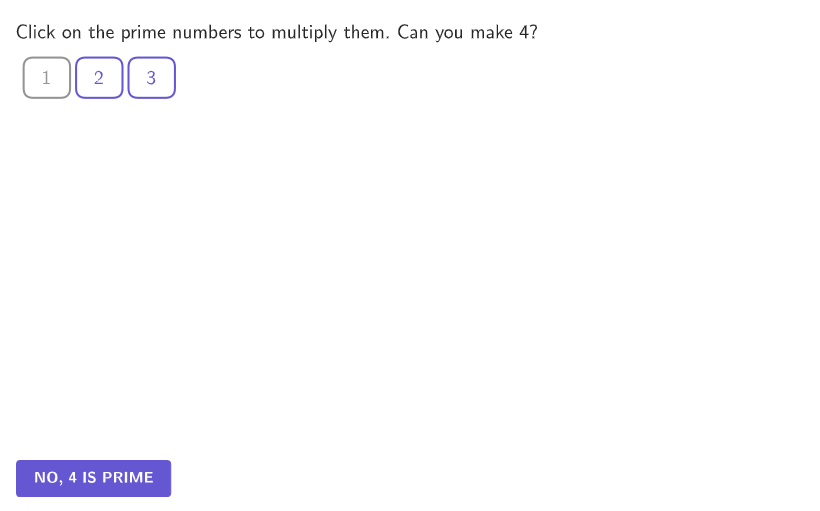
这个范例演示了如何将合数分解为质因数的乘积,展示了质数在乘法中的基础作用。核心数学概念是质因数分解和数的分解。作图要点包括使用GeoGebra命令如PrimeFactors、IsPrime等来生成质因数列表,并可视化分解过程。适合小学四年级到五年级的学生,用于巩固数感和分解因数技能。
GeoGebra 命令及参数
KeepIf(Mod[selectedNum, jj] ≟ 0, jj, Sequence[selectedNum]) → factorsAllIf(¬Defined[selectedNum], {}, If[active1, {"$\math{1 \times 1 }\;$"}, Zip[(((("$\math{" * Text[kk]) * " \times ") * Text[selectedNum / kk]) * "\; }$"), kk, factorsAll]]) → dropDownSelectedIndex(dropDown) → OptionsIf(Length[selectedNums] ≤ 1, {1}, Take[selectedNums, 1, Length[selectedNums] - 1]) → selectedNums'If(countQuestion ≤ 30, Product[Take[selectedNums, 1, Length[selectedNums] - 1]], Element[factorsAll, Options]) → firstFactSequence("×", kk, 1, Length[selectedNums] - 1) → timesFlatten({Sequence[{Element[selectedNums', kk], Element[times, kk]}, kk, 1, Length[times] - 1], Last[selectedNums']}) → product'If(countQuestion ≤ 30, TableText[Flatten[RemoveUndefined[{If[Length[selectedNums'] ≥ 2, product', Length[selectedNums'] ≟ 1, Last[selectedNums'], {}], If[Length[selectedNums'] ≥ 2, "="], If[Length[selectedNums'] ≥ 2, Text[Product[selectedNums']]]}]], "lh"], Text[Element[factorsAll, Options]]) → ProductText'Corner(5) → AppSizeFlatten(Sequence[Sequence[(kk * horizontalSeparation), kk, 1, 30 / rows], jj, 1, rows]) → xCoordinatesFlatten(Sequence[Sequence[8.4 - (anim * 0.5) - (kk * verticalSeparation), jj, 1, 30 / rows], kk, 0, rows]) → yCoordinatesZip((jj, kk), jj, xCoordinates, kk, yCoordinates) → textsPositionsText((("\ovalbox{" * A10) * "}"), Element[textsPositions, A10], true, true, 0, 0) → B10Text((("\ovalbox{" * A11) * "}"), Element[textsPositions, A11], true, true, 0, 0) → B11Text((("\ovalbox{" * A12) * "}"), Element[textsPositions, A12], true, true, 0, 0) → B12Text((("\ovalbox{" * A13) * "}"), Element[textsPositions, A13], true, true, 0, 0) → B13Text((("\ovalbox{" * A14) * "}"), Element[textsPositions, A14], true, true, 0, 0) → B14Text((("\ovalbox{" * A15) * "}"), Element[textsPositions, A15], true, true, 0, 0) → B15Text((("\ovalbox{" * A16) * "}"), Element[textsPositions, A16], true, true, 0, 0) → B16Text((("\ovalbox{" * A17) * "}"), Element[textsPositions, A17], true, true, 0, 0) → B17Text((("\ovalbox{" * A18) * "}"), Element[textsPositions, A18], true, true, 0, 0) → B18Text((("\ovalbox{" * A19) * "}"), Element[textsPositions, A19], true, true, 0, 0) → B19Text((("\ovalbox{" * A20) * "}"), Element[textsPositions, A20], true, true, 0, 0) → B20Text((("\ovalbox{" * A21) * "}"), Element[textsPositions, A21], true, true, 0, 0) → B21Text((("\ovalbox{" * A22) * "}"), Element[textsPositions, A22], true, true, 0, 0) → B22Text((("\ovalbox{" * A23) * "}"), Element[textsPositions, A23], true, true, 0, 0) → B23Text((("\ovalbox{" * A24) * "}"), Element[textsPositions, A24], true, true, 0, 0) → B24Text((("\ovalbox{" * A25) * "}"), Element[textsPositions, A25], true, true, 0, 0) → B25Text((("\ovalbox{" * A26) * "}"), Element[textsPositions, A26], true, true, 0, 0) → B26Text((("\ovalbox{" * A27) * "}"), Element[textsPositions, A27], true, true, 0, 0) → B27Text((("\ovalbox{" * A28) * "}"), Element[textsPositions, A28], true, true, 0, 0) → B28Text((("\ovalbox{" * A29) * "}"), Element[textsPositions, A29], true, true, 0, 0) → B29Text((("\ovalbox{" * A30) * "}"), Element[textsPositions, A30], true, true, 0, 0) → B30IsPrime(A1) → C1IsPrime(A2) → C2IsPrime(A3) → C3IsPrime(A4) → C4IsPrime(A5) → C5IsPrime(A6) → C6IsPrime(A7) → C7IsPrime(A8) → C8IsPrime(A9) → C9IsPrime(A10) → C10IsPrime(A11) → C11IsPrime(A12) → C12IsPrime(A13) → C13IsPrime(A14) → C14IsPrime(A15) → C15IsPrime(A16) → C16IsPrime(A17) → C17IsPrime(A18) → C18IsPrime(A19) → C19IsPrime(A20) → C20IsPrime(A21) → C21IsPrime(A22) → C22IsPrime(A23) → C23IsPrime(A24) → C24IsPrime(A25) → C25IsPrime(A26) → C26IsPrime(A27) → C27IsPrime(A28) → C28IsPrime(A29) → C29IsPrime(A30) → C30Zip((((("SetFixed(B" * jj) * ",true, ") * If[kk, "true", "false"]) * ")"), jj, Sequence[30], kk, primesOrNot) → FixNonPrimesFlatten({Sequence[{Element[selectedNums, kk], Element[times, kk]}, kk, 1, Length[times]], Last[selectedNums]}) → productText((("\ovalbox{\hspace{4}" * A1) * "\hspace{5}}"), Element[textsPositions, A1], true, true, 0, 0) → B1Text((("\ovalbox{\hspace{4}" * A2) * "\hspace{5}}"), Element[textsPositions, A2], true, true, 0, 0) → B2Text((("\ovalbox{\hspace{4}" * A3) * "\hspace{5}}"), Element[textsPositions, A3], true, true, 0, 0) → B3Text((("\ovalbox{\hspace{4}" * A4) * "\hspace{5}}"), Element[textsPositions, A4], true, true, 0, 0) → B4Text((("\ovalbox{\hspace{4}" * A5) * "\hspace{5}}"), Element[textsPositions, A5], true, true, 0, 0) → B5Text((("\ovalbox{\hspace{4}" * A6) * "\hspace{5}}"), Element[textsPositions, A6], true, true, 0, 0) → B6Text((("\ovalbox{\hspace{4}" * A7) * "\hspace{5}}"), Element[textsPositions, A7], true, true, 0, 0) → B7Text((("\ovalbox{\hspace{4}" * A8) * "\hspace{5}}"), Element[textsPositions, A8], true, true, 0, 0) → B8Text((("\ovalbox{\hspace{4}" * A9) * "\hspace{5}}"), Element[textsPositions, A9], true, true, 0, 0) → B9If(countQuestion ≤ 30, selectedNums(Length[selectedNums]), selectedNum / Element[factorsAll, Options]) → secondFactMin(RemoveUndefined[{1, 3.2 / secondFact, 14 / firstFact}]) → sqLengthIf(Length[selectedNums] ≥ 2, Sequence[Translate[B, ((0, (-sqLength)) * kk)], kk, 0, secondFact], {(-10, 0), (-10, -10)}) → PointsLeftIf(Length[selectedNums] ≥ 2, Sequence[Translate[B, ((sqLength, 0) * kk)], kk, 0, firstFact], {(-10, 0), (-10, -10)}) → PointsUpTranslate(PointsLeft, (If[Length[selectedNums] ≥ 2, (sqLength * firstFact), 1], 0)) → PointsRightTranslate(PointsUp, Vector[(0, ((-If[Length[selectedNums] ≥ 2, secondFact, 1]) * sqLength))]) → PointsDownPolygon({Element[PointsDown, 1], Element[PointsDown, Length[PointsDown]], Element[PointsRight, 1], B}) → q1Text(secondFact) → labelVSegmentIf(Length[selectedNums] ≥ 2, Text[labelVSegment, Midpoint[vSegment], true, true, 1, 0], "") → labelVPositioned_{1}If(Length[selectedNums] ≥ 2, Text[labelHSegment, Midpoint[hSegment], true, true, 0, -1], "") → labelHPositionedSequence((((("SetConditionToShowObject(B" * jj) * ", D") * jj) * ")"), jj, 4, 30) → conditionalVisibForTextsPrimeFactors(countQuestion) → l1If(prime ∧ IsPrime[countQuestion], "That's correct!", prime ∧ (¬IsPrime[countQuestion]), ((("Notice that " * l1(1)) * " is a factor of ") * countQuestion), (¬prime) ∧ Product[selectedNums] ≟ countQuestion, "Well done!", (("The product is not equal to " * countQuestion) * ". Keep trying.")) → feedbackTextTranslate(B, (0, -5)) → B'Zip(Segment[AA, BB], AA, PointsLeft, BB, PointsRight) → segmentsHZip(Segment[AA, BB], AA, PointsUp, BB, PointsDown) → segmentsVTranslate(PointsRight(1), (0.5, 0)) → ATranslate(PointsRight(Length[PointsRight]), (0.5, 0)) → CSegment(A, C) → fText(("\hspace{5}" * labelVSegment), Midpoint[f], true, true, 1, 0) → labelVPositionedTranslate(PointsLeft(Length[PointsLeft]), (0, -0.5)) → DTranslate(PointsRight(Length[PointsRight]), (0, -0.5)) → ESegment(D, E) → gText(ProductText', Midpoint[g], true, true, 0, -1) → labelHPositonedTableText(Flatten[{If[Length[selectedNums] ≥ 2, product, Length[selectedNums] ≟ 1, Last[selectedNums], {}], If[Length[selectedNums] ≥ 2, "=", ""], If[Length[selectedNums] ≥ 2, Text[Product[selectedNums]], ""]}], "lh") → ProductTextPolygon(Element[PointsRight, 1], Element[PointsLeft, 1], 4) → poly1Segment(Translate[PointsLeft(1), (0, -1.5)], Translate[PointsRight(1), (0, -1.5)]) → hSegment(Translate[PointsRight(1), (0.5, 0)], Translate[PointsRight(1), (0.5, -1)]) → iZip((("SetFixed(B" * jj) * ",true, true)"), jj, Sequence[30]) → UnFixAllCorner(ProductText, 3) → PosUnDoText(feedback, B', true, true, 1, 0) → feedbackTextPositionedTranslate(hGuideLine, Vector[(Vector[Corner[4], Corner[1]] / 500 * 16)]) → hGuideLine'Zip((((("SetColor(B" * jj) * ", ") * If[kk, "colorPrime", "colorInactive"]) * ")"), jj, Sequence[30], kk, primesOrNot) → ColorTheNumbersText(ProductText', (0, y(Midpoint[g])), true, true, 1, -1) → labelHPositioned2Corner(labelHPositoned, 1) → CorLabelHZip((((("SetColor(B" * jj) * ", ") * If[jj ≟ 1, "colorBlack", If[kk, "colorPrime", "colorNonPrime"]]) * ")"), jj, Sequence[30], kk, primesOrNot) → ColorTheNumbers2
AI 绘图提示语参考
展示一个复合数如何分解为质因数的乘积,通过可视化过程强调质数在乘法中的基础作用。首先,选择一个复合数,然后将其分解为一系列质因数,并用乘号连接这些质因数,形成一个表达式。在图形中,用圆圈突出显示每个质因数,并按照分解顺序排列,以便清晰地展示质因数分解的过程。
以上提示语为根据原始绘图命令整理而来,仅供参考。