
使用面积模型估算小数乘积
几何画板及绘图内容加载中,请稍等……
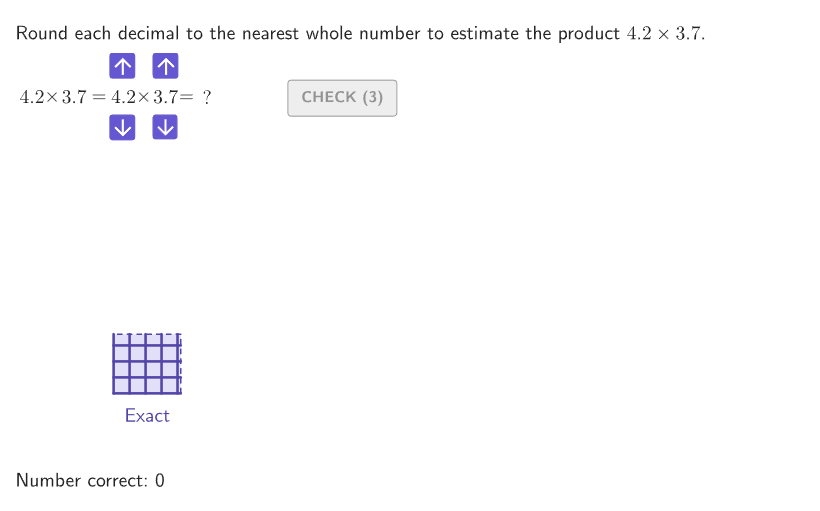
这个范例演示了如何通过面积模型来估算小数的乘积,帮助学生理解小数乘法的估算方法。核心数学概念包括小数乘法、面积模型和估算技巧。作图要点涉及使用GeoGebra命令如Shuffle、If、Mod、Polygon等来构造随机整数和小数,并比较面积模型来验证估算的准确性。适合小学六至八年级学生用于课堂练习或课后作业,适用于数学教学中的乘法估算训练。
GeoGebra 命令及参数
Shuffle(Join[Sequence[{A, A, A, A, A, A, A, A, A, A}, A, 2, 9]]) → randomIntegers, {3, 3, 4, 3, 2, 2, 6, 7, 3, 5, 4, 8, 6, 7, 5, 9, 7, 9, 4, 6, 8, 9, 9, 3, 4, 7, 5, 6, 8, 4, 6, 5, 9, 7, 8, 5, 4, 7, 7, 6, 4, 7, 2, 8, 3, 4, 9, 6, 9, 3, 2, 5, 8, 7, 5, 6, 8, 7, 4, 2, 2, 6, 3, 2, 3, 8, 9, 8, 4, 5, 9, 5, 9, 8, 2, 2, 2, 6, 3, 5}Shuffle(Join[Sequence[{A, A, A, A, A, A, A, A, A, A}, A, 2, 9]]) → randomTenths, {8, 6, 2, 7, 5, 7, 8, 2, 6, 3, 2, 9, 4, 4, 8, 5, 8, 4, 7, 6, 4, 8, 8, 3, 7, 2, 2, 6, 2, 6, 9, 4, 7, 2, 7, 6, 3, 9, 5, 9, 9, 4, 8, 3, 5, 3, 7, 4, 8, 2, 9, 5, 9, 3, 3, 5, 7, 3, 3, 6, 4, 4, 9, 9, 8, 3, 8, 9, 5, 7, 6, 6, 5, 7, 2, 5, 6, 5, 4, 2}If(IsInteger[studentA] ∧ IsInteger[studentB], (studentA * studentB), NaN) → studentProductMod(1 + (2 * countQuestion), Length[randomIntegers] - 2) → currentIndexIf(showsolution ∨ showanswer, numBRounded, studentB) → displayBIf(showsolution ∨ showanswer, numARounded, studentA) → displayAPolygon({AnchorStudent, AnchorStudent + (studentA, 0), AnchorStudent + (studentA, studentB), AnchorStudent + (0, studentB)}) → displayEstimateElement(randomTenths, Mod[countQuestion, 15] + 1) → randomNum2Element(randomIntegers, Mod[countQuestion, 20] + 1) → randomNum1Polygon({AnchorQuestion, AnchorQuestion + (numberA, 0), AnchorQuestion + (numberA, numberB), AnchorQuestion + (0, numberB)}) → displayAreaTextfield(studentAns) → aInputIf(isTypicalError1, 1, If[isTypicalError, 2, 2]) → errorNumberSequence(Segment[Vertex[displayArea, 1] + (0, A), Vertex[displayArea, 2] + (0, A)], A, 0, numberB) → gridHorizSequence(Segment[Vertex[displayArea, 1] + (A, 0), Vertex[displayArea, 4] + (A, 0)], A, 0, numberA) → gridVertPolygon({AnchorSample, AnchorSample + (numARounded, 0), AnchorSample + (numARounded, numBRounded), AnchorSample + (0, numBRounded)}) → displaySampleSequence(Segment[Vertex[displaySample, 1] + (0, A), Vertex[displaySample, 2] + (0, A)], A, 0, numBRounded) → gridSampleHorizontalSequence(Segment[Vertex[displaySample, 1] + (A, 0), Vertex[displaySample, 4] + (A, 0)], A, 0, numARounded) → gridSampleVerticalText("Typical\\Estimate", Midpoint[Vertex[displaySample, 1], Vertex[displaySample, 2]] + (0, -0.2), true, true, 0, -1) → lblSampleText("Your\\Estimate", Midpoint[Vertex[displayEstimate, 1], Vertex[displayEstimate, 2]] + (0, -0.2), true, true, 0, -1) → lblEstimateZip(Text[("" * A), Anchor + (B, 0), true, true, 0, 0], A, {("" * numberA), "~\times~", ("" * numberB), If[initializedA ∨ initializedB, "\approx", "="], ("" * If[initializedA, studentA, numberA]), "~\times~", ("" * If[initializedB, studentB, numberB]), "=", ("" * If[initialized, "", NaN])}, B, (1.3 * {1, 2, 3, 4.2, 5.4, 6.4, 7.4, 8.4, 9.4})) → textExpressionSequence(Segment[Vertex[displayEstimate, 1] + (0, A), Vertex[displayEstimate, 2] + (0, A)], A, 0, studentB) → gridEstimateHorizontalSequence(Segment[Vertex[displayEstimate, 1] + (A, 0), Vertex[displayEstimate, 4] + (A, 0)], A, 0, studentA) → gridEstimateVerticalPolyLine({AnchorQuestion + (numberA, 0), AnchorQuestion + (numberA, numberB), AnchorQuestion + (0, numberB)}) → exactEdgesText("Exact", Midpoint[Vertex[displayArea, 1], Vertex[displayArea, 2]] + (0, -0.2), true, true, 0, -1) → lblExact
AI 绘图提示语参考
在坐标平面上画三个并列的矩形面积模型:左侧用整数的长宽表示被估算的乘积,矩形内以网格把宽方向分成给定的若干格、长方向也分成对应格数;右侧再画一个面积模型,用整数部分作为长宽,并在同样位置标出由个位数长宽组成的确切长方形边界;中间给出你的估算矩形,把长边用一个可输入的整数数量表示、短边用另一输入的整数数量表示,并与网格刻度对齐。分别在三个模型下方放置文字标注“Exact”“Typical Estimate”“Your Estimate”,其中估算矩形的面积与确切矩形的面积对应,用多边形轮廓与内部边网格共同呈现。
以上提示语为根据原始绘图命令整理而来,仅供参考。