
等价线性方程自主练习
几何画板及绘图内容加载中,请稍等……
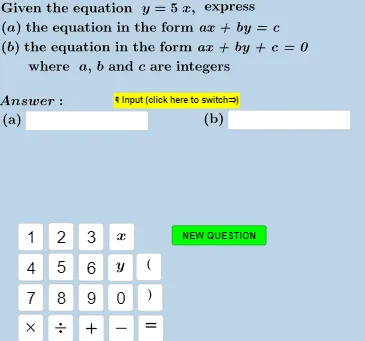
① 本范例是一个用于帮助学生掌握等价线性方程概念的自主练习活动,通过随机生成题目并即时反馈答案来强化理解。② 核心数学概念是等价线性方程,即两个方程具有相同解集,通常通过等式变形(如加减乘除、移项)得到。③ 作图要点:该范例使用GeoGebra的随机数生成(Random、RandomElement)、文本处理(TextToUnicode、Join、Expand)、条件判断(If、CountIf)以及交互组件(Textfield、Button)来动态生成题目和检查答案;对象包括计数器、变量a、b、c等,以及多个文本显示区域。④ 适合初中至高中阶段的学生,用于课堂练习或课后自学,也可作为教师演示等价方程变换的辅助工具。
GeoGebra 命令及参数
If(counter < 2, RandomElement[{-5, -4, -3, -2, -1, 1, 2, 3, 4, 5}], If[counter < 3, RandomElement[{-6, -4, -2, 2, 4, 6}], If[counter < 4, RandomElement[{-9, -6, -3, 3, 6, 9}], RandomElement[{-6, -5, -4, -3, -2, -1, 1, 2, 3, 4, 5, 6, 7}]]]) → aIf(counter < 2, 1, If[counter < 3, 2, If[counter < 4, 3, RandomElement[{1, 2, 3, 4, 5, 6}]]]) → bIf(counter < 2, Random[-7, 9], If[counter < 3, RandomElement[{-10 - 8, -6, -4, -2, 2, 4, 6, 8, 10}], If[counter < 4, RandomElement[{-15, -12, -9, -6, -3, 3, 6, 9, 12, 15}], Random[-7, 9]]]) → c_1GCD({a, b, c_1}) → c_hTextToUnicode(Text[h]) → l3Sequence(32, k, 1, CountIf[x ≟ 32, TextToUnicode[Text[h_1]]]) → l3_sRemove(l3, l3_s) → l3_cTextToUnicode(textl32) → l32Sequence(32, k, 1, CountIf[x ≟ 32, l32]) → l32_sRemove(l32, l32_s) → l32_cTextToUnicode(textl22) → l22Sequence(32, k, 1, CountIf[x ≟ 32, l22]) → l22_sRemove(l22, l22_s) → l22_cExpand(Simplify[((-(x(g) / y(g))) * x) - z(g) / y(g)]) → f_1TextToUnicode(Text[f_1]) → l1Sequence(32, k, 1, CountIf[x ≟ 32, TextToUnicode[Text[f_1]]]) → l1_sJoin({TextToUnicode["y="], Remove[l1, l1_s]}) → l1_cTextToUnicode(Text[g]) → l2If(counter < 5, 1, If[counter < 8, 2, 3]) → typeRandom(-6, 7) → cGCD({a, b, c}) → c_gSequence(32, k, 1, CountIf[x ≟ 32, TextToUnicode[Text[g_1]]]) → l2_sRemove(l2, l2_s) → l2_cTextToUnicode(Text[textanswera]) → laSequence(32, k, 1, CountIf[x ≟ 32, la]) → la_sRemove(la, la_s) → la_cTextToUnicode(Text[eqb]) → lbbSequence(32, k, 1, CountIf[x ≟ 32, lbb]) → lbb_sRemove(lbb, lbb_s) → lbb_cTextToUnicode(Text[eqa]) → laaSequence(32, k, 1, CountIf[x ≟ 32, laa]) → laa_sRemove(laa, laa_s) → laa_cTextToUnicode(Text[textanswerb]) → lbSequence(32, k, 1, CountIf[x ≟ 32, lb]) → lb_sRemove(lb, lb_s) → lb_cRandomElement({-5, -4, -3, -2, 1, 0, 1, 2, 3, 4, 5, 1 / 2, 1 / 3, 1 / 4, 3 / 4, 1 / 5, 2 / 3, 1 / 5, 2 / 5, 3 / 5, 4 / 5, -1 / 2, -1 / 3, -1 / 4, -3 / 4, -1 / 5, -2 / 3, -1 / 5, -2 / 5, -3 / 5, -4 / 5}) → mExpand(Simplify[(m * x) + c]) → fIf(type < 2, la_c ≟ l2_c ∨ la_c ≟ l22_c, If[type ≟ 2, la_c ≟ l3_c ∨ la_c ≟ l32_c, la_c ≟ l1_c]) → answeracorrectIf(type ≟ 1, m, If[type ≟ 2, m_d, m_d]) → m_sIf(type ≟ 1, c, c_d) → c_sIf(type < 2, lb_c ≟ l3_c ∨ lb_c ≟ l32_c, If[type ≟ 2, lb_c ≟ l1_c ∨ lb_c ≟ l1_c, lb_c ≟ l2_c ∨ lb_c ≟ l22_c]) → answerbcorrectTextfield(textanswera) → InputBox1Textfield(textanswerb) → InputBox2Expand(Simplify[(m_s * x) + c_s]) → f_sCountIf(x ≟ 32, {32, 32, 35, 34, 56}) → dPoint(g, 0.3) → BPoint(g, 0.7) → A
AI 绘图提示语参考
绘制一个包含随机生成的线性方程组的交互式图形,展示两个方程的等价性。图形中应包含滑动条控制参数,动态生成方程并显示其图像。关键对象有:两个线性方程的图像、参数滑动条、方程文本显示区域、用于输入答案的文本框和检查答案的按钮。首先绘制两个线性方程的图像,然后通过滑动条调整参数,观察方程图像的变化,最后在文本区域显示方程和答案。
以上提示语为根据原始绘图命令整理而来,仅供参考。