
小数变量表达式练习
几何画板及绘图内容加载中,请稍等……
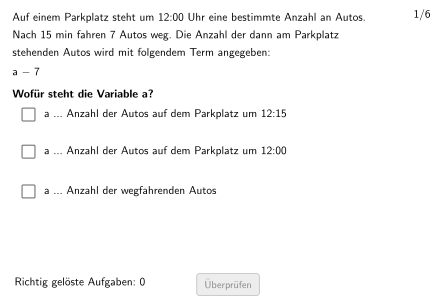
本范例是一个交互式代数练习,旨在帮助学生理解和设置变量含义。范例演示如何针对小数进行变量赋值与表达式求解,涉及的核心数学概念包括变量概念、表达式求值以及小数运算。作图要点:利用Textfield文本框输入答案,通过If条件判断验证答案正确性,使用Shuffle和Sequence命令随机打乱并生成题目序列,结合Polygon和RoundBox绘制题目卡片界面,配合checkbox复选框实现多题批改功能。本练习适合5-6年级学生使用,可用于课堂练习或课后巩固,帮助学生掌握代数表达式的基本构建与计算方法。
GeoGebra 命令及参数
Segment(Corner[HilfsText, 1], Corner[HilfsText, 2] - (0, 0)) → dxHilfsStreckeSequence(Pos1 + (i * (0, Listdy)), i, 0, 2) → PosShuffle({"a", "b", "c", "d", "e", "f", "g", "h", "i", "j", "k", "l", "m", "n", "k", "p", "q", "r", "s", "t", "u", "v", "w", "y", "z"}) → alphabetWithoutX, {"t", "r", "m", "u", "p", "k", "y", "a", "s", "n", "j", "d", "q", "b", "g", "h", "c", "v", "k", "z", "e", "i", "f", "l", "w"}Shuffle(Sequence[Random[1, Length[alphabetWithoutX]], i, 1, 100]) → randomNosVariable, {5, 18, 18, 9, 13, 19, 10, 5, 18, 8, 9, 21, 22, 7, 15, 12, 17, 7, 16, 18, 10, 11, 8, 7, 3, 2, 15, 18, 1, 22, 17, 9, 21, 4, 18, 17, 4, 5, 19, 14, 12, 15, 1, 6, 18, 16, 16, 15, 18, 11, 21, 5, 2, 15, 18, 15, 15, 4, 24, 19, 12, 4, 23, 16, 16, 9, 16, 4, 24, 22, 25, 11, 3, 13, 21, 15, 4, 4, 22, 12, 3, 1, 10, 1, 5, 8, 21, 12, 12, 19, 3, 10, 14, 12, 10, 20, 2, 16, 23, 25}Shuffle(Sequence[Random[1, 6], i, 1, 100]) → randomNosCase, {1, 4, 5, 6, 2, 4, 5, 5, 2, 1, 3, 4, 1, 1, 5, 4, 4, 5, 1, 5, 4, 3, 1, 2, 3, 6, 6, 5, 3, 2, 5, 3, 2, 1, 2, 4, 2, 4, 4, 3, 2, 2, 3, 6, 5, 6, 4, 2, 5, 6, 1, 1, 5, 1, 5, 5, 3, 4, 2, 5, 4, 2, 6, 5, 1, 4, 5, 3, 3, 2, 5, 4, 1, 2, 1, 5, 2, 1, 4, 1, 5, 1, 6, 4, 4, 4, 6, 6, 3, 6, 6, 1, 3, 1, 3, 2, 1, 2, 3, 4}Shuffle(Sequence[Random[1, 10], i, 1, 100]) → randomNosConstant, {1, 8, 2, 10, 5, 3, 10, 4, 3, 8, 2, 8, 7, 1, 2, 8, 7, 8, 2, 4, 10, 5, 7, 1, 1, 3, 2, 1, 6, 8, 10, 3, 3, 7, 10, 9, 3, 1, 3, 5, 8, 8, 4, 5, 8, 6, 7, 3, 9, 2, 6, 8, 8, 6, 8, 5, 6, 2, 10, 10, 10, 10, 3, 4, 8, 6, 3, 9, 8, 9, 7, 6, 8, 9, 7, 8, 8, 6, 5, 10, 1, 6, 6, 1, 7, 6, 4, 4, 8, 2, 7, 1, 8, 8, 1, 1, 3, 4, 8, 9}Shuffle(Sequence[Random[1, Length[verbVer]], i, 1, 100]) → randomNosVerbVer, {3, 1, 3, 3, 3, 2, 3, 2, 2, 3, 1, 1, 2, 3, 3, 1, 3, 2, 1, 3, 1, 2, 1, 1, 3, 3, 2, 2, 1, 3, 3, 3, 1, 1, 2, 2, 1, 3, 1, 1, 3, 2, 3, 1, 2, 3, 3, 3, 2, 3, 1, 3, 1, 1, 2, 2, 2, 3, 1, 1, 2, 2, 3, 2, 1, 2, 1, 1, 1, 3, 2, 3, 1, 1, 1, 2, 2, 1, 1, 2, 1, 2, 1, 1, 1, 1, 1, 2, 3, 2, 3, 2, 2, 1, 3, 2, 1, 2, 2, 1}Element(randomNosVariable, Mod[questionCount, 20] + 1) → numVariableElement(randomNosCase, Mod[questionCount, 100] + 1) → numCaseElement(randomNosConstant, Mod[questionCount, 100] + 1) → numConstantRestElement(randomNosVerbVer, Mod[questionCount, 100] + 1) → numVerbVerIf(numCase ≟ 2, numConstantCase2, numConstantRest) → numConstantIf(checkbox1, ptopLeftCornerFeedbacks(1), If[checkbox2, ptopLeftCornerFeedbacks(2), If[checkbox3, ptopLeftCornerFeedbacks(3)]]) → PtopLeftCornerFeedbackShuffle(Sequence[Random[1, 3], i, 1, 100]) → randomNosPositionAnswerCorrect, {1, 1, 2, 1, 2, 2, 3, 1, 3, 2, 2, 2, 3, 3, 3, 2, 1, 3, 1, 2, 3, 2, 1, 3, 2, 2, 3, 3, 3, 1, 1, 2, 1, 1, 3, 1, 2, 2, 2, 3, 2, 3, 2, 1, 1, 2, 2, 1, 2, 1, 2, 3, 2, 3, 3, 1, 2, 3, 1, 3, 3, 1, 1, 3, 1, 1, 1, 3, 1, 2, 2, 2, 1, 1, 3, 2, 3, 3, 2, 1, 2, 2, 1, 1, 3, 1, 1, 3, 3, 1, 1, 3, 2, 2, 1, 2, 3, 1, 1, 1}Element(randomNosPositionAnswerCorrect, Mod[questionCount, 100] + 1) → numPositionAnswerCorrectTextfield(aInput) → InputBox1Textfield(bInput) → InputBox2Polygon(PtopLeftCornerFeedback, PtopRightCornerFeedback, PbottomRightCornerFeedback, PbottomLeftCornerFeedback) → rectangleCorrect, ptopleftcornerfeedback, ptoprightcornerfeedback, pbottomrightcornerfeedback, pbottomleftcornerfeedbackSequence(RandomElement[Remove[Sequence[3], {randomNosPositionAnswerCorrect(i)}]], i, 1, 100) → randomNosPositionAnswerWrong1, {2, 3, 3, 2, 3, 3, 2, 2, 2, 3, 3, 3, 2, 1, 1, 1, 3, 1, 3, 3, 2, 3, 2, 2, 3, 1, 1, 2, 2, 3, 3, 1, 3, 2, 2, 3, 1, 3, 3, 2, 1, 2, 1, 2, 2, 3, 1, 3, 3, 3, 1, 2, 1, 2, 1, 2, 1, 1, 2, 1, 1, 3, 3, 2, 2, 3, 3, 1, 2, 3, 3, 3, 3, 2, 1, 3, 2, 1, 1, 2, 1, 1, 3, 2, 1, 2, 2, 1, 1, 3, 2, 1, 3, 1, 3, 1, 2, 3, 2, 2}Element(randomNosPositionAnswerWrong1, Mod[questionCount, 100] + 1) → numPositionAnswerWrong1Sequence(RandomElement[Remove[Remove[Sequence[3], {randomNosPositionAnswerCorrect(i)}], {randomNosPositionAnswerWrong1(i)}]], i, 1, 100) → randomNosPositionAnswerWrong2, {3, 2, 1, 3, 1, 1, 1, 3, 1, 1, 1, 1, 1, 2, 2, 3, 2, 2, 2, 1, 1, 1, 3, 1, 1, 3, 2, 1, 1, 2, 2, 3, 2, 3, 1, 2, 3, 1, 1, 1, 3, 1, 3, 3, 3, 1, 3, 2, 1, 2, 3, 1, 3, 1, 2, 3, 3, 2, 3, 2, 2, 2, 2, 1, 3, 2, 2, 2, 3, 1, 1, 1, 2, 3, 2, 1, 1, 2, 3, 3, 3, 3, 2, 3, 2, 3, 3, 2, 2, 2, 3, 2, 1, 3, 2, 3, 1, 2, 3, 3}Element(randomNosPositionAnswerWrong2, Mod[questionCount, 100] + 1) → numPositionAnswerWrong2If(checkbox1, Pos(1), checkbox2, Pos(2), Pos(3)) → CRoundBox(radius, C, dy, dx) → c, d, Vieleck1, e, fTranslate(Pos, (dxHilfsStrecke + 1, 0)) → Pos2If(checkbox1, Pos2(1), checkbox2, Pos2(2), Pos2(3)) → PosFBPoint(xAxis) → DOrthogonalLine(D, xAxis) → gRoundBox(radius, PosRichtigeOption, dy, FBdx) → Vieleck2, h, Vieleck3, k, p
AI 绘图提示语参考
画一个包含多个圆形和矩形的图形,包括正确答案和错误答案的选项。图形中有一个圆形表示正确答案,四个矩形分别表示错误答案。圆形和矩形的位置和大小将根据随机数生成的值进行调整。请在图形中添加一个文本输入框,用于用户输入答案。
以上提示语为根据原始绘图命令整理而来,仅供参考。