
复利模型与问题
几何画板及绘图内容加载中,请稍等……
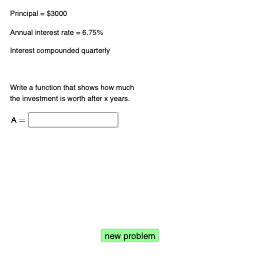
该范例演示复利模型及其相关问题。涉及的核心数学概念包括指数函数和自然数。通过使用GeoGebra命令如Sequence、Random、If等,可以构建复利模型的动态图形。适合高中及以上学生学习复利计算和相关数学概念。
GeoGebra 命令及参数
Sequence(1000, 30000, 1000) → PlistRandom(1, 6) → chooserIf(chooser ≟ 1, 1, chooser ≟ 6, Infinity, chooser ≟ 2, 2, chooser ≟ 3, 4, chooser ≟ 4, 12, chooser ≟ 5, 365) → nSequence(i, i, 2, 8, 0.01) → rlistRandomElement(rlist) → rRandomElement(Plist) → PIf(chooser ≤ 5, (P * (1 + r / 100 / n)^((n * x))), (P * ℯ^((r / 100 * x)))) → fIf(chooser ≤ 5, f, g) → qRandom(round((1.2 * P), 0), round((2.5 * P), 0)) → ARandom(0, 1) → contSequence(i, i, 3, 20, 0.1) → timelistRandomElement(timelist) → timeRandomElement({1.5, 2, 2.5, 3}) → scalarIf(chooser ≟ 1, "annually", "continuously", chooser ≟ 2, "biannually", chooser ≟ 3, "quarterly", chooser ≟ 4, "monthly", chooser ≟ 5, "daily") → text1Textfield(g) → InputBox1Textfield(a) → InputBox2Textfield(b) → InputBox3Intersect(q, h, (9.853928433047047, 5802)) → BIf(round(x(B), 2) ≟ b, "√", "X") → text11Textfield(c) → InputBox4If(g ≟ q, "√", "X") → text7If(round(q(time), 2) ≟ a, "√", "X") → text10Intersect(q, p, (13.688894406566929, 7500)) → CIf(round(x(C), 2) ≟ c, "√", "X") → text12
AI 绘图提示语参考
绘制一个展示复利模型的动态图形,包含初始金额列表、随机选择的时间周期、利率列表和复利计算结果。图形应显示不同复利频率(年、半年、季、月、日)下的增长曲线,并标注关键点与计算结果,如特定时间点的金额和比较结果,以展示复利计算与概率选择的关系。
以上提示语为根据原始绘图命令整理而来,仅供参考。