
整数大小比较:用不等式表示正负数关系
几何画板及绘图内容加载中,请稍等……
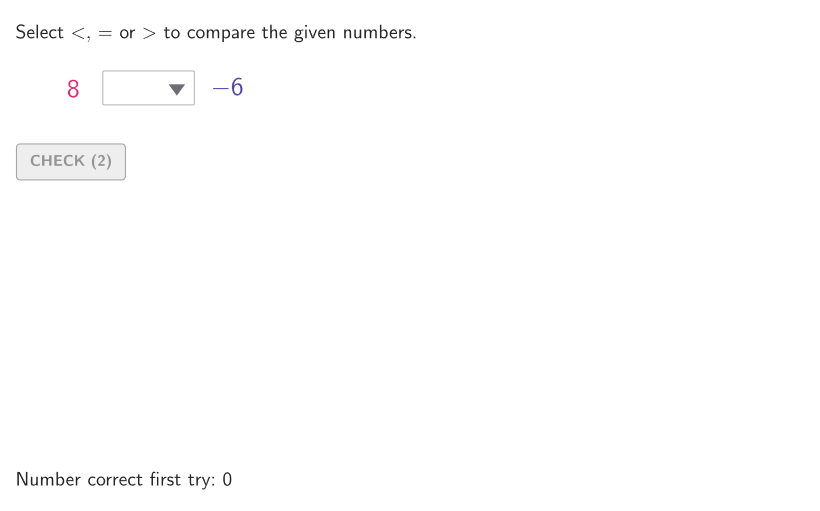
该范例通过可交互的数轴,让学生观察并完成用不等号(<、>、≤、≥)表示正数与负数之间大小关系的题目。核心数学概念包括:整数的符号与绝对值直观、数轴上点的位置对应大小、以及不等式的数学记号表达。作图与交互实现要点是:程序用 Sequence 与 Shuffle 生成随机题目数据(如 allRandomSeeds、numA、numB、randIndex 等),通过 Point 与 SelectedIndex/Element 选取当前要比较的数;再利用 If 与逻辑条件生成判断结果(randomCorrect、correct、tries、countCorrect 等);同时用 Segment、Polygon/Circle(以及 circlePixels)完成数轴与提示图形元素的显示与布局;文本与引导部分则由 onboardingTextOffset、onboarding、helpTextHint、textAnswer、showhint 等对象控制。适合6–8年级学生进行整数比较与排序练习,也可用于课堂互动复习与作业巩固。
GeoGebra 命令及参数
Sequence((k, 0), k, -20, 20, 1) → xGridSequence(Random[0, 99] / 100, A, 1, 200) → allRandomSeeds, {0.09, 0.18, 0.14, 0.52, 0.07, 0.12, 0.08, 0.12, 0.96, 0.68, 0.44, 0.38, 0.13, 0.25, 0.99, 0.53, 0.36, 0.29, 0.34, 0.08, 0.36, 0.95, 0.44, 0.15, 0.03, 0.41, 0.4, 0.63, 0.92, 0.86, 0.45, 0, 0.7, 0.55, 0.25, 0.02, 0.75, 0.73, 0.84, 0.89, 0.48, 0.19, 0.8, 0.35, 0.3, 0.13, 0.31, 0.23, 0.06, 0.76, 0.91, 0.55, 0.28, 0.18, 0.69, 0.87, 0.69, 0.34, 0.2, 0.81, 0.8, 0.69, 0.81, 0.9, 0.05, 0.32, 0.42, 0.11, 0.7, 0.98, 0.44, 0.53, 0.22, 0.78, 0.86, 0.63, 0.7, 0.51, 0.31, 0.42, 0.22, 0.6, 0.68, 0.43, 0.54, 0.18, 0.67, 0.96, 0.59, 0.13, 0.76, 0.69, 0.26, 0.66, 0.03, 0.3, 0.88, 0.6, 0.99, 0.83, 0.28, 0.63, 0.1, 0.21, 0.97, 0.86, 0.77, 0.55, 0.91, 0.29, 0.64, 0.88, 0.89, 0.3, 0.31, 0.55, 0.05, 0.45, 0.95, 0.63, 0.33, 0.23, 0.88, 0.46, 0.39, 0.15, 0.72, 0.41, 0.36, 0.52, 0.37, 0.89, 0.57, 0.8, 0.41, 0.68, 0.66, 0.71, 0.19, 0.79, 0.04, 0.21, 0.65, 0.04, 0.03, 0.21, 0.05, 0.09, 0.77, 0.45, 0.21, 0.31, 0.34, 0.03, 0.6, 0.06, 0.29, 0.39, 0.63, 0.81, 0.04, 0.8, 0.12, 0.27, 0.89, 0.09, 0.5, 0.09, 0.53, 0.76, 0.58, 0.83, 0.29, 0.93, 0.19, 0.63, 0.47, 0.3, 0.22, 0.59, 0.54, 0.48, 0.72, 0.24, 0.31, 0.66, 0, 0.15, 0.58, 0.89, 0.84, 0.85, 0.77, 0.95, 0.24, 0.91, 0.84, 0.58, 0.83, 0.95}Shuffle(Sequence[t, t, -20, 20, 1]) → allB, {-6, -17, -15, 18, -9, -7, 6, 5, 17, 10, 14, -19, 12, 15, -16, -3, 8, 0, -10, 2, 3, -20, -8, 20, -4, -14, 13, 9, 11, 4, -12, -2, -1, -13, 1, -11, 7, 19, -18, 16, -5}Shuffle(Sequence[t, t, -20, 20, 1]) → allA, {8, -17, 20, -4, -19, 13, 14, -3, 17, -9, 19, 12, -1, 10, 6, -2, -6, 3, -12, 2, -14, 7, -10, 1, 11, 18, -11, 5, 0, 4, -15, -20, 15, 9, -16, -7, -18, -5, -13, 16, -8}Point(xGrid) → QPoint(xGrid) → PSelectedIndex(ddMenu) → isElement(allB, Mod[countQuestion, Length[allA]] + 1) → numBElement(allA, Mod[countQuestion, Length[allA]] + 1) → numATake(allRandomSeeds, randIndex, randIndex + numRandoms - 1) → currentRandomSeedsPolygon(Zip[PixelsToPoint[Corner[1], Corner[3], Corner[5], A], A, {(pixelsLeft, pixelsTop), (pixelsLeft, y(Corner[5]) - pixelsBottom), Corner[5] - (pixelsRight, pixelsBottom), (x(Corner[5]) - pixelsRight, pixelsTop)}]) → borderBoxCorner(5) → layoutAppSizeonboardingTextOffset(Corner[onboardingText, 1], Corner[onboardingText, 3], onboardingCase, Corner[1], Corner[3], Corner[5]) → OnboardingTextOffsetIf(numA ≤ -10, 30, -10 < numA ≤ -1, 40, -1 < numA ≤ 9, 60, 49) → textAPosXIf(numB < 0, 200, 210) → textBPosXSegment((-20.5, 0), (20.5, 0)) → numberLineSequence(Segment[(t, -0.2), (t, 0.2)], t, -20, 20, 1) → shortTicksSequence(t, t, -20, 20, 2) → allAxesLabelsSequence((k, 0), k, -20, 20, 2) → labelsGridZip(Text[("" * A), B, false, true, 0, 0], A, allAxesLabels, B, labelsGrid + (0, -0.7)) → labelsInPlacecirclePixels(Q, 7 + (7 * pulsing), Corner[1], Corner[3], Corner[5]) → pulsingObjectcirclePixels(P, 7 + (7 * pulsing), Corner[1], Corner[3], Corner[5]) → pulsingObjectB
AI 绘图提示语参考
画一个数轴,从-20到20,每隔一个单位画一个刻度线和数字标签。在数轴上随机选择两个整数,一个在-10到-1之间,另一个在-1到9之间,用圆圈标记这两个整数的位置。数轴上每隔一个单位画一个小刻度线。数轴两端各有一个大刻度线,用于标记数轴的范围。根据整数的大小,调整圆圈的位置和大小,较大的数用较大的圆圈表示。
以上提示语为根据原始绘图命令整理而来,仅供参考。