
分数与小数的比较排序练习
几何画板及绘图内容加载中,请稍等……
这是一个互动数学谜题范例,通过「分数希尔德」和「小数德齐伯特」两个趣味角色引导学生练习自然数、非负小数和分数的比较与排序。核心数学概念是有理数的大小比较,涉及数感和运算能力的培养。作图要点:利用Shuffle命令实现题目随机抽取,通过Textfield和DropDown创建交互式输入,利用Polygon和Circle绘制装饰图形,使用If条件判断和IsInRegion检测答案正确性,结合SpeechBubble系列创建对话式反馈。该练习适合5-6年级学生,可用于课堂练习或自主学习,帮助学生建立数感和有理数大小比较的直观理解。
GeoGebra 命令及参数
SelectedIndex(DropDown) → Index1Shuffle(Sequence[1, 6, 1]) → exNumList, {3, 1, 6, 5, 4, 2}Midpoint(Corner[BoxEx4Nuesse, 1], Corner[BoxEx4Nuesse, 3]) → PosNuesseMidpoint(Corner[BoxEx4Sauerrahm, 1], Corner[BoxEx4Sauerrahm, 3]) → PosSauerrahmMidpoint(Corner[BoxEx4Butter, 1], Corner[BoxEx4Butter, 3]) → PosButterMidpoint(Corner[BoxEx4Zucker, 1], Corner[BoxEx4Zucker, 3]) → PosZuckerCircle(MC1, radius) → c1Circle(MC2, radius) → c2Circle(MC3, radius) → c3Circle(MC4, radius) → c4Circle(MC5, radius) → c5Midpoint(Corner[BoxEx4Mehl, 1], Corner[BoxEx4Mehl, 3]) → PosMehlIsInRegion(PosMehl, c5) → correctex3mehlIsInRegion(PosZucker, c2) → correctex3zuckerIsInRegion(PosButter, c1) → correctex3butterIsInRegion(PosSauerrahm, c3) → correctex3sauerrahmIsInRegion(PosNuesse, c4) → correctex3nuesseTextfield(input1) → InputBox1Textfield(input2) → InputBox2Polygon(PtopLeftCornerFeedback, PtopRightCornerFeedback, PbottomRightCornerFeedback, PbottomLeftCornerFeedback) → rectangleCorrect, rectangleCorrectS3, rectangleCorrectS4, rectangleCorrectS2, rectangleCorrectS1Shuffle(Sequence[Random[0, 10], i, 1, 100]) → randomNosForX, {4, 0, 7, 9, 7, 1, 7, 10, 6, 7, 0, 9, 3, 8, 0, 4, 2, 2, 2, 6, 6, 3, 9, 1, 3, 6, 2, 4, 10, 1, 2, 7, 6, 0, 0, 1, 1, 7, 8, 3, 0, 0, 9, 5, 5, 6, 10, 8, 5, 3, 2, 4, 7, 5, 3, 6, 8, 6, 10, 10, 7, 7, 8, 1, 8, 5, 3, 0, 1, 10, 5, 2, 7, 5, 10, 7, 7, 1, 5, 5, 0, 3, 7, 2, 9, 0, 0, 7, 8, 3, 8, 7, 6, 2, 9, 4, 4, 8, 4, 1}Element(randomNosForX, Mod[questionCount, 100] + 1) → numXShuffle(Sequence[Random[0, 10], i, 1, 100]) → randomNosForY, {3, 5, 9, 10, 9, 3, 10, 1, 10, 3, 3, 1, 4, 8, 8, 6, 10, 10, 9, 3, 6, 0, 6, 10, 8, 5, 9, 10, 8, 9, 9, 10, 10, 9, 2, 4, 1, 6, 6, 9, 8, 3, 1, 3, 4, 2, 2, 9, 10, 2, 5, 2, 1, 0, 0, 6, 2, 7, 0, 6, 3, 2, 4, 5, 5, 10, 6, 5, 1, 10, 1, 9, 3, 10, 6, 10, 6, 2, 3, 8, 0, 10, 8, 9, 5, 10, 9, 4, 4, 4, 8, 9, 0, 1, 10, 2, 10, 0, 5, 6}Element(randomNosForY, Mod[questionCount, 100] + 1) → numYAppend(true, Sequence[If[randomNosForX(i) ≟ randomNosForX(i - 1), false, true], i, 2, 100]) → stayXAppend(true, Sequence[If[randomNosForY(i) ≟ randomNosForY(i - 1), false, true], i, 2, 100]) → stayYRemove(Sequence[If[stayX(i), randomNosForX(i), 0], i, 1, 100], Sequence[0, i, 1, 100]) → randomNosForXwithoutRepeatRemove(Sequence[If[stayY(i), randomNosForY(i), 0], i, 1, 100], Sequence[0, i, 1, 100]) → randomNosForYwithoutRepeatElement(randomNosForXwithoutRepeat, Mod[questionCount, Length[randomNosForXwithoutRepeat]] + 1) → numXwithoutRepeatElement(randomNosForYwithoutRepeat, Mod[questionCount, Length[randomNosForYwithoutRepeat]] + 1) → numYwithoutRepeatSpeechBubbleLeft(I, 6, 1.4) → Vieleck1SpeechBubbleRight(J, 5, 0.5) → Vieleck2Segment(K, L) → fPoint(f) → DifficultyTextfield(input3) → InputBox3Textfield(input4) → InputBox4Textfield(input5) → InputBox5Textfield(input6) → InputBox6Text(correctText, W, false, true, 0, 0) → Text2If(exNum ≟ 4, 4, 3) → inputlaengeTextfield(input7) → InputBox7Textfield(input8) → InputBox8Textfield(input9) → InputBox9Textfield(input10) → InputBox10Textfield(input11) → InputBox11Textfield(input12) → InputBox12
AI 绘图提示语参考
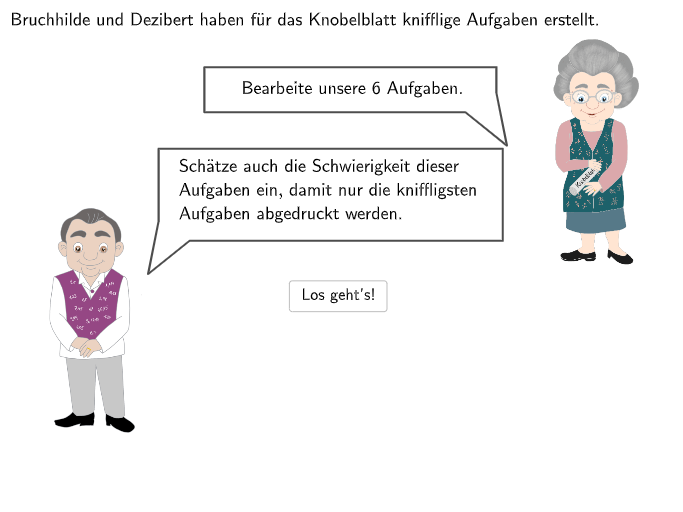
这是一个互动数学图形,包含两个趣味角色Bruchhilde和Dezibert,他们引导学生比较分数和小数。图形中有随机问题选择、文本输入框、答案检查区域(圆形区域),以及用于反馈的矩形和气泡。构造顺序:先放置角色,然后创建问题列表,随机选择问题,创建输入框和答案检查区域,最后添加反馈元素。
以上提示语为根据原始绘图命令整理而来,仅供参考。