
数轴上的分数比较与识别
几何画板及绘图内容加载中,请稍等……
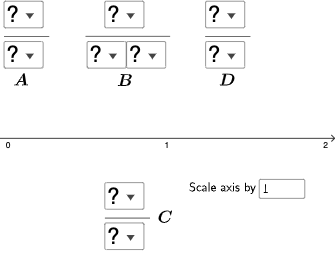
①本范例演示在数轴上比较和识别分数;②涉及核心数学概念:分数、百分比、比率、加法、解析几何;③作图要点:使用了GeoGebra命令如SelectedElement, IndexOf, Segment, Sequence, Textfield, OrthogonalLine, Intersect, Mode, If, Element等对象;④适合初中数学教学或自学,用于理解分数大小关系和位置。
GeoGebra 命令及参数
SelectedElement(l1) → text5SelectedElement(l1) → text6SelectedElement(l1) → bSelectedElement(l1) → text7SelectedElement(l1) → text8SelectedElement(l5) → text9SelectedElement(l5) → text10IndexOf(SelectedElement[l1], l1) → cIndexOf(SelectedElement[l1], l1) → dSegment(B, C) → fSequence(CountIf[x ≟ i, l10], i, 1, 9, 1) → l11, {0, 0, 0, 0, 0, 0, 0, 0, 0}Textfield(a) → InputBox1OrthogonalLine(A, xAxis) → gOrthogonalLine(D, xAxis) → hIntersect(g, xAxis) → EIntersect(h, xAxis) → FSegment(A, E) → iSegment(D, F) → jMode(l10) → l12If(Length[l12] ≟ 0, "No digits repeat!", "You have repeated digits.") → text12Element(l12, 1) → e
AI 绘图提示语参考
画一个数轴,上面标出几个分数的位置,比如1/2、1/4和3/4。用线段连接这些分数点。创建一个滑块来调整这些分数的位置,观察它们在数轴上的变化。
以上提示语为根据原始绘图命令整理而来,仅供参考。