
按角度分类三角形
几何画板及绘图内容加载中,请稍等……
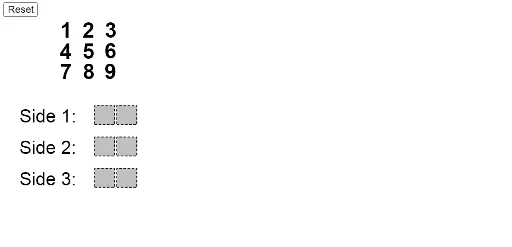
①本范例演示如何根据角度大小对三角形进行分类;②涉及核心数学概念包括角度分类(锐角、直角、钝角三角形)、几何作图、条件判断;③构造要点:使用Polygon、If、Min、Max、Element、Point、Circle、Segment、Intersect、Mod、Div、Midpoint、Text、Angle等GeoGebra命令和对象实现动态三角形绘制与分类标注;④适合高中数学教学,用于直观理解三角形分类标准及动态几何演示。
GeoGebra 命令及参数
Polygon((-3.7, -5), (-2.8, -5), 4) → poly9Polygon((-4.7, -5), (-3.8, -5), 4) → poly8Polygon((-3.7, -3.5), (-2.8, -3.5), 4) → poly6Polygon((-4.7, -3.5), (-3.8, -3.5), 4) → poly5Polygon((-3.7, -2), (-2.8, -2), 4) → poly3Polygon((-4.7, -2), (-3.8, -2), 4) → poly2If(IsInRegion[A, poly9], 1, If[IsInRegion[B, poly9], 2, If[IsInRegion[C, poly9], 3, If[IsInRegion[D, poly9], 4, If[IsInRegion[E, poly9], 5, If[IsInRegion[F, poly9], 6, If[IsInRegion[G, poly9], 7, If[IsInRegion[H, poly9], 8, If[IsInRegion[I, poly9], 9, 0]]]]]]]]) → nineSumIf(IsInRegion[A, poly8], 1, If[IsInRegion[B, poly8], 2, If[IsInRegion[C, poly8], 3, If[IsInRegion[D, poly8], 4, If[IsInRegion[E, poly8], 5, If[IsInRegion[F, poly8], 6, If[IsInRegion[G, poly8], 7, If[IsInRegion[H, poly8], 8, If[IsInRegion[I, poly8], 9, 0]]]]]]]]) → eightSumIf(IsInRegion[A, poly6], 1, If[IsInRegion[B, poly6], 2, If[IsInRegion[C, poly6], 3, If[IsInRegion[D, poly6], 4, If[IsInRegion[E, poly6], 5, If[IsInRegion[F, poly6], 6, If[IsInRegion[G, poly6], 7, If[IsInRegion[H, poly6], 8, If[IsInRegion[I, poly6], 9, 0]]]]]]]]) → sixSumIf(IsInRegion[A, poly5], 1, If[IsInRegion[B, poly5], 2, If[IsInRegion[C, poly5], 3, If[IsInRegion[D, poly5], 4, If[IsInRegion[E, poly5], 5, If[IsInRegion[F, poly5], 6, If[IsInRegion[G, poly5], 7, If[IsInRegion[H, poly5], 8, If[IsInRegion[I, poly5], 9, 0]]]]]]]]) → fiveSumIf(IsInRegion[A, poly2], 1, If[IsInRegion[B, poly2], 2, If[IsInRegion[C, poly2], 3, If[IsInRegion[D, poly2], 4, If[IsInRegion[E, poly2], 5, If[IsInRegion[F, poly2], 6, If[IsInRegion[G, poly2], 7, If[IsInRegion[H, poly2], 8, If[IsInRegion[I, poly2], 9, 0]]]]]]]]) → twoSumIf(IsInRegion[A, poly3], 1, If[IsInRegion[B, poly3], 2, If[IsInRegion[C, poly3], 3, If[IsInRegion[D, poly3], 4, If[IsInRegion[E, poly3], 5, If[IsInRegion[F, poly3], 6, If[IsInRegion[G, poly3], 7, If[IsInRegion[H, poly3], 8, If[IsInRegion[I, poly3], 9, 0]]]]]]]]) → threeSumMin({side1, side2, side3}) → shortestSideMax({side1, side2, side3}) → longestSideElement(Remove[{side1, side2, side3}, {longestSide, shortestSide}], 1) → middleSidePoint({5 - ((5 * longestSide / 98) * side1slider), -5}) → bottomLeftCircle(bottomLeft, (shortestSide * 10 / 98)) → leftSideCirclePoint({5 + ((5 * longestSide / 98) * side1slider), -5}) → bottomRightSegment(bottomLeft, bottomRight) → bottomSideIntersect(leftSideCircle, bottomSide) → noIntersectionPoint_1, QCircle(bottomRight, (middleSide * 10 / 98)) → rightSideCircleIntersect(leftSideCircle, rightSideCircle) → intersectionPoint_1, intersectionPoint_2, ,If(y(intersectionPoint_1) > y(intersectionPoint_2), intersectionPoint_1, intersectionPoint_2) → intersectionPointPolygon((0, 0), (0.9, 0), 4) → poly1Polygon((0, 1), (0.9, 1), 4) → poly4Polygon((0, 2), (0.9, 2), 4) → poly7Mod(onesPlace, 10) → SAoneMod(tensPlace + Div[onesPlace, 10], 10) → SAtenDiv(onesPlace, 10) → SAtensCarryDiv(tensPlace + Div[onesPlace, 10], 10) → SAhundredsCarryPolygon(L, M, N, O) → q1, l, m, n, oSegment(bottomLeft, (bottomLeft * (1 - otherSidesTimer)) + (If[Defined[intersectionPoint], intersectionPoint, noIntersectionPoint_1] * otherSidesTimer)) → leftSideIntersect(rightSideCircle, bottomSide) → noIntersectionPoint_2, PSegment(bottomRight, (bottomRight * (1 - otherSidesTimer)) + (If[Defined[intersectionPoint], intersectionPoint, noIntersectionPoint_2] * otherSidesTimer)) → rightSideMidpoint(bottomSide) → bottomLabelPointCircle(bottomLeft, ((shortestSide * 10 / 98) * leftCircleTimer)) → growingLeftCircleCircle(bottomRight, ((middleSide * 10 / 98) * rightCircleTimer)) → growingRightCircleText(longestSide, bottomLabelPoint - (0, 1)) → text10Text(shortestSide, leftLabelPoint) → text11Text(middleSide, rightLabelPoint) → text13Angle(intersectionPoint, bottomLeft, bottomRight) → αAngle(intersectionPoint, bottomRight, bottomLeft) → βAngle(bottomRight, intersectionPoint, bottomLeft) → γ
AI 绘图提示语参考
画一个动态几何图形,展示如何根据角度大小分类三角形。包含多个多边形区域,通过判断点位于哪个区域来决定三角形的类型(锐角、直角、钝角)。使用滑块控制三角形边长,动态显示最短边、最长边和中边,并画出对应的圆和线段。计算并标注三个顶点之间的角度,最终形成一个完整的三角形分类演示。
以上提示语为根据原始绘图命令整理而来,仅供参考。