
角度大小分类匹配练习
几何画板及绘图内容加载中,请稍等……
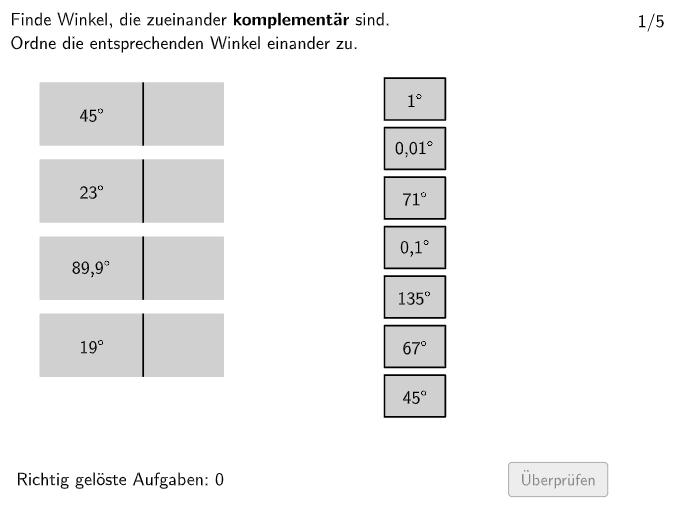
本范例是一个互动式角度分类练习。①演示内容:学生在界面上将不同大小的角与对应的角类型(锐角、直角、钝角、平角、优角、圆周角)进行匹配。②核心数学概念:角的定义与分类、角度大小的量化(度数制)。③作图要点:利用Shuffle命令随机打乱选项顺序,通过Textfield和Text命令显示题目与选项,使用If命令判断答案正确性,结合Polygon绘制角度示意图,运用Sequence和Length控制题目流程。④适合学段:5-6年级(初中预备班),可用于课堂练习或课后巩固,帮助学生掌握角的概念和分类标准。
GeoGebra 命令及参数
Polygon(allowedRect4, allowedRect3, allowedRect2, allowedRect1) → allowedRect, a_1, b, c, dMax(widthsOptionsR) → widthRMax(heightsOptionsR) → heightRMax(heightR, Max[heightsOptionsL]) → heightLMax(widthsOptionsL) → widthLIf(isShuffleOptionsLechts, Shuffle[1…numOptionsR], 1…numOptionsR) → indizesOptionsRechtsIf(isShuffleOptionsLinks, Shuffle[1…numOptionsL], 1…numOptionsL) → indizesOptionsLinksTextfield(input1) → InputBox1Textfield(input2) → InputBox2Polygon(PtopLeftCornerFeedback, PtopRightCornerFeedback, PbottomRightCornerFeedback, PbottomLeftCornerFeedback) → rectangleCorrect, rectangleCorrectS3, rectangleCorrectS4, rectangleCorrectS2, rectangleCorrectS1Shuffle(Sequence[Random[0, 10], i, 1, 100]) → randomNosForX, {1, 3, 9, 9, 3, 7, 5, 2, 8, 6, 2, 6, 8, 4, 2, 0, 0, 9, 4, 4, 8, 10, 9, 0, 4, 10, 6, 6, 8, 0, 0, 7, 2, 5, 5, 2, 4, 1, 1, 2, 9, 3, 6, 6, 9, 0, 10, 6, 4, 6, 2, 5, 8, 4, 1, 2, 2, 6, 10, 9, 3, 2, 0, 0, 9, 5, 0, 9, 8, 3, 5, 3, 10, 4, 10, 3, 8, 6, 4, 9, 6, 10, 10, 8, 5, 10, 10, 10, 8, 1, 6, 0, 10, 9, 1, 6, 10, 3, 1, 0}Element(randomNosForX, Mod[questionCount, 100] + 1) → numXShuffle(Sequence[Random[0, 10], i, 1, 100]) → randomNosForY, {8, 7, 2, 1, 5, 3, 9, 10, 10, 5, 9, 5, 5, 5, 1, 6, 5, 5, 5, 5, 10, 8, 4, 5, 3, 5, 1, 2, 10, 6, 0, 10, 1, 6, 10, 10, 10, 10, 9, 10, 2, 5, 9, 3, 3, 2, 7, 0, 6, 3, 3, 9, 4, 3, 9, 2, 3, 8, 6, 0, 9, 5, 3, 0, 1, 0, 4, 9, 2, 3, 2, 2, 2, 5, 5, 8, 3, 7, 5, 7, 6, 9, 6, 2, 5, 5, 10, 10, 9, 1, 7, 5, 10, 5, 9, 10, 9, 4, 0, 10}Element(randomNosForY, Mod[questionCount, 100] + 1) → numYAppend(true, Sequence[If[randomNosForX(i) ≟ randomNosForX(i - 1), false, true], i, 2, 100]) → stayXAppend(true, Sequence[If[randomNosForY(i) ≟ randomNosForY(i - 1), false, true], i, 2, 100]) → stayYRemove(Sequence[If[stayX(i), randomNosForX(i), 0], i, 1, 100], Sequence[0, i, 1, 100]) → randomNosForXwithoutRepeatRemove(Sequence[If[stayY(i), randomNosForY(i), 0], i, 1, 100], Sequence[0, i, 1, 100]) → randomNosForYwithoutRepeatElement(randomNosForXwithoutRepeat, Mod[questionCount, Length[randomNosForXwithoutRepeat]] + 1) → numXwithoutRepeatElement(randomNosForYwithoutRepeat, Mod[questionCount, Length[randomNosForYwithoutRepeat]] + 1) → numYwithoutRepeatSequence(1) → positionsOptionsRechtsSequence(Element[optionsRAll, indizesOptionsRechts(i)], i, 1, numOptionsR) → optionsRActualLength(optionsRActual) → aSequence(Element[optionsLAll, indizesOptionsLinks(i)], i, 1, numOptionsL) → optionsLActualSequence(allOptionsL(indizesOptionsLinks(i)), i, 1, numOptionsL) → optionsLSequence(allOptionsR(indizesOptionsLinks(i)), i, 1, numOptionsL) → optionsRPolygon((-10, -2), (10, -2), (10, 10), (-10, 10)) → q1, q_1, r_1, s_1, t_1Polygon(E, F, G, H) → q2, e_1, f_2, g_2, h_2Polygon(I, J, K, L) → q3, i_2, j_2, k_1, l_1Text(optionsLActual(1), CenterOptionL1, true, true, 0, 0) → opL1Text(optionsLActual(2), CenterOptionL2, true, true, 0, 0) → opL2Text(optionsLActual(3), CenterOptionL3, true, true, 0, 0) → opL3Text(optionsLActual(4), CenterOptionL4, true, true, 0, 0) → opL4PointIn(allowedRect) → CenterOptionR1Text(optionsRActual(1), CenterOptionR1, true, true, 0, 0) → opR1Polygon(CenterOptionR1, CenterOptionR1 - (widthR / 2, heightR / 2), CenterOptionR1 + (widthR / 2, ((-heightR)) / 2), CenterOptionR1 + (widthR / 2, heightR / 2), CenterOptionR1 - (widthR / 2, ((-heightR)) / 2), CenterOptionR1 - (widthR / 2, heightR / 2)) → rectRMove1, centeroptionr1, f, g, h, i, jPointIn(allowedRect) → CenterOptionR2Text(optionsRActual(2), CenterOptionR2, true, true, 0, 0) → opR2Polygon(CenterOptionR2, CenterOptionR2 - (widthR / 2, heightR / 2), CenterOptionR2 + (widthR / 2, ((-heightR)) / 2), CenterOptionR2 + (widthR / 2, heightR / 2), CenterOptionR2 - (widthR / 2, ((-heightR)) / 2), CenterOptionR2 - (widthR / 2, heightR / 2)) → rectRMove2, centeroptionr2, k, l, m, n, pPointIn(allowedRect) → CenterOptionR3Text(optionsRActual(3), CenterOptionR3, true, true, 0, 0) → opR3Polygon(CenterOptionR3, CenterOptionR3 - (widthR / 2, heightR / 2), CenterOptionR3 + (widthR / 2, ((-heightR)) / 2), CenterOptionR3 + (widthR / 2, heightR / 2), CenterOptionR3 - (widthR / 2, ((-heightR)) / 2), CenterOptionR3 - (widthR / 2, heightR / 2)) → rectRMove3, centeroptionr3, q, r, s, t, ePointIn(allowedRect) → CenterOptionR4Text(optionsRActual(4), CenterOptionR4, true, true, 0, 0) → opR4Polygon(CenterOptionR4, CenterOptionR4 - (widthR / 2, heightR / 2), CenterOptionR4 + (widthR / 2, ((-heightR)) / 2), CenterOptionR4 + (widthR / 2, heightR / 2), CenterOptionR4 - (widthR / 2, ((-heightR)) / 2), CenterOptionR4 - (widthR / 2, heightR / 2)) → rectRMove4, centeroptionr4, f_1, g_1, h_1, i_1, j_1PointIn(allowedRect) → CenterOptionR5Text(optionsRActual(5), CenterOptionR5, true, true, 0, 0) → opR5Polygon(CenterOptionR5, CenterOptionR5 - (widthR / 2, heightR / 2), CenterOptionR5 + (widthR / 2, ((-heightR)) / 2), CenterOptionR5 + (widthR / 2, heightR / 2), CenterOptionR5 - (widthR / 2, ((-heightR)) / 2), CenterOptionR5 - (widthR / 2, heightR / 2)) → rectRMove5, centeroptionr5, m_1, n_1, b_1, c_1, d_1PointIn(allowedRect) → CenterOptionR6Text(optionsRActual(6), CenterOptionR6, true, true, 0, 0) → opR6Polygon(CenterOptionR6, CenterOptionR6 - (widthR / 2, heightR / 2), CenterOptionR6 + (widthR / 2, ((-heightR)) / 2), CenterOptionR6 + (widthR / 2, heightR / 2), CenterOptionR6 - (widthR / 2, ((-heightR)) / 2), CenterOptionR6 - (widthR / 2, heightR / 2)) → rectRMove6, centeroptionr6, k_2, l_2, m_2, n_2, p_2PointIn(allowedRect) → CenterOptionR7Text(optionsRActual(7), CenterOptionR7, true, true, 0, 0) → opR7Polygon(CenterOptionR7, CenterOptionR7 - (widthR / 2, heightR / 2), CenterOptionR7 + (widthR / 2, ((-heightR)) / 2), CenterOptionR7 + (widthR / 2, heightR / 2), CenterOptionR7 - (widthR / 2, ((-heightR)) / 2), CenterOptionR7 - (widthR / 2, heightR / 2)) → rectRMove7, centeroptionr7, q_2, r_2, s_2, t_2, a_2If(CountIf[P ∈ answerRectLarger1(1), P, verticesR1] ≟ 4, 1, CountIf[P ∈ answerRectLarger2(1), P, verticesR1] ≟ 4, 2, CountIf[P ∈ answerRectLarger3(1), P, verticesR1] ≟ 4, 3, CountIf[P ∈ answerRectLarger4(1), P, verticesR1] ≟ 4, 4, -1) → indexAnswerR1If(CountIf[P ∈ answerRectLarger1(1), P, verticesR2] ≟ 4, 1, CountIf[P ∈ answerRectLarger2(1), P, verticesR2] ≟ 4, 2, CountIf[P ∈ answerRectLarger3(1), P, verticesR2] ≟ 4, 3, CountIf[P ∈ answerRectLarger4(1), P, verticesR2] ≟ 4, 4, -1) → indexAnswerR2If(CountIf[P ∈ answerRectLarger1(1), P, verticesR3] ≟ 4, 1, CountIf[P ∈ answerRectLarger2(1), P, verticesR3] ≟ 4, 2, CountIf[P ∈ answerRectLarger3(1), P, verticesR3] ≟ 4, 3, CountIf[P ∈ answerRectLarger4(1), P, verticesR3] ≟ 4, 4, -1) → indexAnswerR3If(CountIf[P ∈ answerRectLarger1(1), P, verticesR4] ≟ 4, 1, CountIf[P ∈ answerRectLarger2(1), P, verticesR4] ≟ 4, 2, CountIf[P ∈ answerRectLarger3(1), P, verticesR4] ≟ 4, 3, CountIf[P ∈ answerRectLarger4(1), P, verticesR4] ≟ 4, 4, -1) → indexAnswerR4If(CountIf[P ∈ answerRectLarger1(1), P, verticesR5] ≟ 4, 1, CountIf[P ∈ answerRectLarger2(1), P, verticesR5] ≟ 4, 2, CountIf[P ∈ answerRectLarger3(1), P, verticesR5] ≟ 4, 3, CountIf[P ∈ answerRectLarger4(1), P, verticesR5] ≟ 4, 4, -1) → indexAnswerR5If(CountIf[P ∈ answerRectLarger1(1), P, verticesR6] ≟ 4, 1, CountIf[P ∈ answerRectLarger2(1), P, verticesR6] ≟ 4, 2, CountIf[P ∈ answerRectLarger3(1), P, verticesR6] ≟ 4, 3, CountIf[P ∈ answerRectLarger4(1), P, verticesR6] ≟ 4, 4, -1) → indexAnswerR6If(CountIf[P ∈ answerRectLarger1(1), P, verticesR7] ≟ 4, 1, CountIf[P ∈ answerRectLarger2(1), P, verticesR7] ≟ 4, 2, CountIf[P ∈ answerRectLarger3(1), P, verticesR7] ≟ 4, 3, CountIf[P ∈ answerRectLarger4(1), P, verticesR7] ≟ 4, 4, -1) → indexAnswerR7CountIf(ind ≠ -1, ind, indizesAnswerR) → numAnswersDraggedToLeftIf(correct, "\vphantom{✘}✓ Richtig", If[correctpartially, "\vphantom{✓}✘ Teilweise richtig", "\vphantom{✓}✘ Falsch"]) → correctTextTempText((("\Large\textsf{" * correctTextTemp) * "}"), PStartCorrectText, true, true, 1, 0) → correctText
AI 绘图提示语参考
这是一个交互式角度分类练习的图形,包含六个角度类型选项:锐角、直角、钝角、平角、反射角和全角。图形中会显示一个矩形背景,上面有文本框用于显示问题和选项,并绘制一些角度示意图。构造顺序是先绘制矩形,然后随机化选项顺序,创建文本框和选项标签,最后绘制角度图示以供学生匹配。
以上提示语为根据原始绘图命令整理而来,仅供参考。