
两弦夹角探究:你看到了什么?
几何画板及绘图内容加载中,请稍等……
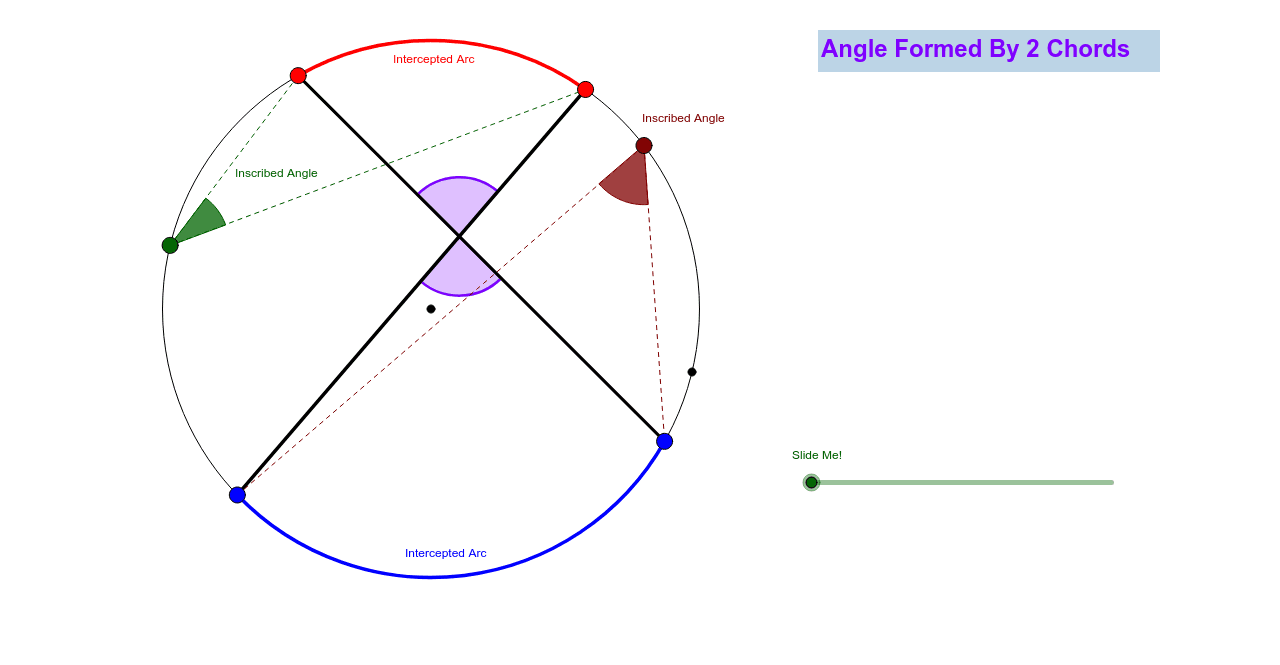
本范例通过动态几何图形帮助学生直观理解两弦夹角的性质,无需文字或角度度量。它展示了如何构造两弦及其夹角,利用圆的相关性质进行探究。通过GeoGebra命令如Circle, Point, Line, Intersect等,学生可以探索角度与弦长之间的关系。适合初中及以上学生学习几何。
GeoGebra 命令及参数
Circle(A, B) → cPoint(c) → CLine(A, C) → aIntersect(c, a) → D, EPoint(c) → JPoint(c) → KPoint(c) → LPoint(c) → MSegment(J, K) → fSegment(M, L) → gIntersect(f, g) → NCircleArc(A, M, J) → hCircleArc(A, L, K) → kPoint(c) → FPoint(c) → GSegment(F, J) → bSegment(F, M) → dAngle(M, F, J) → αAngle(L, G, K) → βSegment(G, L) → eSegment(G, K) → iAngle(L, N, K) → γCircle(F, 1.5) → pCircle(G, 1.5) → qCircle(N, 1.5) → rIntersect(p, b) → H,Intersect(p, d) → I,Intersect(r, g) → O, PIntersect(r, f) → Q, RIntersect(q, i, 1) → SIntersect(q, e, 1) → TVector(F, N) → uVector(G, N) → vCircleSector(F, I, H) → sCircleSector(G, T, S) → tCircleSector(N, P, R) → c_1Dilate(F, If[0 ≤ j ≤ 1, 1 - j, 0], N) → F'Dilate(G, If[0 < j ≤ 2, 2 - j, 0], N) → G'Vector(F, F') → wVector(G, G') → lTranslate(s, w) → s'Translate(t, l) → t'Translate(t, l) → t'_1Line(F, f) → mIntersect(p, m) → U, VAngle(H, F, V) → δRotate(s', If[0 < j ≤ 1, (j * δ), δ], F') → s''Line(G, g) → nIntersect(q, n) → W, ZAngle(T, G, Z) → εRotate(t'_1, If[1 < j ≤ 2, ((j - 1) * ε), ε], G') → d_1CircleSector(N, O, Q) → e_1CircleSector(N, P, R) → f_1
AI 绘图提示语参考
画一个圆,在圆上取两点,连接这两点与圆心形成两条相交的线段。在圆上再取三个点,用线段连接其中两个点,并找到与之前两条线段的交点。画出这两条线段与圆的交点,并连接这些交点形成新的图形。在圆上取另外两点,分别以这两点为圆心画圆弧,并找到圆弧与之前线段的交点。最后,在这些交点周围画几个小圆,并旋转部分图形,展示角度关系。
以上提示语为根据原始绘图命令整理而来,仅供参考。