
Visualizing Matrix Diagonalization (GeoGebra 4.4)
Loading the math board and drawing, please wait…
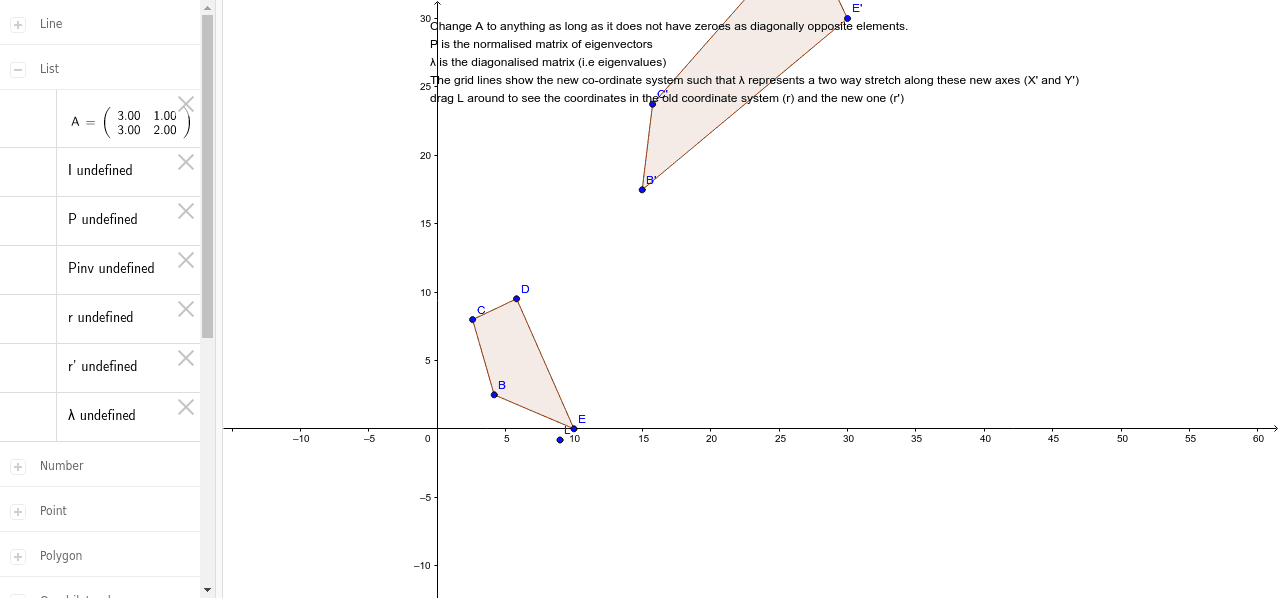
① This applet demonstrates the geometric effect of diagonalizing a matrix by showing how a polygon is transformed under the original matrix versus its diagonalized form. ② Core mathematical concepts include matrix diagonalization, eigenvalues and eigenvectors, linear transformations, matrix multiplication, and change of basis. ③ Construction highlights: uses GeoGebra commands Polygon, ApplyMatrix, and Point; objects include matrix A, eigenvalues λ1 and λ2, eigenvectors ev1/ev2, inverse matrix Pinv, and transformed polygons (poly1' etc.), allowing interactive exploration via sliders or parameters. ④ Suitable for advanced high school or undergraduate linear algebra courses, helping students grasp how diagonalization simplifies a transformation to scaling along eigenvector directions and the geometric meaning of basis change.
GeoGebra Commands & Parameters
Polygon(B, C, D, E) → poly1, b, c, d, eApplyMatrix(A, B) → B'ApplyMatrix(A, C) → C'ApplyMatrix(A, D) → D'ApplyMatrix(A, E) → E'Polygon(B', C', D', E') → poly1', b', c', d', e'Point(yAxis) → FPolygon(F, G, 4) → poly2, j, k, n, s, H, J
AI Drawing Prompt Reference
Draw a pentagon ABCDE, then apply matrix A to get a new pentagon A'B'C'D'E'. Next, draw a point F on the y-axis, and create a quadrilateral with four points starting from F. Show the geometric meaning of matrix transformation and basis change.
The prompt above was compiled from the original drawing commands and is for reference only.