
Visualization of Multiplication of Natural Numbers
Loading the math board and drawing, please wait…
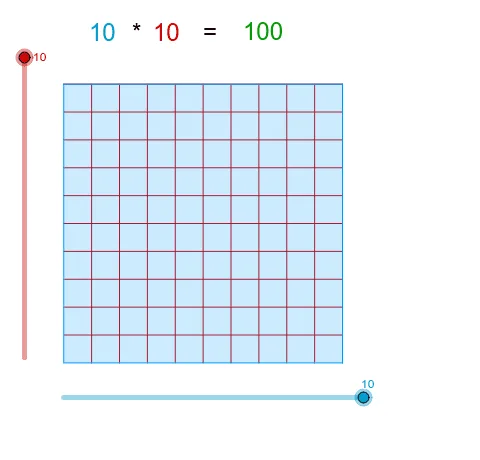
This example demonstrates the multiplication of natural numbers through dynamic visualization. Key math concepts include multiplication, natural numbers, and geometric representations. Construction involves commands like Point, Segment, Circle, Intersect, and Sequence in GeoGebra. Suitable for middle school mathematics education to intuitively understand multiplication principles and geometric modeling applications.
GeoGebra Commands & Parameters
Point(Circle[A, abs(Columns)]) → BSegment(A, B) → aOrthogonalLine(A, a) → bOrthogonalLine(B, a) → cCircle(A, Rows) → dIntersect(d, b, 2) → CLine(C, a) → eIntersect(c, e) → DPolygon(A, B, D, C) → poly1, a_1, b_1, d_1, c_1Sequence(Segment[A + (i * (1, 0)), C + (i * (1, 0))], i, 1, Columns) → list1Sequence(Segment[A + (i * (0, 1)), B + (i * (0, 1))], i, 1, Rows) → list2
AI Drawing Prompt Reference
Create a geometric visualization demonstrating the multiplication of natural numbers with dynamic elements, featuring two squares and a rectangle constructed from points, line segments, and circles, where the sides of the squares represent the factors of the multiplication, and the area of the rectangle equals the product, showing the multiplication process dynamically.
The prompt above was compiled from the original drawing commands and is for reference only.