
Vectors in R3 by James McMullan
Loading the math board and drawing, please wait…
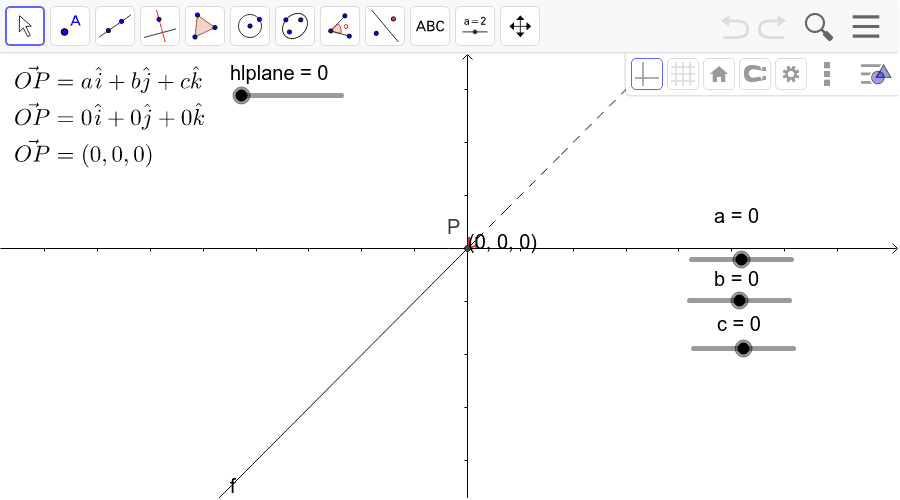
This example demonstrates vector representation, operations, and visualization in 3D space. It involves core mathematical concepts like vector addition, scalar multiplication, vector magnitude, 3D coordinate systems, and vector components. Constructed using GeoGebra commands such as Segment, Vector, and Polygon. Suitable for high school and university-level students learning vectors and solid geometry.
GeoGebra Commands & Parameters
Segment(D, E) → dSegment(E, C) → eSegment(C, B) → hSegment(B, A) → lSegment(B, P) → mSegment(P, E) → nSegment(D, F) → pSegment(F, P) → qSegment(F, A) → rVector(O, P) → uPolygon(O + (2 * i) + (2 * k), O + (2 * i) - (2 * k), O - (2 * i) - (2 * k), O - (2 * i) + (2 * k)) → P1, s, t, a_1, b_1Polygon(O + (2 * j) + (2 * k), O + (2 * j) - (2 * k), O - (2 * j) - (2 * k), O - (2 * j) + (2 * k)) → poly1, c_1, d_1, e_1, f_1Polygon(O + (2 * i) + (2 * j), O + (2 * i) - (2 * j), O - (2 * i) - (2 * j), O - (2 * i) + (2 * j)) → poly2, g_1, h_1, i_1, j_1
AI Drawing Prompt Reference
Visualize vector operations in 3D space with multiple vector segments and four polygons representing different directional vector regions. Connect key points with vector segments to form a clear geometric structure, demonstrating vector representation, operations, and visualization for understanding.
The prompt above was compiled from the original drawing commands and is for reference only.