
Unrolling Circle
Loading the math board and drawing, please wait…
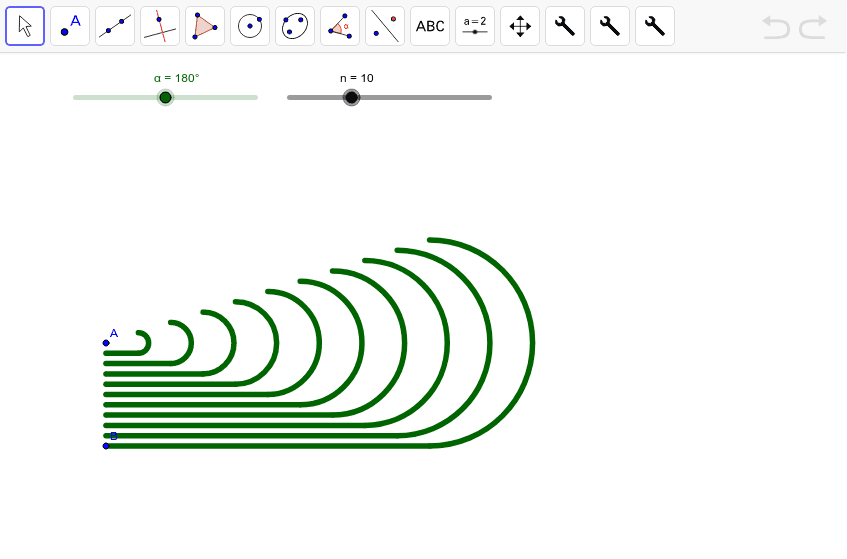
This example demonstrates the process of unrolling a circle into a sector, visually illustrating the relationship between the circumference of a circle and the arc length of a sector. Core mathematical concepts include circle, area, integral calculus, continuity, and isosceles triangles. It utilizes GeoGebra commands and objects such as Circle, Tangent, OrthogonalVector, Rotate, CircleArc, Segment, betweeners, and Sequence. Suitable for high school and above students learning about circle area calculation, integral applications, and geometric transformations.
GeoGebra Commands & Parameters
Circle(A, B) → cTangent(B, c) → a,OrthogonalVector(Segment[A, B]) → uRotate(C, 360° - α, D) → C'CircleArc(D, C, C') → dSegment(B, C) → bbetweeners(A, B, n) → list1Sequence(Element[list1, i] + ((((i / n * u) * 2) * π) * prt), i, 1, n) → list2Sequence(Rotate[Element[list2, i], 360° - α, A + ((((i / n * u) * 2) * π) * prt)], i, 1, n) → list3Sequence(CircleArc[A + ((((i / n * u) * 2) * π) * prt), Element[list2, i], Element[list3, i]], i, 1, n) → list4Sequence(Segment[Element[list1, i], Element[list2, i]], i, 1, n) → list5Sequence(Circle[A, Element[list1, i]], i, 1, n) → list6
AI Drawing Prompt Reference
Draw a circle and extend a tangent from a point on the circle. Then draw an arc from the tangent point to illustrate the unrolling of the circle. Divide the circle into equal parts and rotate each part outward to form a sector. Connect the endpoints of each part with line segments and draw the arcs of each small sector to visually demonstrate the relationship between the circumference of the circle and the arc length of the sector.
The prompt above was compiled from the original drawing commands and is for reference only.