
Unit Circle - Trig Ratios
Loading the math board and drawing, please wait…
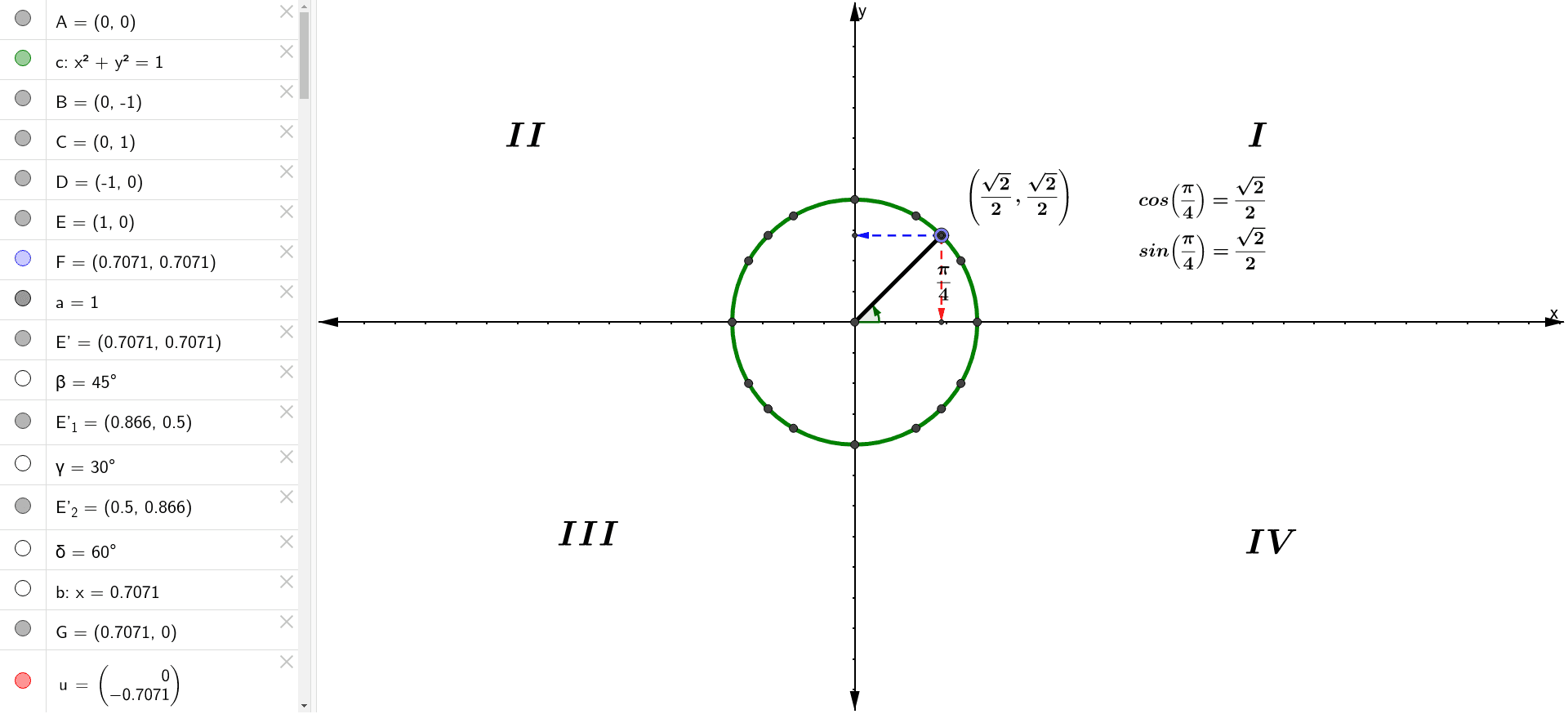
This example demonstrates the relationship between the coordinates of a point on the unit circle and the trigonometric ratios of the central angle. Key math concepts include the unit circle, trigonometric functions (sine, cosine), and angles. It uses GeoGebra commands like Intersect, Circle, Point, Segment, Rotate, Angle, OrthogonalLine, and Vector. Suitable for high school students to understand the definition of trigonometric functions and applications of the unit circle.
GeoGebra Commands & Parameters
Intersect(xAxis, yAxis) → ACircle(A, 1) → cIntersect(c, yAxis) → B, CIntersect(c, xAxis) → D, EPoint(c) → FSegment(A, F) → aRotate(E, 45°, A) → E'Angle(E, A, E') → βRotate(E, 30°, A) → E'_1Angle(E, A, E'_1) → γRotate(E, 60°, A) → E'_2Angle(E, A, E'_2) → δOrthogonalLine(F, xAxis) → bIntersect(b, xAxis) → GVector(F, G) → uOrthogonalLine(F, yAxis) → dIntersect(yAxis, d) → HIntersect(d, a) → IAngle(E, A, F) → αVector(F, H) → vRotate(E, 120°, A) → E'_3Angle(E, A, E'_3) → εRotate(E, 135°, A) → E'_4Angle(E, A, E'_4) → ζRotate(E, 150°, A) → E'_5Angle(E, A, E'_5) → ηRotate(E, 210°, A) → E'_6Angle(E, A, E'_6) → θRotate(E, 240°, A) → E'_7Angle(E, A, E'_7) → ιRotate(E, 300°, A) → E'_8Angle(E, A, E'_8) → κRotate(E, 315°, A) → E'_9Angle(E, A, E'_9) → λRotate(E, 330°, A) → E'_{10}Angle(E, A, E'_{10}) → μRotate(E, 225°, A) → E'_{11}Angle(E, A, E'_{11}) → ν
AI Drawing Prompt Reference
Draw a unit circle and mark its center. Label the intersections of the circle with the x and y axes. Draw line segments from the center to points on the circle. Rotate these points at various angles around the center to form rays. Calculate and display the cosine and sine values for each angle using vectors. Show the cosine values as line segments inside the circle and label the sine and cosine values.
The prompt above was compiled from the original drawing commands and is for reference only.