
Unit Circle Demonstration by Michael Gualtieri
Loading the math board and drawing, please wait…
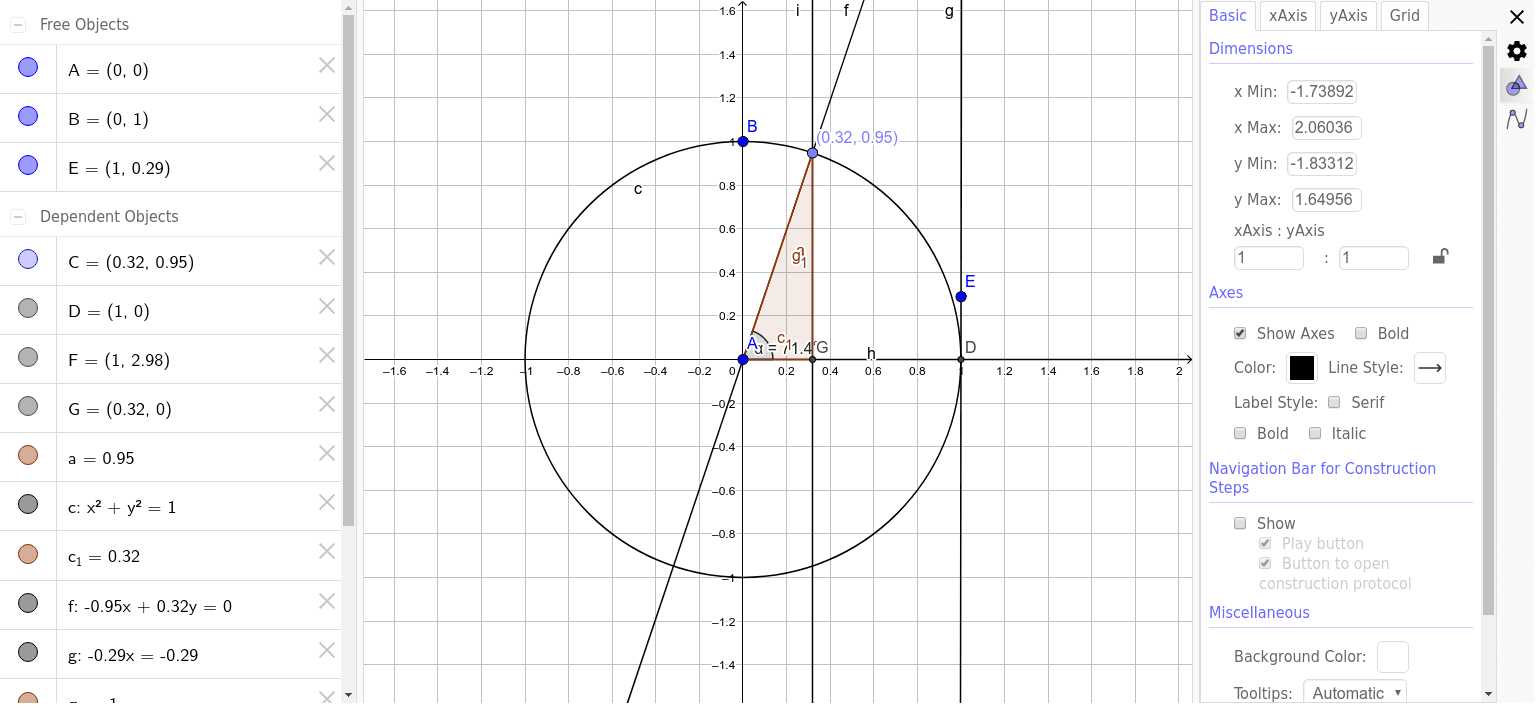
This example demonstrates the geometric construction of the unit circle and related concepts. Core mathematical concepts include circle, unit circle, angle, orthogonal line, polygon, etc. Construction highlights the use of GeoGebra commands and objects such as Circle, Intersect, Line, Ray, Point, Angle, OrthogonalLine, Polygon. Suitable for high school mathematics teaching, helping students understand trigonometry and analytical geometry.
GeoGebra Commands & Parameters
Circle(A, B) → cIntersect(c, xAxis, 2) → DLine(D, E) → gRay(A, D) → hPoint(c) → CLine(A, C) → fIntersect(g, f) → FAngle(D, A, C) → αOrthogonalLine(C, h) → iIntersect(i, h) → GPolygon(C, G, A) → poly1, a, c_1, g_1
AI Drawing Prompt Reference
Draw a unit circle and show its intersection with the x-axis. From the intersection point, draw a straight line. Then draw a perpendicular line from the center of the circle to this line, marking the angle between the center and the perpendicular line. Form a triangle with the center as one vertex and the intersection point of the perpendicular line with the circle as another vertex. Finally, draw a ray from the center along the perpendicular line, marking the intersection point with the ray as the third vertex of the triangle, forming a quadrilateral.
The prompt above was compiled from the original drawing commands and is for reference only.