
Trixis Aufgabenchaos
Loading the math board and drawing, please wait…
In collections
Bruch als Division
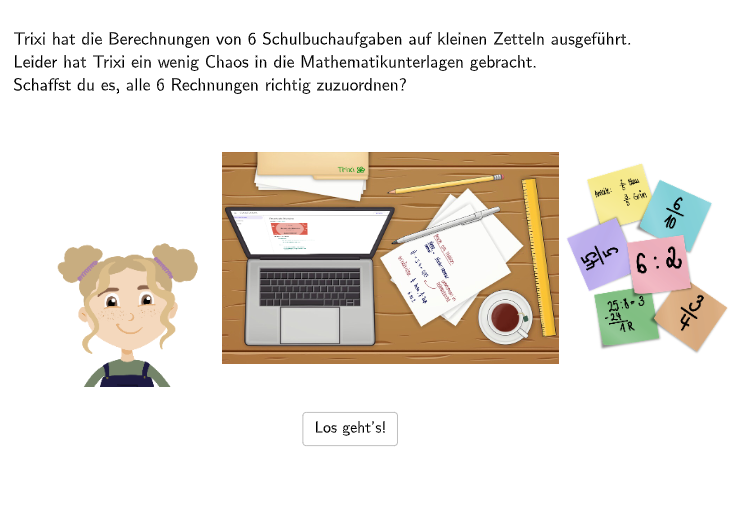
This GeoGebra example demonstrates how to create a chaotic task using GeoGebra. The task includes multiple tabs and sliders, and students need to select the correct options to solve the problem. The math concepts involved include fraction operations and interpreting fractions. The construction points include using Shuffle, Sequence, Element, and IndexOf GeoGebra commands to create dynamic task content. This example is suitable for 5-6 grade students, particularly those who need to practice fraction operations and interpreting fractions.
GeoGebra Commands & Parameters
Shuffle(Sequence[Random[1, 3], i, 1, 100]) → randomNosPositionAnswerCorrect1, {2, 2, 3, 1, 3, 3, 2, 2, 1, 1, 1, 1, 1, 2, 1, 2, 3, 3, 3, 3, 2, 2, 3, 2, 3, 3, 3, 3, 3, 1, 3, 2, 2, 1, 3, 3, 1, 2, 1, 2, 2, 2, 1, 1, 2, 1, 2, 3, 2, 3, 2, 3, 3, 1, 3, 2, 1, 3, 3, 1, 1, 3, 1, 3, 1, 1, 2, 1, 3, 2, 2, 1, 1, 1, 1, 1, 1, 2, 3, 1, 2, 3, 3, 2, 3, 1, 1, 2, 1, 2, 1, 3, 3, 3, 1, 1, 1, 2, 3, 2}Sequence(RandomElement[Remove[Sequence[3], {randomNosPositionAnswerCorrect1(i)}]], i, 1, 100) → randomNosPositionAnswerWrong1, {1, 1, 1, 3, 2, 2, 3, 3, 2, 3, 3, 3, 2, 3, 3, 3, 1, 1, 1, 2, 1, 1, 2, 1, 1, 2, 2, 2, 2, 3, 1, 1, 1, 3, 1, 1, 3, 3, 2, 3, 1, 3, 3, 2, 3, 3, 1, 2, 1, 1, 1, 1, 1, 2, 2, 3, 3, 2, 1, 3, 2, 1, 3, 1, 2, 2, 3, 3, 2, 3, 1, 2, 3, 3, 2, 2, 2, 3, 1, 2, 3, 1, 1, 3, 1, 2, 2, 3, 3, 1, 2, 2, 2, 1, 3, 2, 3, 1, 2, 3}Element(randomNosPositionAnswerCorrect1, Mod[questionCount, 100] + 1) → numPositionAnswerCorrect1Shuffle({1, 2, 3, 4, 5, 6}) → NosCase, {2, 6, 4, 1, 5, 3}Element(randomNosPositionAnswerWrong1, Mod[questionCount, 100] + 1) → numPositionAnswerWrong1IndexOf(true, checkboxes) → SelectedCheckboxPoint(Line[F11, Vector[(0, 0), (0, -1.2)]]) → F21Textfield(aInput) → InputBox1Textfield(bInput) → InputBox2If(numPositionAnswerCorrect1 ≟ 1 ∧ checkbox1 ≟ true, true, false) → c1If(numPositionAnswerCorrect1 ≟ 2 ∧ checkbox2 ≟ true, true, false) → c2If(numPositionAnswerCorrect1 ≟ 3 ∧ checkbox3 ≟ true, true, false) → c3Sequence(RandomElement[Remove[Remove[Sequence[3], {randomNosPositionAnswerCorrect1(i)}], {randomNosPositionAnswerWrong1(i)}]], i, 1, 100) → randomNosPositionAnswerWrong2, {3, 3, 2, 2, 1, 1, 1, 1, 3, 2, 2, 2, 3, 1, 2, 1, 2, 2, 2, 1, 3, 3, 1, 3, 2, 1, 1, 1, 1, 2, 2, 3, 3, 2, 2, 2, 2, 1, 3, 1, 3, 1, 2, 3, 1, 2, 3, 1, 3, 2, 3, 2, 2, 3, 1, 1, 2, 1, 2, 2, 3, 2, 2, 2, 3, 3, 1, 2, 1, 1, 3, 3, 2, 2, 3, 3, 3, 1, 2, 3, 1, 2, 2, 1, 2, 3, 3, 1, 2, 3, 3, 1, 1, 2, 2, 3, 2, 3, 1, 1}Element(randomNosPositionAnswerWrong2, Mod[questionCount, 100] + 1) → numPositionAnswerWrong2Polygon({PtopLeftCornerFeedback, (x(PbottomRightFeedback), y(PtopLeftCornerFeedback)), PbottomRightFeedback, (x(PtopLeftCornerFeedback), y(PbottomRightFeedback))}) → rectangleCorrectPolygon({PtopLeftCornerFeedback1, (x(PbottomRightFeedback1), y(PtopLeftCornerFeedback1)), PbottomRightFeedback1, (x(PtopLeftCornerFeedback1), y(PbottomRightFeedback1))}) → rectangleCorrect1Polygon({PtopLeftCornerFeedback2, (x(PbottomRightFeedback2), y(PtopLeftCornerFeedback2)), PbottomRightFeedback2, (x(PtopLeftCornerFeedback2), y(PbottomRightFeedback2))}) → rectangleCorrect2
AI Drawing Prompt Reference
On a coordinate plane, draw a line starting from a point and going straight downward, then define a base point from that line’s endpoint. Construct a rectangle using two opposite corner points (top-left and bottom-right), creating the remaining two corners from their coordinates and connecting them to form a closed four-vertex polygon. Repeat the same construction two more times to display two additional rectangles, each determined by its own top-left and bottom-right corner points, with corresponding vertices connected into closed quadrilaterals.
The prompt above was compiled from the original drawing commands and is for reference only.