
Trig Ratios in Similar Right Triangles
Loading the math board and drawing, please wait…
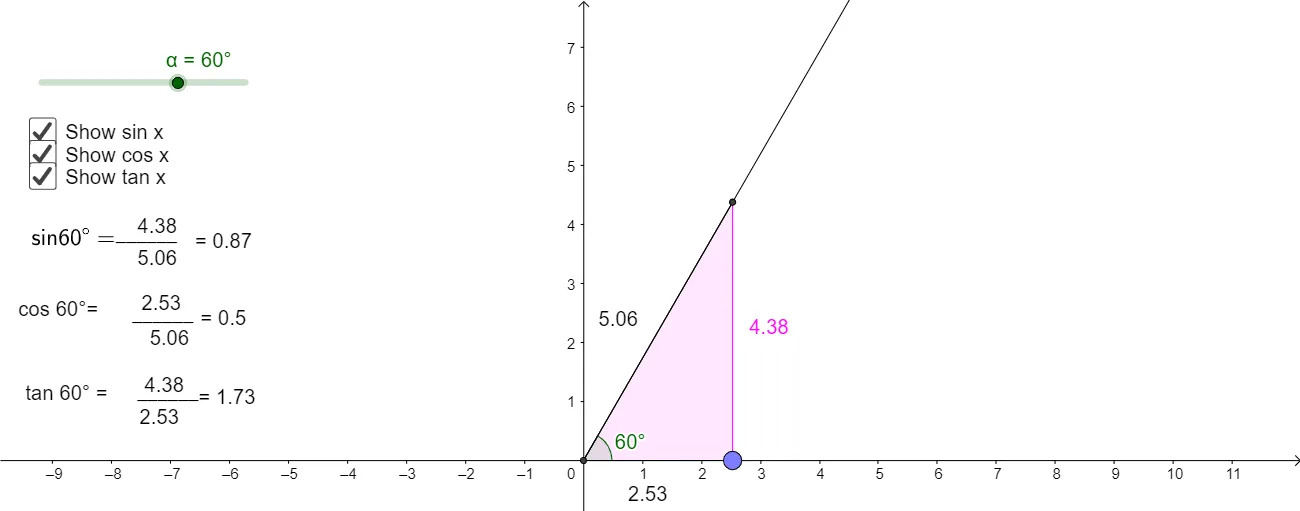
This example demonstrates the preservation of trigonometric ratios in similar right triangles. Key mathematical concepts include similarity of triangles, trigonometric function definitions, and ratio invariance. Construction involves GeoGebra commands such as Intersect, Circle, Rotate, and others. Suitable for middle or high school mathematics education to understand the relationship between trigonometric functions and geometric shapes.
GeoGebra Commands & Parameters
Intersect(xAxis, yAxis) → ACircle(A, 1) → cIntersect(c, xAxis, 2) → BRotate(B, α, A) → B'Angle(B, A, B') → βRay(A, B') → aPolygon(A, B', C) → poly1, c_1, a_1, b'Point(xAxis) → DIntersect(a, b) → EPolygon(A, E, D) → poly2, d, a_2, eSegment(A, D) → hSegment(A, E) → j
AI Drawing Prompt Reference
Set up the coordinate axes on a plane and take their intersection as a reference point. Draw a circle centered at this point with radius 1, then mark the intersection point of this circle with the x-axis. Rotate that point around the reference point by a chosen angle to obtain a rotated point, and measure the angle at the reference point between the corresponding rays. Through the reference point and the rotated point, form the main polygonal region representing the similar right-triangle setup. Also choose a point on the x-axis to define another ray, find the intersection with the first ray to get a third point, and construct a second polygonal region that shares the reference point with the first. Finally, draw segments from the reference point to the relevant intersection points so the corresponding sides and height are visible.
The prompt above was compiled from the original drawing commands and is for reference only.