
Triangle on Parallel Lines (Hint)
Loading the math board and drawing, please wait…
In collections
GeoGebraTube Beta Testing
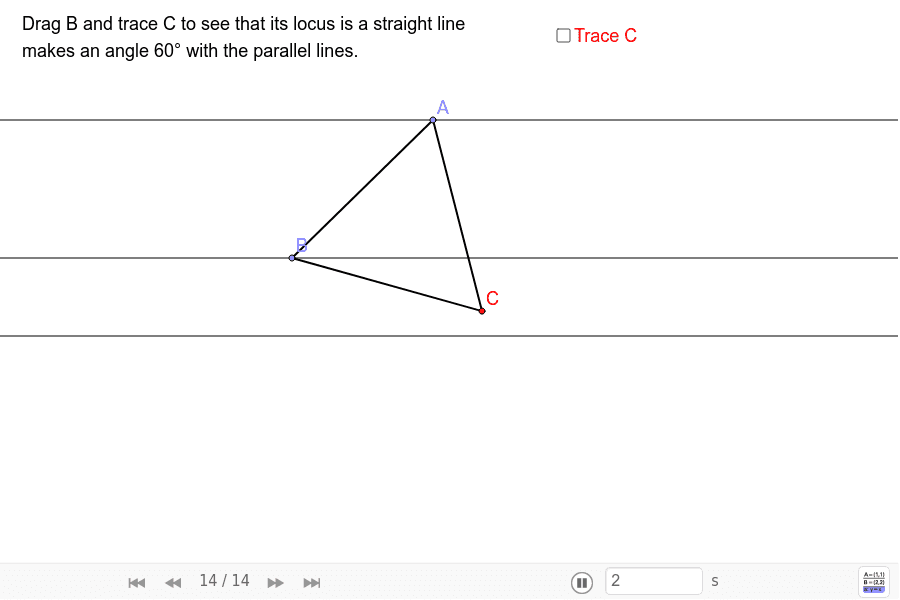
This example demonstrates the geometric construction of a triangle on parallel lines. It involves core concepts like parallel line properties, triangle formation, and coordinate geometry. Key GeoGebra commands used include Point, Circle, Segment, and Intersect. Suitable for high school mathematics education to understand the relationship between parallel lines and triangles, as well as geometric construction techniques.
GeoGebra Commands & Parameters
Point(c) → APoint(b) → BCircle(A, B) → dCircle(B, A) → eSegment(A, B) → fIntersect(d, e, 1) → CSegment(B, C) → gSegment(A, C) → h
AI Drawing Prompt Reference
Draw a triangle on two parallel lines by marking two points on the lines, drawing two intersecting circles centered at these points, finding the intersection point, and connecting the points and intersection point to form the triangle, while also drawing the segment between the centers of the circles as an auxiliary line.
The prompt above was compiled from the original drawing commands and is for reference only.