
Triangle Demo
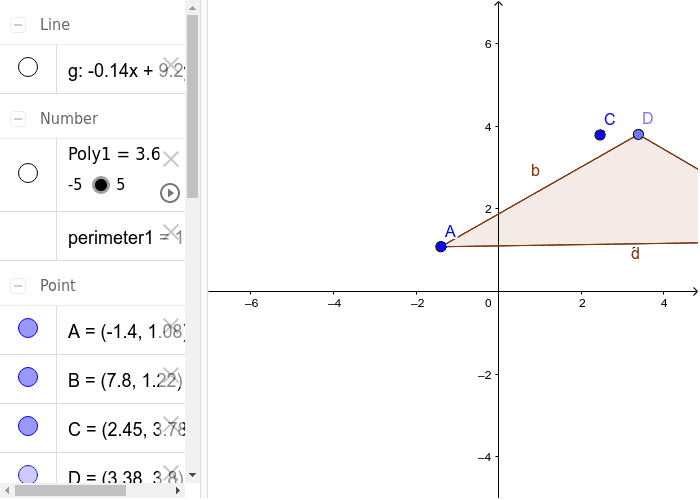
Loading the math board and drawing, please wait…
This example demonstrates the construction of triangles and their related properties such as perimeter, area, and the use of parametric equations. Core mathematical concepts include perimeter, area, scalene triangles, and parametric curves. The construction utilizes GeoGebra commands and objects like Segment, Line, Point, Polygon, and Perimeter. Suitable for middle school and above students to understand basic geometric properties and calculation methods.
GeoGebra Commands & Parameters
Segment(A, B) → fLine(C, f) → gPoint(g) → DSegment(D, A) → hSegment(D, B) → iPolygon(A, B, D) → poly1, d, a, bPerimeter(poly1) → perimeter1
AI Drawing Prompt Reference
Draw a triangle to demonstrate its perimeter and area calculations, and use parametric equations to describe its sides. Start by drawing two line segments to form two sides of the triangle, then extend these segments to create a straight line. Find a point on this line and connect it to the two vertices of the triangle, forming a new triangle. Finally, calculate the perimeter of the new triangle and describe its sides using parametric equations.
The prompt above was compiled from the original drawing commands and is for reference only.