
Triangle Construction and Angle Analysis Example
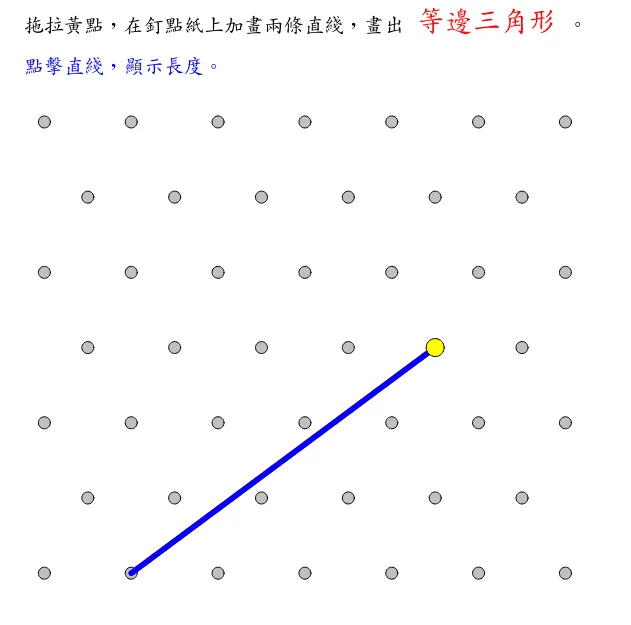
This GeoGebra applet demonstrates the geometric construction of triangles through an interactive, step-by-step process involving segment drawing and angle measurement. Users can manipulate points in the plane to construct triangles of various types and observe how the resulting segments and angles change in real time. The applet features a rich set of geometric objects, including draggable vertices, constructed line segments, and measured angles, allowing students to explore the relationships between the sides and angles of a triangle dynamically.
The construction process guides learners through the fundamental steps of building a triangle from given points, then measuring and comparing the interior angles. This hands-on visualization helps students discover key plane geometry theorems such as the triangle angle sum property, the relationship between side lengths and opposite angles, and the conditions for triangle congruence and similarity. By adjusting the positions of vertices interactively, learners can test conjectures and see immediate numerical feedback, reinforcing their understanding of geometric reasoning.
The applet is particularly well suited for classroom instruction and independent exploration in introductory geometry courses. Teachers can use it to demonstrate how geometric properties hold universally regardless of a triangle shape, while students gain intuition about why these theorems are true through direct manipulation. The visual and interactive nature of the tool bridges the gap between abstract geometric statements and concrete numerical evidence, making it an effective resource for reinforcing foundational concepts in triangle and polygon geometry.
In collections
Grade 3 Semester 2: Triangles (Teacher's Edition)
Grade 3 Semester 2: Triangles (Student Edition)
Loading the math board and drawing, please wait…