
Translation in 2 Directions by GeoGebra Institute of Hong Kong
Loading the math board and drawing, please wait…
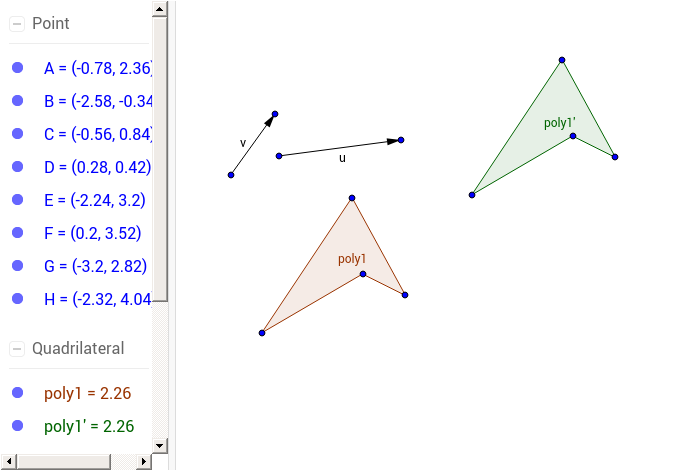
This example demonstrates the dynamic effect of translating a polygon in two directions on a 2D plane. It involves core mathematical concepts such as translation transformation, vectors, polygon construction, and coordinate geometry. Key construction steps include using commands like Polygon, Vector, and Translate in GeoGebra. Suitable for high school mathematics teaching, helping students understand the relationship between vector operations and geometric transformations, as well as the motion patterns of polygons in a coordinate system.
GeoGebra Commands & Parameters
Polygon(A, B, C, D) → poly1, a, b, c, dVector(E, F) → uVector(G, H) → vTranslate(A, Vector[u + (2 * v)]) → A'Translate(B, Vector[u + (2 * v)]) → B'Translate(C, Vector[u + (2 * v)]) → C'Translate(D, Vector[u + (2 * v)]) → D'Polygon(A', B', C', D') → poly1', a', b', c', d'
AI Drawing Prompt Reference
Draw a polygon on a 2D plane and demonstrate its dynamic translation in two directions. Start by creating a polygon, then define two vectors representing the direction and magnitude of translation. Next, translate each vertex of the polygon using the sum of vector u and vector v, obtaining four new vertices. Finally, draw a new polygon using these four vertices to show the translated shape.
The prompt above was compiled from the original drawing commands and is for reference only.