
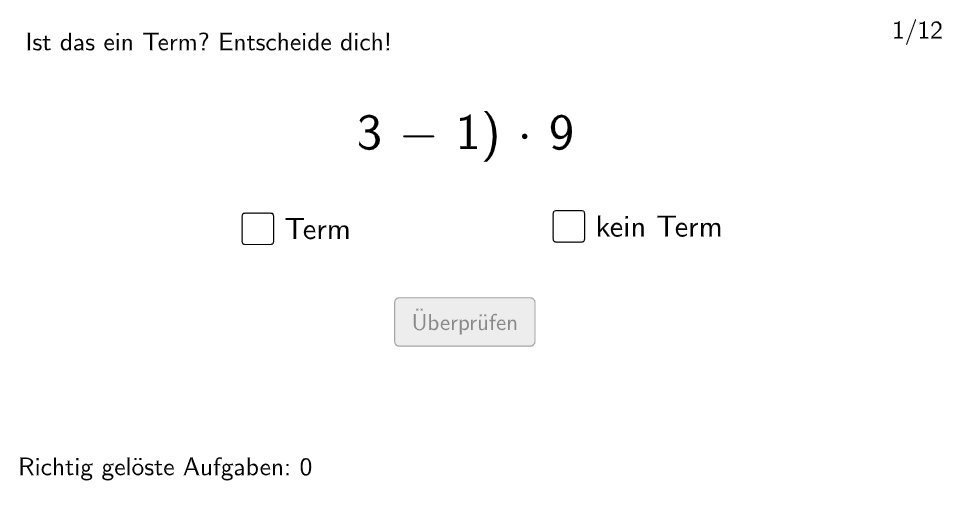
Term or Not Term Practice
Loading the math board and drawing, please wait…
In collections
Wiederholung: Variablen, Terme und Gleichungen
This example demonstrates how students can identify whether an algebraic expression is a term. It involves core math concepts like definitions of algebraic expressions and terms. GeoGebra commands like Shuffle, Element, Textfield, If, Polygon, and Midpoint are used to create an interactive practice environment. Suitable for 5-6 grade students for algebraic basics teaching and practice.
GeoGebra Commands & Parameters
Shuffle({1, 2, 3, 4, 5, 6, 7, 8, 9, 10, 11, 12}) → randomNos, {6, 1, 10, 3, 11, 5, 12, 9, 8, 4, 7, 2}Element(randomNos, Mod[count, 12] + 1) → numTextfield(aInput) → InputBox1Textfield(bInput) → InputBox2If(trueprop, Rec1, Rec2) → PtopLeftCornerFeedbackPolygon(PtopLeftCornerFeedback, PtopRightCornerFeedback, PbottomRightCornerFeedback, PbottomLeftCornerFeedback) → rectangleCorrect, ptopleftcornerfeedback, ptoprightcornerfeedback, pbottomrightcornerfeedback, pbottomleftcornerfeedbackIf(Mod[num, 2] ≟ 0 ∧ c1, richtigNo, If[Mod[num, 2] ≟ 0 ∧ (¬c1), falschNo, If[Mod[num, 2] ≠ 0 ∧ c2, richtigDirekt, falschDirekt]]) → ueberpruefentextIf(Mod[num, 2] ≟ 0, antwortNein, antwortJa) → antwortPolygon(G, H, 4) → poly1, f, g, h, i, I, JPolygon(S, T, U, V) → v1, s, t, u, vMidpoint(W, Z) → A_1
AI Drawing Prompt Reference
Draw a rectangle as a feedback panel by connecting four corner points in order: top-left, top-right, bottom-right, and bottom-left, leaving space inside for showing a verdict text. Then add two separate quadrilaterals: construct one quadrilateral from four given points and another quadrilateral from another set of four points, placing both on the same canvas. Finally, choose a pair of marked points and plot their midpoint as an extra reference point alongside the two quadrilaterals.
The prompt above was compiled from the original drawing commands and is for reference only.