
Tangent Circle Construction
Loading the math board and drawing, please wait…
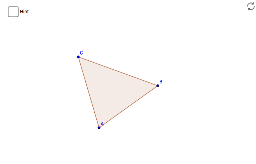
This example demonstrates how to construct the incircle and circumcircle of a triangle. Key math concepts include circle, triangle, angle bisector, intersecting lines, and Pythagorean theorem. Construction highlights involve GeoGebra commands: Polygon, AngularBisector, Intersect, Circle. Suitable for middle school and above students learning geometric constructions and circle properties.
GeoGebra Commands & Parameters
Polygon(A, B, C) → poly1, c, a, bAngularBisector(B, A, C) → dAngularBisector(A, B, C) → eIntersect(d, e) → target1Intersect(d, a) → EIntersect(e, b) → FCircle(target1, E) → target2Intersect(target2, c, 2) → G
AI Drawing Prompt Reference
Draw a triangle, find the angle bisectors of two angles, and let them intersect at a point. Use this intersection point as the center and the distance to one side of the triangle as the radius to draw a circle, which is the incircle. Then, draw another circle using the line segment from a vertex to the intersection point as the diameter, which is the circumcircle.
The prompt above was compiled from the original drawing commands and is for reference only.