
Square roots of a perfect number
Loading the math board and drawing, please wait…
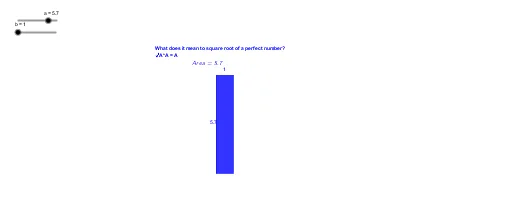
This example demonstrates how to visualize the square roots of perfect numbers using GeoGebra. It involves core concepts like perfect numbers, square roots, geometric constructions, and algebraic calculations. Key GeoGebra commands and objects used include Point, Segment, Distance, LaTeX, Intersect, and Polygon for constructing and computing the properties of perfect numbers. Suitable for high school mathematics education and exploration by math enthusiasts.
GeoGebra Commands & Parameters
Point(Circle[A, a]) → BSegment(A, B) → a_1Point(Circle[A, b]) → CSegment(A, C) → b_1Point(Circle[B, b]) → DSegment(B, D) → cPoint(Circle[C, a]) → ESegment(C, E) → dDistance(b_1, a_1) → eLaTeX(Area, true, true) → a_2Intersect(a_1, b_1) → FIntersect(b_1, d) → h_2Intersect(c, d) → HIntersect(a_1, c) → hPolygon(F, h_2, H, h) → poly1, f_1, g, h_1, i
AI Drawing Prompt Reference
Draw a geometric illustration showing the square roots of perfect numbers. Start by creating two circles centered at point A with radii a and b, marking points B and C on them. Connect points A to B and A to C. Then, draw a circle centered at B with radius b to mark point D and connect B to D. Similarly, draw a circle centered at C with radius a to mark point E and connect C to E. Calculate the lengths of segments AB and AC, and display the area. Find the intersection points of AB and AC, and the intersections of AB with DE, CD with DE, and BC with DE. Finally, form a polygon using these points to visualize the properties of perfect numbers.
The prompt above was compiled from the original drawing commands and is for reference only.