
Square and Kite Geometry Demo
Loading the math board and drawing, please wait…
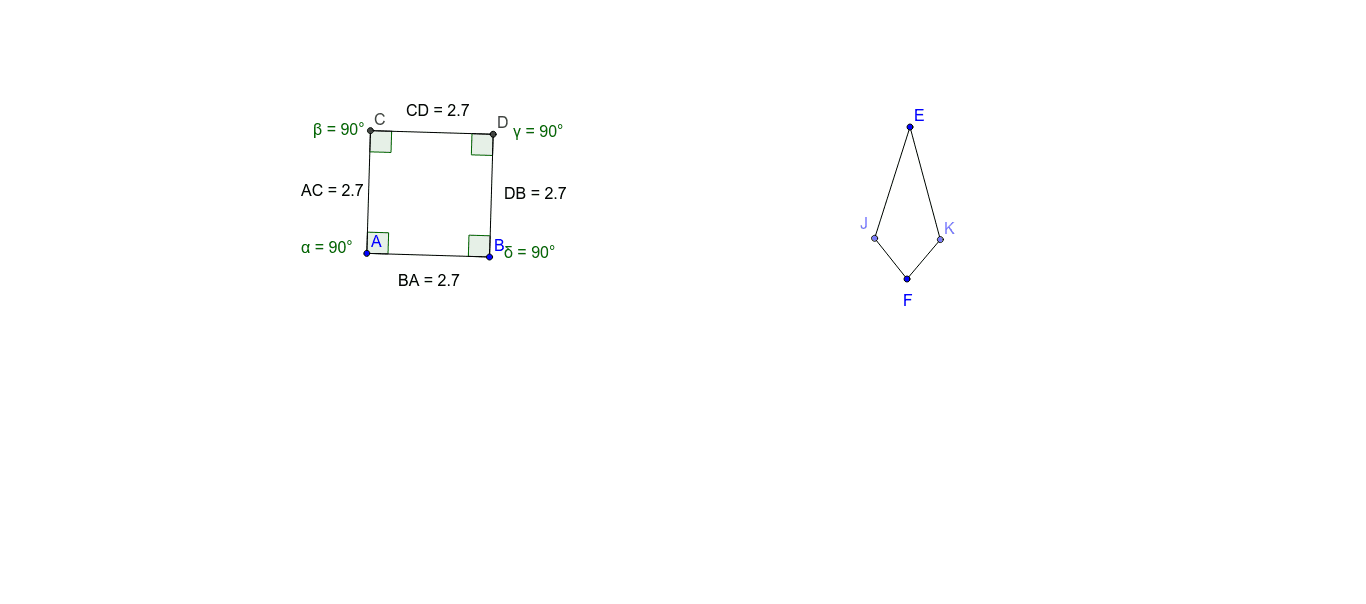
This example demonstrates the geometric relationships and properties between squares and kites; involves core math concepts like polygons, angles, distance calculations, integral calculus, median lines, etc.; construction highlights include commands/objects like Circle, Segment, OrthogonalLine, Intersect, Angle, Distance, Point from GeoGebra; suitable for high school and above students to understand geometric constructions and related concept applications.
GeoGebra Commands & Parameters
Circle(A, B) → cSegment(A, B) → aOrthogonalLine(A, a) → bIntersect(c, b, 2) → COrthogonalLine(B, a) → dOrthogonalLine(C, b) → eIntersect(d, e) → DSegment(A, C) → fSegment(C, D) → gSegment(D, B) → hAngle(B, A, C) → αAngle(A, C, D) → βAngle(C, D, B) → γAngle(D, B, A) → δDistance(A, C) → distanceACDistance(C, D) → distanceCDDistance(D, B) → distanceDBDistance(B, A) → distanceBACircle(E, F) → kCircle(F, G) → pIntersect(k, p, 2) → HIntersect(k, p, 1) → ISegment(H, I) → iPoint(i) → JPoint(i) → KSegment(E, J) → jSegment(E, K) → lSegment(K, F) → mSegment(F, J) → n
AI Drawing Prompt Reference
Draw a square and a kite. Start by drawing a square ABCD, then draw its diagonals AC and BD, which intersect at point E. Next, draw circles with diameters AC and CD, centered at E, and let them intersect at points F and G. Connect F and G to form line segment FG, which intersects diagonals AC and BD at points H and I. Finally, connect H and I to form line segment HI, which intersects FG at points J and K, forming a kite EFGH.
The prompt above was compiled from the original drawing commands and is for reference only.