
Solve Equations with Variables on Both Sides
Loading the math board and drawing, please wait…
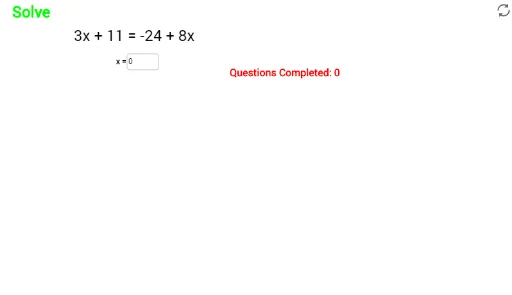
This interactive GeoGebra example demonstrates how to solve linear equations where the variable appears on both sides of the equals sign. The core mathematical concept is solving one-variable linear equations through transposition and combining like terms, emphasizing the balance principle of equations. The construction uses the RandomElement command to generate random coefficients and constants, along with multiple text objects (text1 to text24) to display step-by-step solution hints, and an input box (inputBox1) for students to enter their answers, with objects like ans and sol providing instant verification. It is suitable for middle school algebra classes or self-study, offering randomized practice and immediate feedback to reinforce equation-solving skills.
GeoGebra Commands & Parameters
RandomElement(list1) → ansRandomElement(list2) → gRandomElement(list2) → m_1RandomElement(list1) → b_1RandomElement(list1) → m_2Textfield(sol) → inputBox1
AI Drawing Prompt Reference
Create an interactive educational interface for practicing solving linear equations with variables on both sides. The center displays a randomly generated equation with the unknown on both sides, featuring random coefficients and constants. Below the equation, a sequence of hint boxes shows step-by-step solution processes like transposition and combining like terms. On the right, an input field allows students to enter their answer, with adjacent display of the correct solution and instant verification feedback. The layout is clean and suitable for classroom demonstration or self-study, emphasizing the balance principle of equations.
The prompt above was compiled from the original drawing commands and is for reference only.