
Similar Triangles by famirchi00
Loading the math board and drawing, please wait…
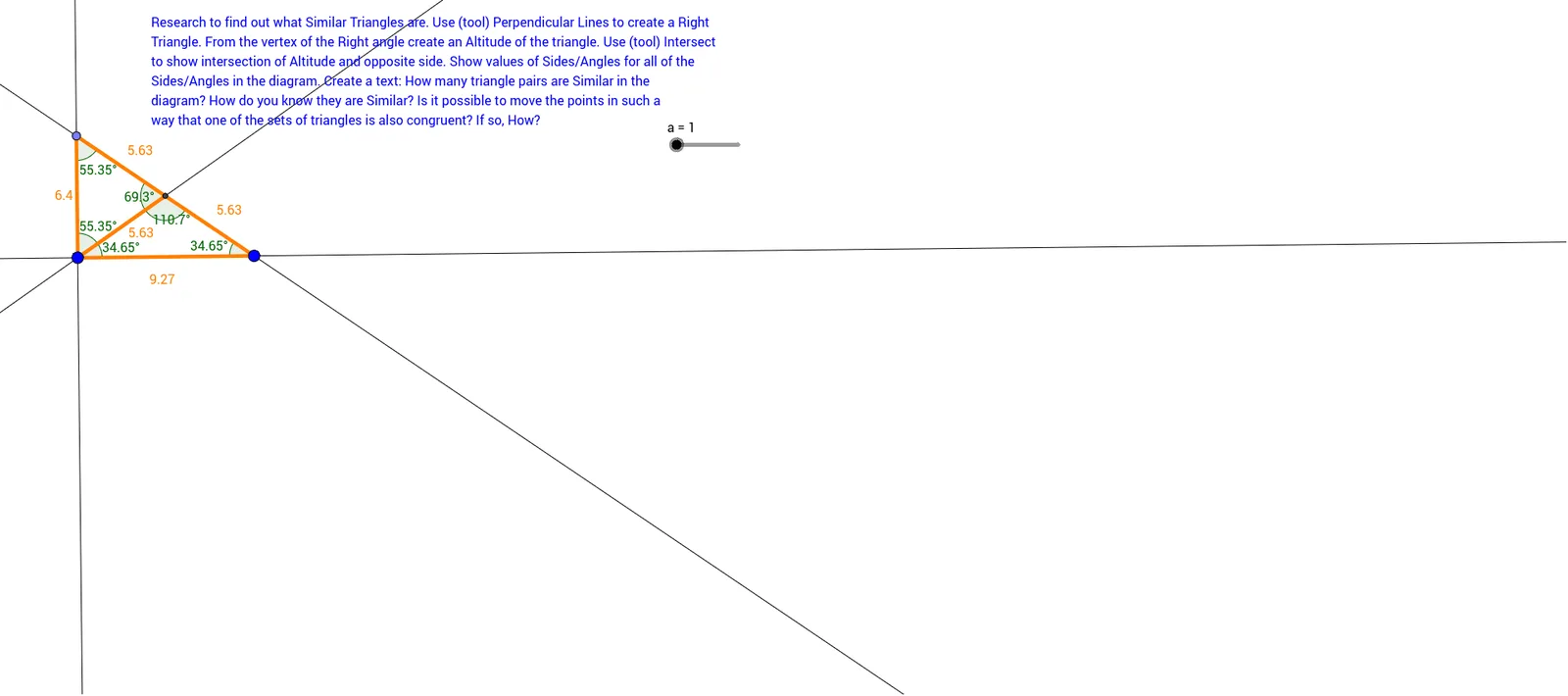
This example illustrates the properties of similar triangles, involving corresponding angles and proportional sides. Using GeoGebra commands such as Line, Polygon, and Dilate, the construction process of similar triangles is dynamically demonstrated. Suitable for middle and high school students learning about similar triangles.
GeoGebra Commands & Parameters
Line(A, B) → b_1Polygon(C, A, B) → poly1, b, c, a_2Ray(A, C) → gPoint(g) → DLine(D, a_2) → r_2Intersect(b_1, r_2) → ZMirror(G, F) → G'Ray(F, G') → lPoint(l) → JPolygon(F, G, H) → poly2, h_1, f_1, g_1Ray(A, B) → fSegment(D, A) → hSegment(E, A) → iSegment(D, E) → jMirror(H, F) → H'Ray(F, H') → kSegment(I, F) → mSegment(F, J) → nSegment(J, I) → pPolygon(A, D, E) → poly3, e, a_1, dPolygon(F, J, I) → poly4, i_1, f_2, j_1Polygon(K, L, M) → poly5, m_1, k_1, l_1Dilate(M, o, M) → M'Dilate(K, o, Scale) → K'Dilate(L, o, Scale) → L'Dilate(M, o, Scale) → M'_1Polygon(K', L', M'_1) → poly5', m'_1, k', l'Segment(O, P) → qSegment(O, Q) → rSegment(P, Q) → sDilate(O, 1 / 3, Q) → O'Line(O', s) → tIntersect(q, t) → RSegment(R, O') → n_1Segment(O, O') → p_1Segment(O', Q) → q_1Segment(R, P) → r_1Segment(R, O) → s_1Line(A, C) → t_1Line(F, p) → c_1Line(G, m) → d_1Intersect(d_1, c_1) → SLine(T, U) → e_1OrthogonalLine(T, e_1) → g_2Point(g_2) → VLine(V, U) → h_2LineBisector(U, V) → i_2Intersect(h_2, i_2) → WLine(T, W) → j_2Segment(V, T) → k_2Segment(T, U) → l_2Segment(U, W) → m_2Segment(W, V) → n_2Line(T, V) → p_2Segment(T, W) → q_2Angle(T, V, W) → αAngle(V, W, T) → βAngle(W, T, V) → γAngle(W, T, U) → δAngle(U, W, T) → εAngle(T, U, W) → ζAngle(C, B, A) → ηAngle(D, Z, A) → θAngle(A, C, B) → ιAngle(B, A, C) → κAngle(Z, E, D) → λAngle(Z, E, D) → μAngle(Z, E, D) → νAngle(Z, E, D) → ξAngle(D, Z, E) → οAngle(Z, E, D) → ρ
AI Drawing Prompt Reference
Draw two similar triangles by first creating triangle ABC, then drawing a ray from A through C, taking point D on the ray, connecting AD and DE, and using reflections and rotations to create similar triangles DEF and GHI. Finally, use the line segments AD and DE to construct the similar triangles.
The prompt above was compiled from the original drawing commands and is for reference only.