
Similar Triangle Demonstration
Loading the math board and drawing, please wait…
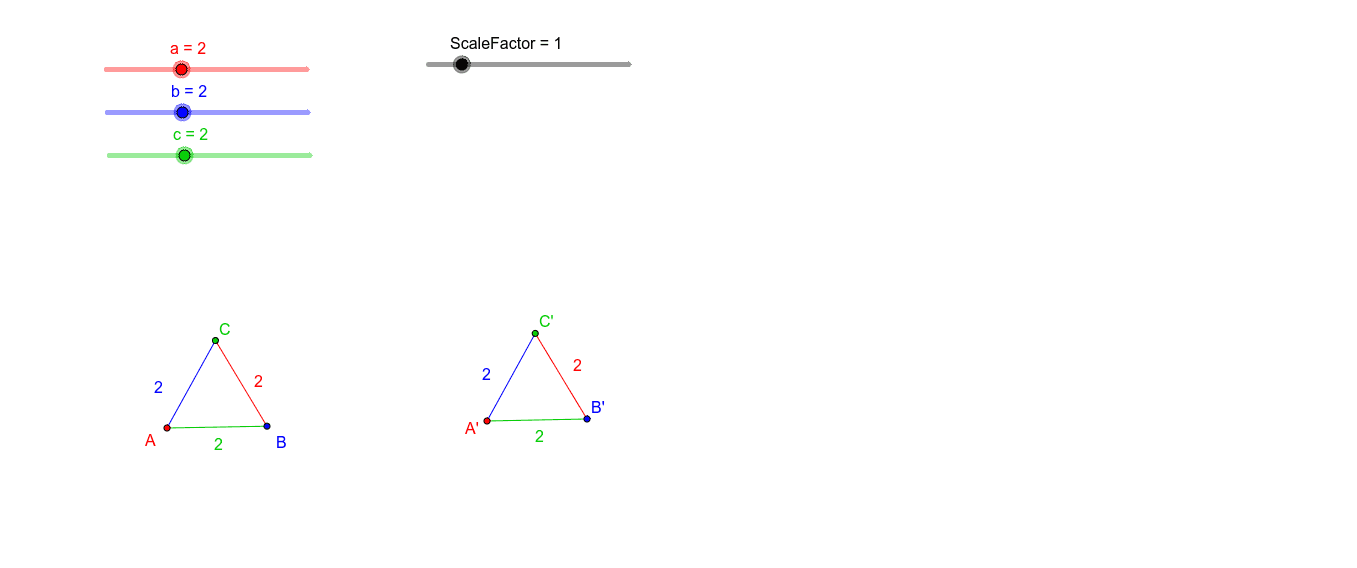
This example demonstrates the properties and criteria of similar triangles through dynamic reflections and scaling relationships. It involves core math concepts like similar triangle criteria, reflection symmetry, right triangles, and proportional addition. Constructed using GeoGebra commands such as Point, Segment, Circle, Intersect, and ScaleFactor, it is suitable for middle school and above mathematics education to visually understand applications and proofs of similar triangles.
GeoGebra Commands & Parameters
Point(Circle[A, c]) → BSegment(A, B) → fCircle(A, b) → dCircle(B, a) → eIntersect(d, e, 1) → CSegment(A, C) → gSegment(C, B) → hPoint(Circle[A', (c * ScaleFactor)]) → B'Segment(A', B') → iCircle(A', (b * ScaleFactor)) → kCircle(B', (a * ScaleFactor)) → pIntersect(k, p, 1) → C'Segment(A', C') → jSegment(C', B') → l
AI Drawing Prompt Reference
Draw a dynamic demonstration of similar triangles. Start with a circle and pick a point on it as one vertex, connecting the center to this point to form a side. Then draw two circles centered at the center and this point, and use their intersection as the third vertex to complete the first triangle. Next, using another fixed point as the corresponding vertex, scale all side lengths by the same factor and repeat the construction to obtain a second, similar triangle. The two triangles have corresponding sides parallel or collinear, illustrating scaling and reflection relationships that highlight the criteria and properties of similar triangles.
The prompt above was compiled from the original drawing commands and is for reference only.