
Set Equations Based on Text
Loading the math board and drawing, please wait…
In collections
Wiederholung: Variablen, Terme und Gleichungen
Gleichungen lösen mit Umkehroperationen
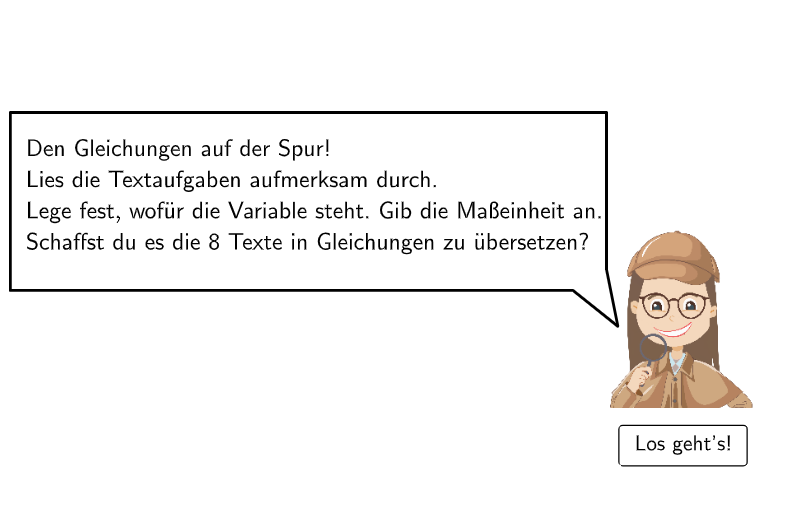
This example demonstrates how to set equations based on given text information. Key math concepts include the application of linear equations. GeoGebra commands such as Shuffle, SelectedIndex, and Solutions are used. Suitable for 5-6 grade students to practice setting equations and solving problems.
GeoGebra Commands & Parameters
Shuffle({4, 3, 7, 5, 6, 1, 2, 8}) → reihenfolge, {7, 1, 5, 6, 3, 4, 2, 8}SelectedIndex(rechenzeichen) → selectedIndexSolutions(selectedSolutionfunction = cInput) → StudentNumberSelectedIndex(selectedOption) → indexCorner(text8, 2) → CornerTextPolygon(PtopLeftCornerFeedback, PtopRightCornerFeedback, PbottomRightCornerFeedback, PbottomLeftCornerFeedback) → rectangleCorrect, ptopleftcornerfeedback, ptoprightcornerfeedback, pbottomrightcornerfeedback, pbottomleftcornerfeedbackTextfield(aInput) → InputBox1Textfield(bInput) → InputBox2Textfield(inpText) → InputBox3Textfield(cInput) → InputBox4If(questionCount < 8, "Neue Aufgabe", "Nochmal!") → buttonTextShuffle(reihenfolge) → l1, {8, 7, 4, 2, 3, 5, 1, 6}Shuffle(reihenfolge) → l2, {5, 6, 4, 8, 7, 2, 1, 3}Shuffle(reihenfolge) → l3, {4, 7, 2, 1, 5, 8, 3, 6}Shuffle(reihenfolge) → l4, {1, 5, 6, 4, 7, 2, 8, 3}Shuffle(reihenfolge) → l5, {2, 4, 6, 8, 7, 5, 3, 1}Shuffle(reihenfolge) → l6, {2, 8, 1, 4, 7, 6, 3, 5}SpeechBubbleRight(E, 10, 2.8) → poly1Shuffle(reihenfolge) → l7, {6, 5, 8, 4, 7, 1, 2, 3}Shuffle(reihenfolge) → l8, {5, 3, 6, 2, 7, 1, 8, 4}Polygon(PtopLeftCornerFeedback_{1}, PtopRightCornerFeedback_{1}, PbottomRightCornerFeedback_{1}, PbottomLeftCornerFeedback_{1}) → rectangleCorrect_{1}, ptopleftcornerfeedback_{1}, ptoprightcornerfeedback_{1}, pbottomrightcornerfeedback_{1}, pbottomleftcornerfeedback_{1}Shuffle(reihenfolge) → l9, {7, 8, 1, 2, 4, 3, 6, 5}Shuffle(reihenfolge) → l10, {7, 1, 6, 8, 3, 2, 5, 4}Shuffle(reihenfolge) → l11, {2, 1, 8, 5, 7, 3, 4, 6}
AI Drawing Prompt Reference
Create an interactive math practice interface displaying a word problem for setting up linear equations. At the top, a speech bubble shows the question text. Below it, four text input boxes are arranged horizontally for entering coefficients a, b, c and the solution. A button on the right displays either "Neue Aufgabe" or "Nochmal!". When the student enters the correct answer, four green rectangles appear from top-left to bottom-left as positive feedback; incorrect answers trigger red rectangles. The interface is clean and suitable for grade 5-6 students practicing equation problems.
The prompt above was compiled from the original drawing commands and is for reference only.