
Sequence Practice
Loading the math board and drawing, please wait…
In collections
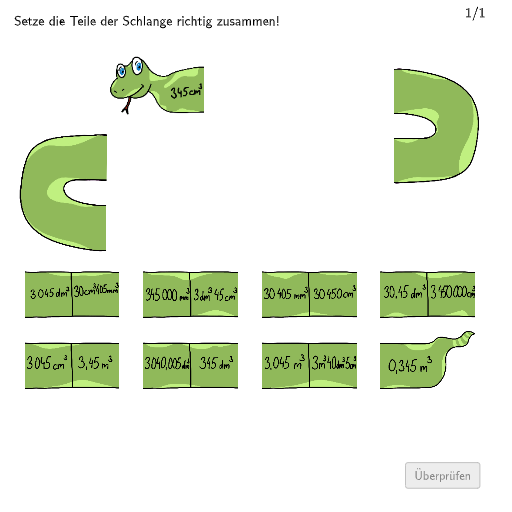
Wiederholung: Flächen- und Raummaße
This example demonstrates a sequence practice, involving basic concepts and operations of sequences. Using GeoGebra commands such as Segment, Textfield, Polygon, etc., the dynamic process of sequence changes is displayed. Suitable for 5-6 grade students for learning and practice.
GeoGebra Commands & Parameters
Segment(K_1, E_1) → jSegment(B_1, C_1) → gTextfield(aInput) → InputBox1Textfield(bInput) → InputBox2Segment(Csol, A_1) → fSegment(C_1, Esol) → hSegment(E_1, Gsol) → iSegment(L_1, Msol) → lSegment(Isol, J_1) → kSegment(Ksol, P_1) → mSegment(Osol, U_1) → nSegment(Qsol, S_1) → pPolygon(PtopLeftCornerFeedback, PtopRightCornerFeedback, PbottomRightCornerFeedback, PbottomLeftCornerFeedback) → rectangleCorrect, ptopleftcornerfeedback, ptoprightcornerfeedback, pbottomrightcornerfeedback, pbottomleftcornerfeedbackShuffle(Sequence[Random[0, 10], i, 1, 100]) → randomNosForX, {3, 3, 9, 6, 5, 1, 4, 7, 4, 1, 4, 10, 8, 4, 7, 7, 5, 7, 2, 6, 9, 3, 7, 7, 4, 3, 6, 1, 7, 5, 3, 10, 2, 7, 7, 0, 4, 2, 3, 4, 5, 0, 2, 4, 6, 3, 7, 9, 0, 8, 0, 9, 8, 1, 3, 7, 5, 7, 4, 5, 10, 8, 2, 10, 0, 3, 2, 7, 6, 3, 1, 5, 5, 7, 5, 4, 9, 4, 4, 0, 2, 1, 9, 4, 7, 6, 5, 4, 1, 9, 7, 4, 7, 1, 8, 5, 6, 2, 6, 4}Element(randomNosForX, Mod[questionCount, 100] + 1) → numXShuffle(Sequence[Random[0, 10], i, 1, 100]) → randomNosForY, {2, 2, 6, 0, 1, 3, 6, 4, 7, 4, 4, 6, 3, 4, 3, 10, 7, 5, 10, 3, 8, 3, 8, 1, 4, 5, 5, 3, 10, 3, 5, 3, 0, 0, 3, 6, 1, 4, 0, 9, 3, 7, 2, 5, 10, 5, 9, 5, 6, 1, 9, 9, 10, 5, 3, 0, 7, 8, 2, 0, 6, 4, 8, 10, 7, 5, 6, 5, 4, 7, 0, 5, 4, 0, 5, 8, 0, 2, 6, 0, 6, 1, 4, 1, 8, 8, 6, 3, 7, 3, 7, 10, 0, 0, 10, 6, 6, 1, 9, 8}Element(randomNosForY, Mod[questionCount, 100] + 1) → numYAppend(true, Sequence[If[randomNosForX(i) ≟ randomNosForX(i - 1), false, true], i, 2, 100]) → stayX
AI Drawing Prompt Reference
Create a dynamic sequence change illustration with connected points showing basic sequence concepts. Use a slider to control changes, input boxes for user parameters, and display sequence numbers. Finally, form a feedback shape by connecting specific points with a polygon, demonstrating the geometric construction process of sequences.
The prompt above was compiled from the original drawing commands and is for reference only.