
Sequence and Polygon Construction
Loading the math board and drawing, please wait…
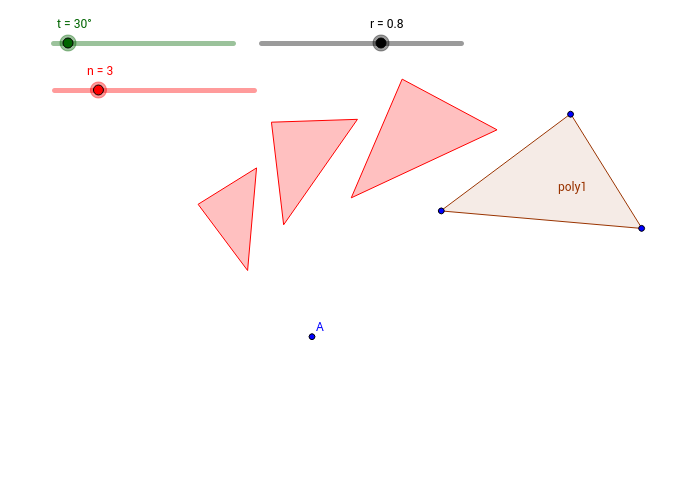
This example demonstrates how to construct polygons using sequences in GeoGebra. It involves core mathematical concepts such as sequences, polygon construction, and geometric transformations. Key GeoGebra commands and objects used include Polygon, Sequence, and A, B, C, D, poly1, d, b, c, t, r, n, list1. It is suitable for high school mathematics education, helping students understand the graphical representation of sequences and the relationship between sequences and geometric figures.
GeoGebra Commands & Parameters
Polygon(B, C, D) → poly1, d, b, cSequence(Dilate[Polygon[Rotate[B, (k * t), A], Rotate[C, (k * t), A], Rotate[D, (k * t), A]], r^(k), A], k, 1, n) → list1
AI Drawing Prompt Reference
Draw a sequence of similar polygons that rotate and scale progressively around a central point, illustrating the relationship between sequences and geometric transformations. Start by constructing the initial polygon, then generate subsequent polygons following a sequence rule, each rotating and scaling in turn, to form a continuous, evolving graphical sequence.
The prompt above was compiled from the original drawing commands and is for reference only.