
Sea Shell Surface
Loading the math board and drawing, please wait…
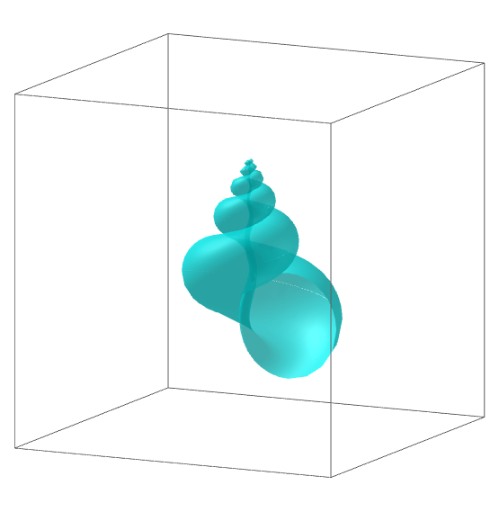
This example demonstrates the generation of a sea shell surface. Key mathematical concepts include parametric equations and solid geometry. Users can adjust parameters k, m, a, b, d, etc., using the Surface command in GeoGebra to change the shape of the surface. Suitable for high school students and math enthusiasts.
GeoGebra Commands & Parameters
Surface((((a + (b * cos(v))) * ℯ^(((-u)) / m)) * cos(u) / zoom), (((a + (b * cos(v))) * ℯ^(((-u)) / m)) * sin(u) / zoom), (((k * a) + (b * sin(v))) * ℯ^(((-u)) / m) / zoom) - ((k * a) * d / zoom), u, Umin, Umax, v, Vmin, Vmax) → g
AI Drawing Prompt Reference
Draw a sea shell surface using parametric equations. Adjust parameters k, m, a, b, and d to change the shape. First, set the values of a, b, k, m, and d, then use the Surface command to draw the surface with u ranging from Umin to Umax and v from Vmin to Vmax.
The prompt above was compiled from the original drawing commands and is for reference only.