
Rotational Symmetry - Square
Loading the math board and drawing, please wait…
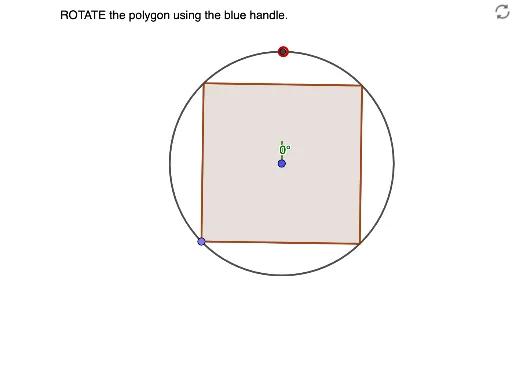
This example demonstrates the rotational symmetry of a square by rotating it and observing the overlap with the original shape to reveal symmetry. Core mathematical concepts include rotational symmetry, angles, regular polygons, and geometric transformations. Construction highlights involve commands/objects like Circle, Point, Line, OrthogonalLine, Intersect, Polygon, Segment, Angle, and Rotate from GeoGebra. Suitable for high school mathematics teaching to help students visually understand the concept of rotational symmetry and its application in geometric figures.
GeoGebra Commands & Parameters
Circle(A, B) → cPoint(c) → CLine(A, C) → fOrthogonalLine(A, f) → gIntersect(c, g, 2) → DPolygon(C, D, 4) → poly1, h, i, j, k, E, FCircle(E, Segment[A, E]) → dCircle(F, Segment[A, F]) → eIntersect(d, e, 2) → GSegment(A, G) → lIntersect(c, l, 1) → HSegment(B, A) → mOrthogonalLine(A, m) → nIntersect(c, n, 1) → IAngle(H, A, I) → αRotate(B, (-(135°)), A) → B'Angle(B', A, B) → βRotate(B, (-(45°)), A) → B'_1Angle(B'_1, A, B) → γPolygon(B', B'_1, 4) → poly2, p, q, r, s, J, K
AI Drawing Prompt Reference
Draw a square and demonstrate its rotational symmetry. First, construct a square, then rotate it by 135° and 45° to create two new squares. Observe the overlapping areas with the original square to reveal symmetry. Use circles, points, and lines to build the square, and apply rotation and intersection to show the symmetry angles.
The prompt above was compiled from the original drawing commands and is for reference only.