
Rotation by Logan Garner
Loading the math board and drawing, please wait…
In collections
Rotation Book
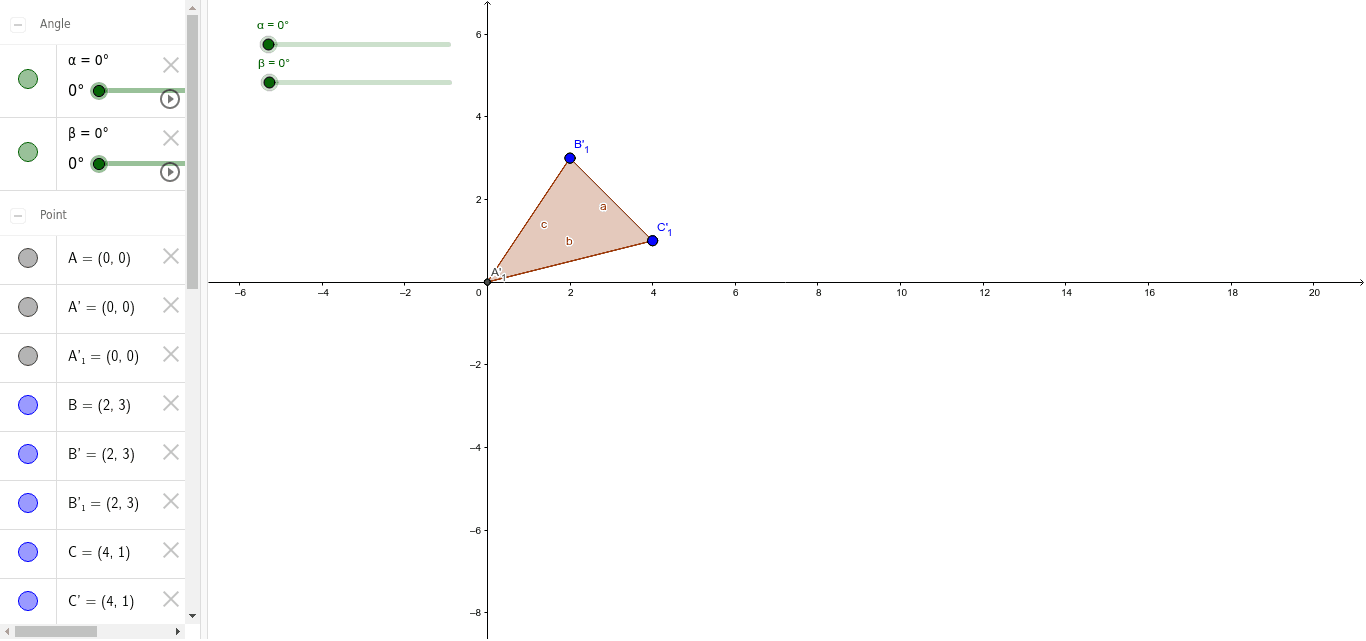
This example demonstrates how to perform rotation transformations using GeoGebra. Key mathematical concepts include rotation, unit circle, and inequalities. The Rotate command is used to construct the rotated figures. Suitable for high school mathematics education and learning, particularly in coordinate geometry and transformations.
GeoGebra Commands & Parameters
Intersect(xAxis, yAxis) → APolygon(A, B, C) → poly1, c, a, bRotate(A, α) → A'Rotate(B, α) → B'Rotate(C, α) → C'Polygon(A', B', C') → poly1', c', a', b'Rotate(A, β) → A'_1Rotate(B, β) → B'_1Rotate(C, β) → C'_1Polygon(A'_1, B'_1, C'_1) → poly1'_1, c'_1, a'_1, b'_1
AI Drawing Prompt Reference
Draw a coordinate system with x and y axes, mark their intersection point, and form a triangle using this point and two others. Rotate the triangle's vertices around the intersection point by two different angles to create two new triangles. Fill the original and rotated triangles with distinct colors.
The prompt above was compiled from the original drawing commands and is for reference only.