
Rotating a Right Triangle to Form a Cone – GeoGebra Interactive Demo
Loading the math board and drawing, please wait…
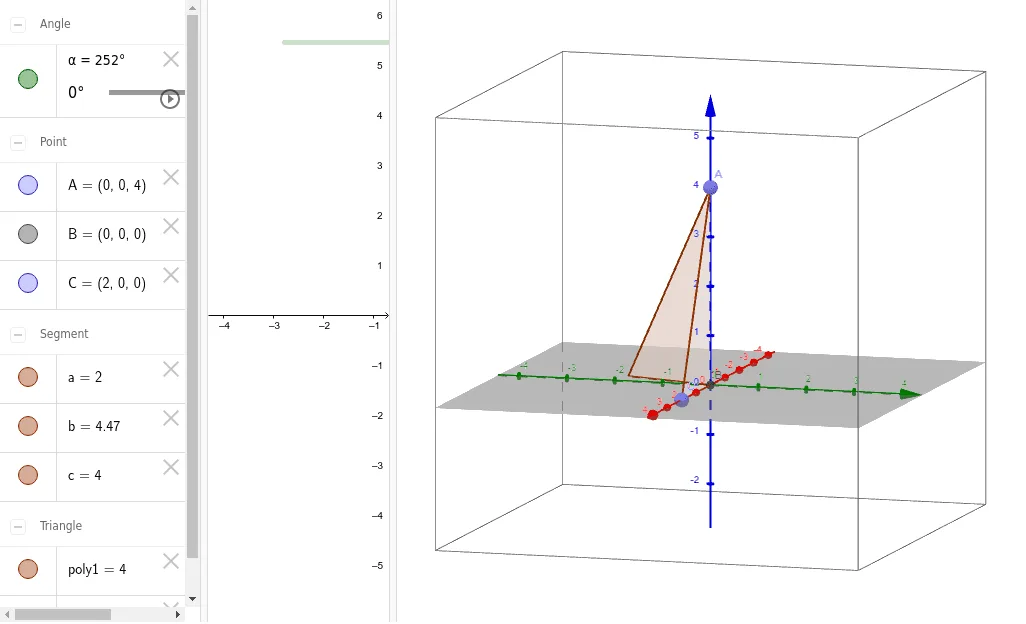
This example demonstrates how rotating a right‑angled triangle around its axis generates a cone. The key mathematical ideas involve right triangles, axis of rotation, and solid geometry concepts such as cones. In GeoGebra the construction uses the commands Point, Intersect, Polygon and Rotate with objects α, A, B, C, poly1, c, a, b, etc. It is intended for primary and secondary school students as an interactive visual aid for learning three‑dimensional geometry.
GeoGebra Commands & Parameters
Point(zAxis) → AIntersect(xAxis, zAxis) → BPoint(xAxis) → CPolygon(A, B, C) → poly1, c, a, bRotate(poly1, α, zAxis) → poly1'
AI Drawing Prompt Reference
Draw a cone formed by rotating a right triangle around its axis. The triangle is placed on the rotation axis, and rotating it creates the cone's lateral surface. Key objects include the rotation axis, triangle vertices, and the generation process. The construction order starts with the triangle, then the rotation axis is determined, followed by rotating the triangle to form the cone.
The prompt above was compiled from the original drawing commands and is for reference only.