
Representing Decimal Numbers on Number Line
Loading the math board and drawing, please wait…
In collections
Rational Numbers الأعداد النسبية
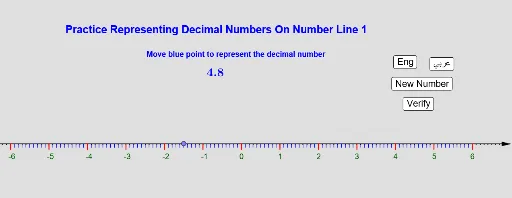
This example demonstrates how to represent decimal numbers on a number line. The core mathematical concept involved is the representation of decimal numbers. Using GeoGebra commands such as Sequence and Point, the example dynamically shows the positions of decimal numbers on the number line. Suitable for high-grade elementary or junior high school students.
GeoGebra Commands & Parameters
Sequence(Segment[(k, 0), (k, -0.15)], k, -6, 6) → L_1Sequence(Text[k, (k - 0.05, -0.4)], k, -6, 6) → L_2Sequence(Segment[(k, 0), (k, -0.1)], k, -6, 6, 0.1) → L_3Point(xAxis) → A
AI Drawing Prompt Reference
Draw a horizontal line representing a number line with tick marks for integers from -6 to 6. Above each integer, place a short vertical line and label the integers to the left of the line. Extend a horizontal line from the origin to the right to represent the x-axis, and mark several points on the x-axis to show the representation of decimal numbers.
The prompt above was compiled from the original drawing commands and is for reference only.