
Relative Frequency Calculation Practice
Loading the math board and drawing, please wait…
In collections
Wiederholung: absolute, relative & prozentuelle Häufigkeit
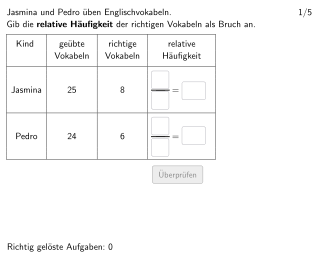
This is an interactive statistics exercise demonstrating how to calculate relative frequencies from a dataset and express the results in three forms: fraction, decimal, and percentage. The core mathematical concepts include relative frequency, frequency distribution, and statistical representation of data. Construction highlights: using Textfield for student input, applying Shuffle and Element commands for random question selection, employing If and Defined commands for answer verification, and utilizing Polygon and Segment to visualize data distribution. Suitable for Grade 5-6 students learning basic statistics, developing data analysis and expression abilities.
GeoGebra Commands & Parameters
Element(randomNosForX_1, selectedNum) → numX_1Element(randomNosForY_1, selectedNum) → numY_1Element(randomNosForY_2, selectedNum) → numY_2Element(randomNosForX_2, selectedNum) → numX_2Shuffle({1, 2, 3, 4, 5, 6, 7, 8, 9, 10, 11, 12, 13}) → randomNosForY_3, {11, 3, 13, 7, 10, 5, 2, 6, 1, 4, 8, 9, 12}Element(randomNosForY_3, selectedNum) → numY_3Textfield(aInput) → InputBox1Textfield(bInput) → InputBox2Textfield(eInput) → InputBox5Textfield(fInput) → InputBox6Polygon(PtopLeftCornerFeedback, PtopRightCornerFeedback, PbottomRightCornerFeedback, PbottomLeftCornerFeedback) → rectangleCorrect, ptopleftcornerfeedback, ptoprightcornerfeedback, pbottomrightcornerfeedback, pbottomleftcornerfeedbackTextfield(cInput) → InputBox3Textfield(dInput) → InputBox4Segment(A, B) → fSegment(C, D) → gSegment(E, F) → hPolygon(PtopLeftCornerFeedback_{1}, PtopRightCornerFeedback_{1}, PbottomRightCornerFeedback_{1}, PbottomLeftCornerFeedback_{1}) → rectangleCorrect_{1}, ptopleftcornerfeedback_{1}, ptoprightcornerfeedback_{1}, pbottomrightcornerfeedback_{1}, pbottomleftcornerfeedback_{1}Defined((((((aInput * bInput) * cInput) * dInput) * eInput) * fInput)) → fixedTextfield(gInput) → InputBox7Textfield(hInput) → InputBox8SelectedIndex(drop) → indexIf(numY_1 / numX_1 > numY_2 / numX_2, 2, 3) → corindex
AI Drawing Prompt Reference
Create a data distribution graph with 12 random numbers, shuffled using the Shuffle command. Use Textfield to input student answers and validate them with If and Defined commands. Draw rectangles and segments with Polygon and Segment commands to illustrate the data distribution.
The prompt above was compiled from the original drawing commands and is for reference only.