
Reflection Symmetry Demo: Is Dog Sammy Bilaterally Symmetric?
Loading the math board and drawing, please wait…
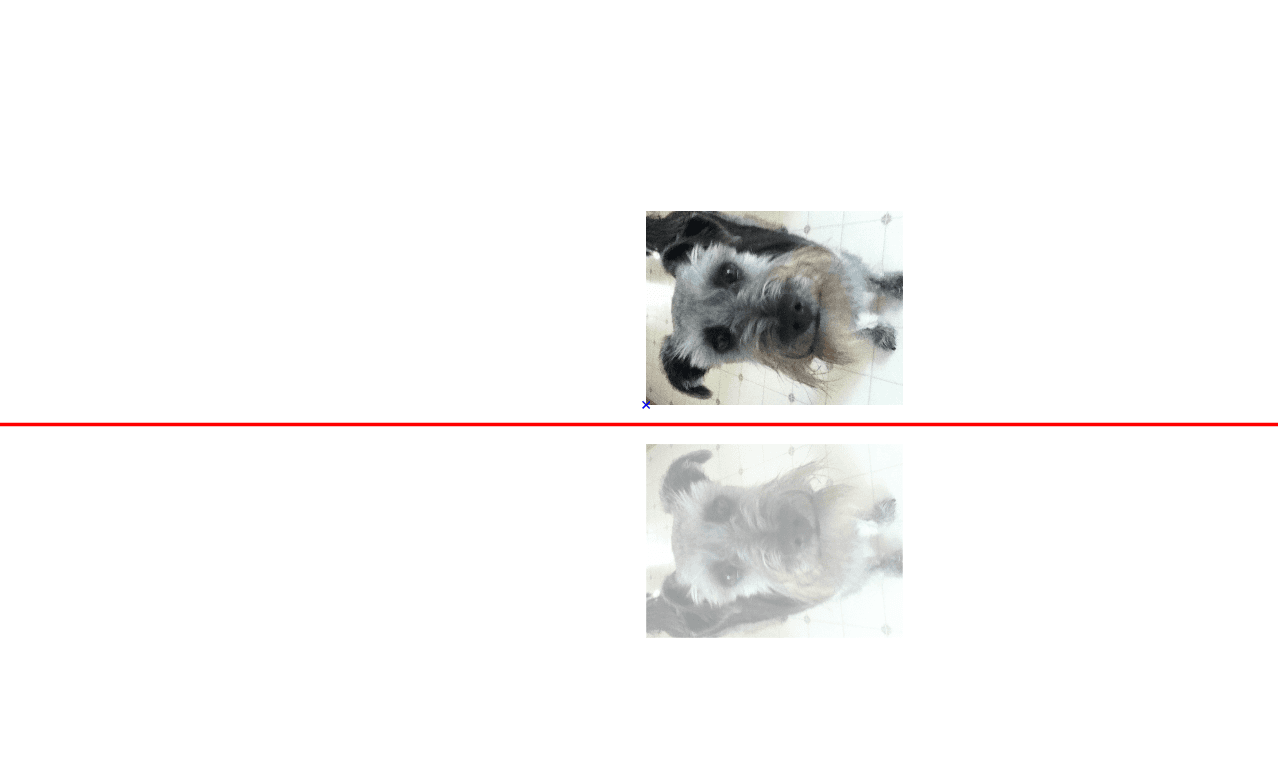
This example shows how to use GeoGebra to test whether a planar figure — illustrated by the outline of a dog named Sammy — possesses reflection (bilateral) symmetry. The key mathematical ideas are reflection transformations, axes of symmetry, mirror mapping, and the definition of bilateral symmetry. Construction steps: draw the symmetry axis with the Line command, then apply the Mirror command to the image object pic1 and the points A, B, C, D, and line a, producing the mirrored copy pic1'_1 for direct visual comparison. It is suitable for middle‑school geometry lessons on symmetry, and can also serve as a visual aid in high‑school analytic geometry or geometric construction activities.
GeoGebra Commands & Parameters
Line(C, D) → aMirror(pic1, a) → pic1'_1
AI Drawing Prompt Reference
Draw a straight line to serve as the axis of symmetry, then reflect the outline of a dog named Sammy across this line to create its mirrored copy, allowing a direct visual comparison between the original and the reflected shape to determine whether the planar figure exhibits bilateral symmetry. The construction starts by defining the symmetry axis, then applying a mirror transformation to the dog silhouette, producing a mirrored silhouette that can be overlaid for immediate assessment of symmetry.
The prompt above was compiled from the original drawing commands and is for reference only.