
Reflection Planes Containing a Rotation Axis
Loading the math board and drawing, please wait…
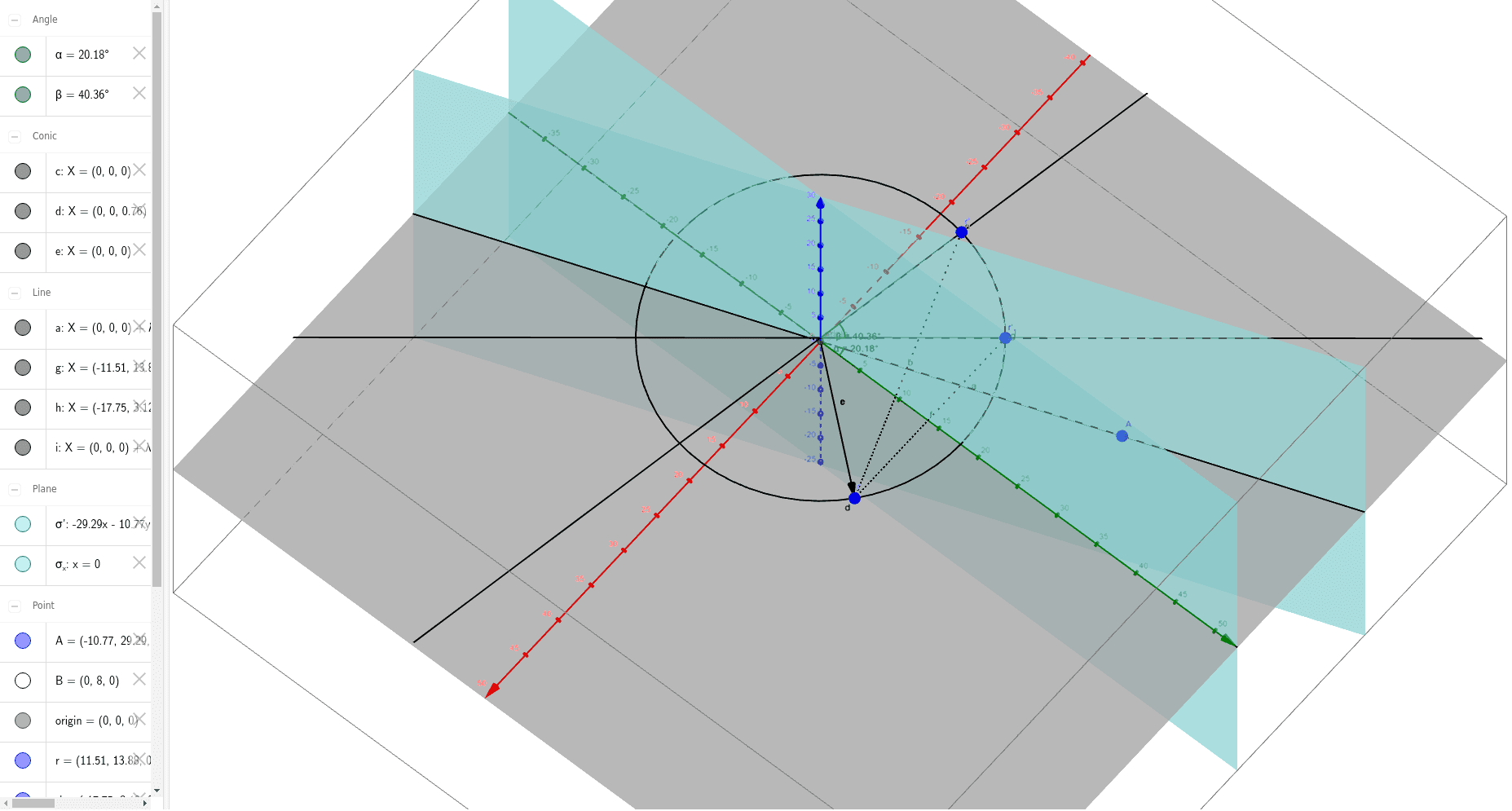
This GeoGebra example dynamically illustrates the interaction between reflection planes and a rotation axis in three-dimensional space. It demonstrates how reflection transformations combine with rotational symmetry, showcasing geometric relationships among planes, lines, and axes. Core mathematical concepts include reflection isometries, rotation symmetry, three-dimensional plane-line intersections, and transformation group properties. The construction leverages GeoGebra commands such as Plane, Intersect, Line, Vector, Mirror, OrthogonalLine, Angle, and Segment to build the spatial configuration, measure angles and lengths, and visualize the reflective mapping. The example is suitable for high school solid geometry, university-level linear algebra or geometry courses, and anyone exploring three-dimensional transformational geometry.
GeoGebra Commands & Parameters
Plane(zAxis, yAxis) → σ_xIntersect(xAxis, yAxis) → originLine(origin, A) → aCircle(a, origin) → cPlane(zAxis, a) → σ'Vector(origin, r) → uCircle(zAxis, r) → dCircle(a, A) → eMirror(r, σ') → r'Segment(r, r') → bMirror(r, σ_x) → r'_1Segment(r, r'_1) → fOrthogonalLine(r'_1, zAxis, space) → gOrthogonalLine(r', zAxis, space) → hAngle(g, h) → βLine(origin, B) → iAngle(a, yAxis) → α
AI Drawing Prompt Reference
Draw a reflection plane containing a rotation axis to illustrate the interaction between reflections and the rotation axis in 3D space. Start by creating the x-axis and y-axis, then create a plane σ_x containing the z-axis and y-axis. Find the origin and create a line a through the origin and point A, then create a circle c around axis a. Create a plane σ' containing the z-axis and line a. Create vector u and a circle d and e around u. Reflect and rotate to create r' and the reflection of plane σ' as r'1, then connect r and r'1 to form segment b. Create the perpendicular line g of r'1 to the z-axis, and the perpendicular line h of r to the z-axis, then calculate the angle β between g and h. Finally, create a line i through the origin and point B, and calculate the angle α between axis a and the y-axis.
The prompt above was compiled from the original drawing commands and is for reference only.