
Reflection Construction: Step-by-Step Mirror Symmetry in GeoGebra
Loading the math board and drawing, please wait…
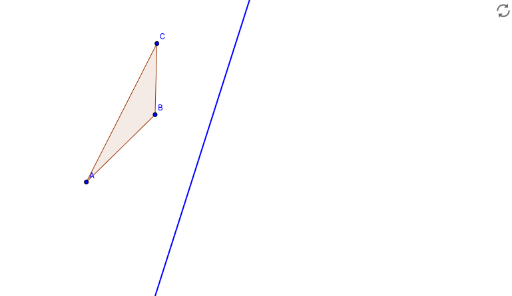
① This example demonstrates how to construct the mirror reflection (axial symmetry) of a polygon across a given line using GeoGebra's interactive step-by-step approach, showing reflected points, edges, and the final image. ② The core mathematical concept is reflection (axial symmetry) in plane geometry, involving properties such as congruent figures, perpendicular bisector relationship between corresponding points and the axis, and preservation of distances and angles. ③ Construction details: Based on the summary, the commands Polygon, Line, and Mirror are used, creating original polygon poly1, axis line d, and reflected polygon poly1'. Step objects (step1, step2, step3) and a showAnswer toggle control the progressive display, along with text1 for labels and target1-3 for guided tasks. ④ This is suitable for middle school geometry lessons on transformations, high school coordinate geometry exercises, or as a template for teachers building interactive tutorials.
GeoGebra Commands & Parameters
Polygon(A, B, C) → poly1, c, a, bLine(D, E) → dMirror(A, d) → target1Mirror(B, d) → target2Mirror(C, d) → target3Polygon(target1, target2, target3) → poly1', c', a', b'