
Rectangular Prism: 3D Construction and Visualization
Loading the math board and drawing, please wait…
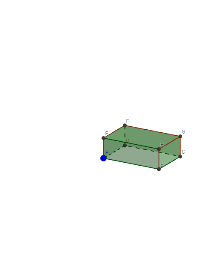
① This example demonstrates how to construct and visualize a rectangular prism (cuboid) in GeoGebra's 3D view, showing its vertices, edges, faces, and internal structure. ② Core mathematical concepts include solid geometry definitions of prisms, properties of a cuboid (six rectangular faces, twelve edges, eight vertices), points and vectors in 3D coordinates, and the relationship between polygons and prisms. ③ Construction highlights: from the summary, the Polygon command creates the base rectangle poly1, then the Prism command extrudes it with a given height; multiple points (A, B, C, D, E, F, G, H, I, J, K, L) and edges (edgeBI, edgeCJ, etc.) are defined, and faces are named (faceBCJI, faceIJKL); Circle and Point commands are also used, possibly for auxiliary annotations or reference elements. ④ Suitable for middle/high school solid geometry lessons, helping students intuitively understand cuboid structure and spatial reasoning, and as an introductory 3D modeling example.
GeoGebra Commands & Parameters
Polygon(B, C, D, A) → poly1, b_1, c, d, a_1Prism(poly1, height) → g, H, edgeBI, edgeCJ, edgeDK, edgeAL, edgeIJ, edgeJK, edgeKL, edgeIL, G, F, E, faceBCJI, faceCDKJ, faceADKL, faceABIL, faceIJKLCircle(a_1, D) → ePoint(a_1) → IPoint(e) → JPoint(d) → K