
Rectangles Based on a Point
Loading the math board and drawing, please wait…
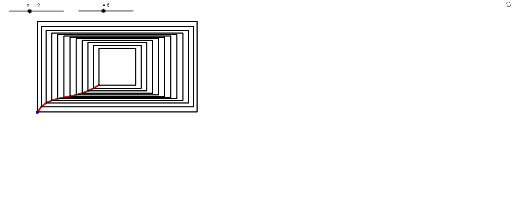
This example demonstrates how to draw a series of rectangles based on a given point. Key mathematical concepts include geometric construction and sequences. The commands Sequence and Flatten in GeoGebra are used to construct the sequence of rectangles. Suitable for students at the junior high school level and above to learn about geometric construction and sequences.
GeoGebra Commands & Parameters
Flatten(Sequence[{" SetValue[P,Sequence[If[ i==" + (j + 1) + ",ClosestPoint[Circle[Element[P, " + (j) + "], l/n], Element[P, i ]],Element[P, i ]], i ,1,n]]", "UpdateConstruction[]"}, j, 1, n - 1]) → cmdSequence(Segment[Element[P, i], Element[P, i + 1]], i, 1, n - 1) → segSequence(Polygon[{Element[P, i], Mirror[Element[P, i], xAxis], Mirror[Element[P, i], (0, 0)], Mirror[Element[P, i], yAxis]}], i, 1, n) → liste1
AI Drawing Prompt Reference
Draw a series of rectangles based on a given point. First, create a sequence of rectangles with their vertices connected sequentially. Then, use these vertices to construct a series of segments forming the sides of the rectangles. Finally, apply mirroring operations to generate a sequence of rectangles that are connected in a series.
The prompt above was compiled from the original drawing commands and is for reference only.