
Reasoning to Find Area: Decomposing and Rearranging Polygons (IM 6.1.3 Lesson)
Loading the math board and drawing, please wait…
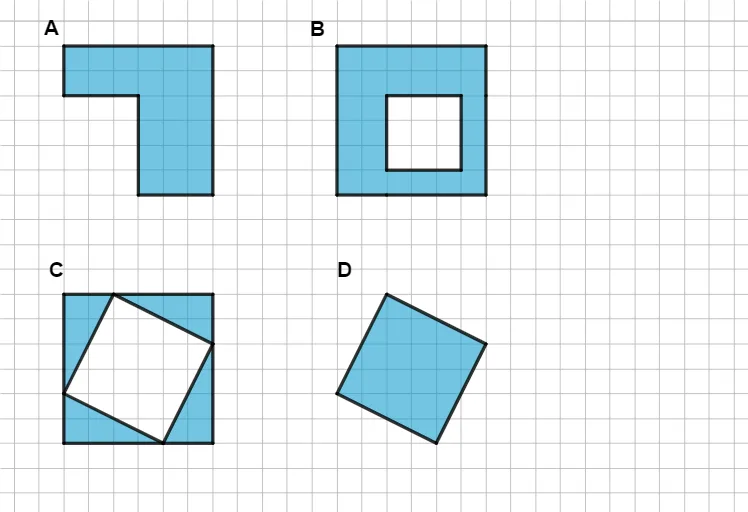
① This GeoGebra example demonstrates how to find the area of irregular polygons by reasoning—decomposing the shape into known figures (triangles, rectangles) and rearranging parts, rather than relying on formulas. ② Core mathematical concepts include polygon area, decomposition and composition, area conservation, and geometric reasoning. ③ Construction highlights: using GeoGebra commands such as Segment and Polygon, along with custom tools (CustomHexagon, CustomTriangle, CustomQuadrilateral) to create shapes; objects include points (A, B, C, D, E, etc.), segments (f, g, h, etc.), and polygons (poly1), allowing dynamic manipulation of vertices to explore area relationships. ④ Suitable for upper elementary to early middle school (around grade 6) mathematics classes, fostering spatial visualization and logical reasoning, and useful as a teacher demonstration tool.
GeoGebra Commands & Parameters
Segment(A, B) → fSegment(B, C) → gSegment(C, A) → hPolygon(A, C, B) → t1, b, a, cSegment(D, E) → iSegment(E, F) → jSegment(F, G) → kSegment(G, D) → lPolygon(D, E, F, G) → q1, d, e, f_1, g_1Segment(H, I) → mSegment(I, J) → nSegment(J, K) → pSegment(K, L) → qSegment(L, H) → rPolygon(H, I, J, K, L) → poly1, h_1, i_1, j_1, k_1, l_1Segment(M, N) → sSegment(N, O) → tSegment(O, P) → m_1Segment(P, Q) → n_1Segment(Q, R) → p_1Segment(R, M) → q_1Polygon(R, M, N, O, P, Q) → poly2, r_1, m_2, n_2, o, p_2, q_2Segment(S, T) → s_1Segment(T, U) → t_1Segment(U, V) → a_1Segment(V, W) → b_1Segment(W, Z) → c_1Segment(Z, A_1) → d_1Segment(A_1, S) → e_1Polygon(S, T, U, V, W, Z, A_1) → poly3, s_2, t_2, u, v, w, z_1, f_2Segment(B_1, C_1) → g_2Segment(C_1, D_1) → h_2Segment(D_1, E_1) → i_2Segment(E_1, F_1) → j_2Segment(F_1, G_1) → k_2Segment(G_1, H_1) → l_2Segment(H_1, I_1) → r_2Segment(I_1, B_1) → a_2Polygon(B_1, C_1, D_1, E_1, F_1, G_1, H_1, I_1) → poly4, b_2, c_2, d_2, e_2, f_3, g_3, h_3, i_3Segment(J_1, K_1) → j_3Segment(K_1, L_1) → k_3Segment(L_1, M_1) → l_3Segment(M_1, N_1) → m_3Segment(N_1, O_1) → n_3Segment(O_1, P_1) → p_3Segment(P_1, Q_1) → q_3Segment(Q_1, R_1) → r_3Segment(R_1, J_1) → s_3Polygon(R_1, J_1, K_1, L_1, M_1, N_1, O_1, P_1, Q_1) → poly5, t_3, a_3, b_3, c_3, d_3, e_3, o_1, f_4, g_4Segment(S_1, T_1) → h_4Segment(T_1, U_1) → i_4Segment(U_1, V_1) → j_4Segment(V_1, W_1) → k_4Segment(W_1, Z_1) → l_4Segment(Z_1, A_2) → m_4Segment(A_2, B_2) → n_4Segment(B_2, C_2) → p_4Segment(C_2, D_2) → q_4Segment(D_2, S_1) → r_4Polygon(S_1, T_1, U_1, V_1, W_1, Z_1, A_2, B_2, C_2, D_2) → poly6, s_4, e_4, t_4, u_1, v_1, w_1, a_4, b_4, c_4, d_4CustomHexagon(E_2, F_2, G_2, H_2, I_2, J_2) → f_5, g_5, h_5, i_5, j_5, k_5, poly7CustomTriangle(S_2, T_2, U_2) → a_5, b_5, c_5, t2CustomTriangle(T_2, V_2, W_2) → d_5, e_5, f_6, t3CustomTriangle(W_2, Z_2, A_3) → g_6, h_6, i_6, t4CustomTriangle(A_3, B_3, U_2) → j_6, k_6, l_6, t5CustomQuadrilateral(C_3, D_3, E_3, F_3) → q4, m_6, n_6, p_6, q_6CustomHexagon(G_3, H_3, I_3, J_3, K_3, L_3) → r_6, s_6, t_6, a_6, b_6, c_6, poly8Point(c_6) → M_3CustomHexagon(I_3, M_3, N_3, O_3, P_3, Q_3) → d_6, e_6, f_7, g_7, h_7, i_7, poly9Point(d_6) → S_3Segment(R_3, S_3) → l_5Segment(R_3, T_3) → m_5
AI Drawing Prompt Reference
Draw a figure composed of multiple irregular polygons, including a triangle, a quadrilateral, and a hexagon, demonstrating how to calculate area by decomposing and rearranging shapes. Start by drawing a triangle and a quadrilateral, then add a pentagon and a hexagon, and finally overlap some parts to show how moving and combining these shapes can help calculate the total area.
The prompt above was compiled from the original drawing commands and is for reference only.