
Quadratic Function (Stage 2): Constructing Intersection Points for Graph Feature
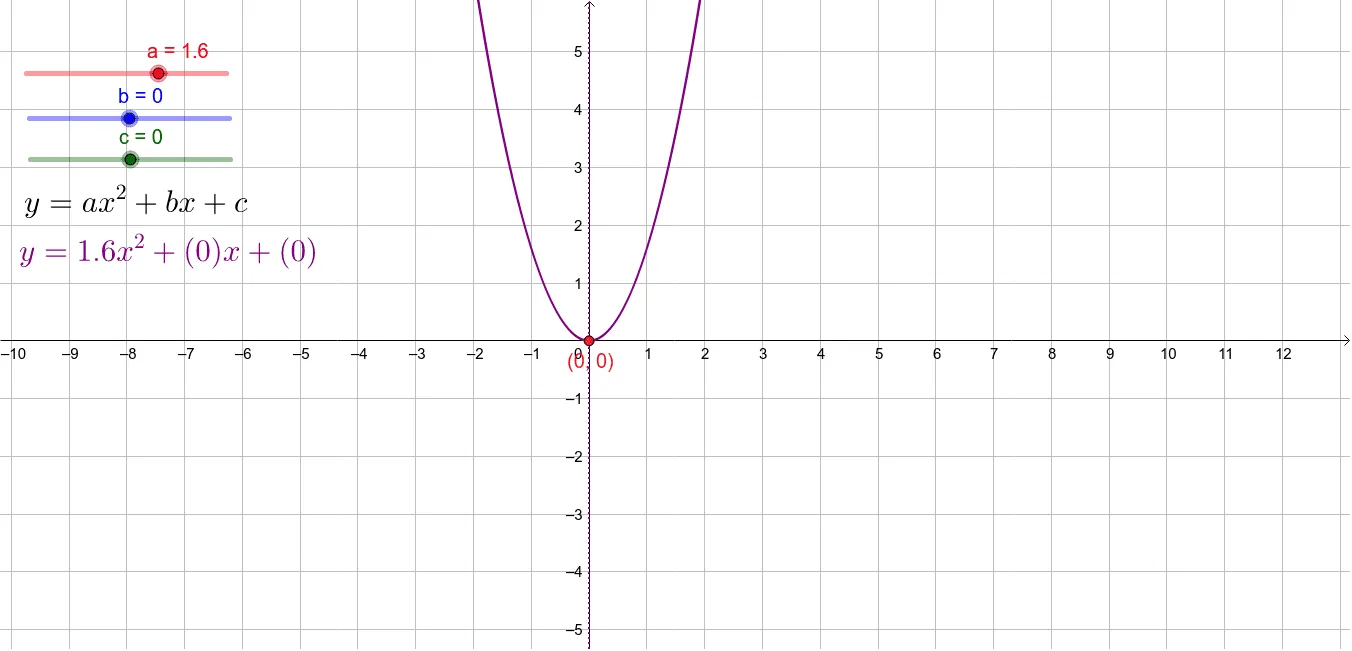
This GeoGebra example demonstrates how to determine key intersection points among predefined geometric objects and use those intersections to reveal characteristic properties of a quadratic function graph within the same coordinate plane. The main mathematical ideas include quadratic functions, the geometric meaning of function graphs, and how intersection points correspond to solving simultaneous conditions between curves/lines. Construction approach: based on the provided GeoGebra command summary, the example uses Intersect with objects a, b, c, d, text1, text2, e, and A, meaning it computes intersections across selected elements, then connects the resulting intersection points with on-graph labels (text1, text2) and a key object (A) to support a dynamic, linked visualization. Suitable for secondary-school learners studying functions and coordinate geometry, and ideal for classroom demonstrations, inquiry-based activities, or practice focused on connecting algebraic behavior with geometric intersection features.
Loading the math board and drawing, please wait…