
Pyramid Rotation and Orthogonal Construction
Loading the math board and drawing, please wait…
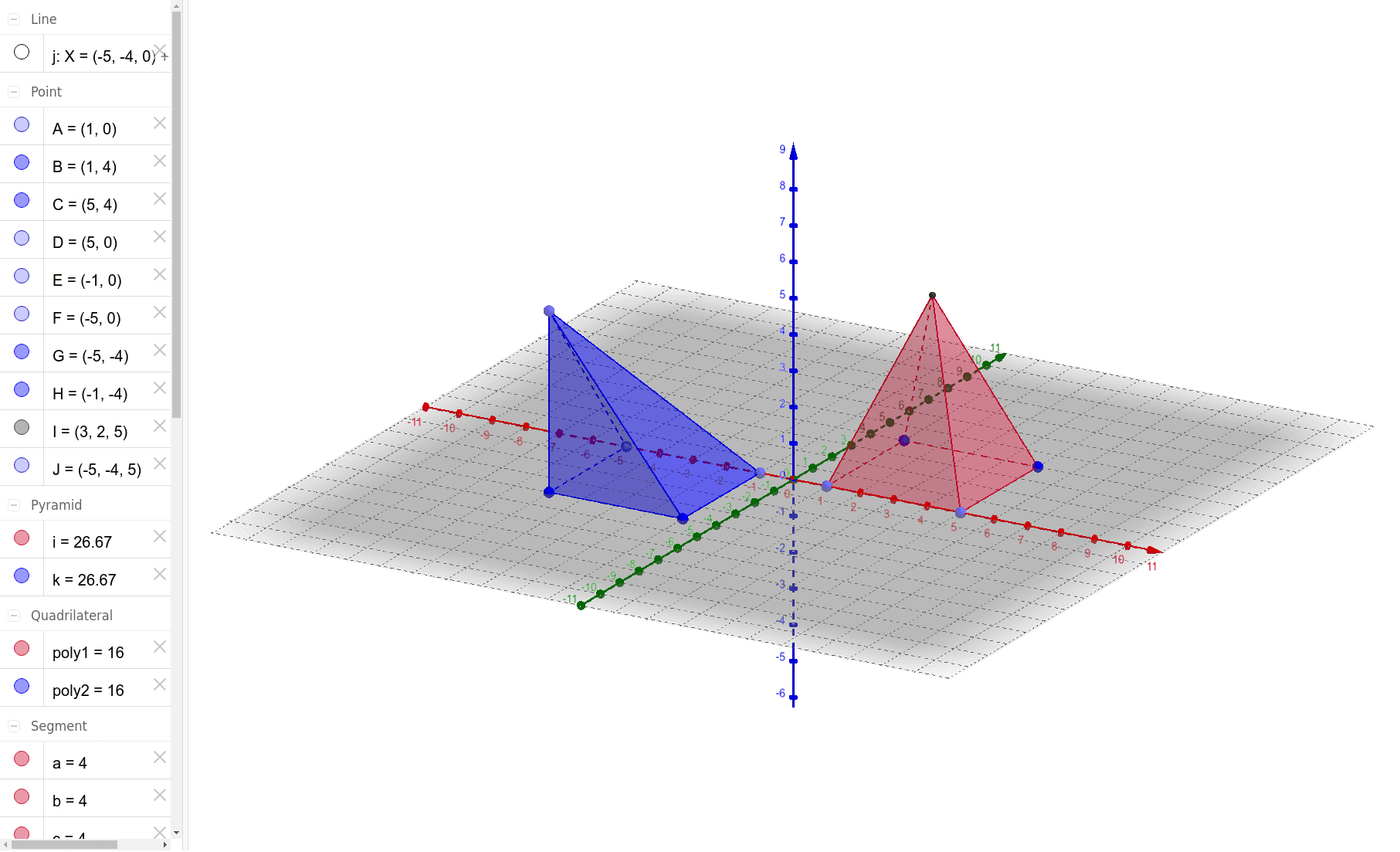
This GeoGebra example demonstrates the construction of a pyramid (quadrilateral pyramid) and its rotated copy, using orthogonal lines to aid the construction and illustrate spatial transformations in solid geometry. The core mathematical concepts include the vertices, base polygon, lateral edges and faces of a pyramid, as well as rotation about an axis and perpendicularity in 3D space. The construction uses the Point command to create vertices A-D and E-H, Polygon to form the bases poly1 and poly2, Pyramid to generate the two pyramids, and OrthogonalLine to draw perpendiculars (e.g., from apex to base). It also defines faces (faceABI, etc.) and edges (edgeAI, etc.) as objects for further exploration. This is suitable for high school or early college students learning solid geometry, spatial vectors, and geometric transformations, and can be used by teachers to demonstrate pyramid properties or rotational symmetry.
GeoGebra Commands & Parameters
Point(xAxis) → APoint(xAxis) → DPolygon(A, B, C, D) → poly1, a, b, c, dPoint(xAxis) → EPoint(xAxis) → FPolygon(E, F, G, H) → poly2, e, f, g, hPyramid(poly1, 5) → i, I, faceABI, faceBCI, faceCDI, faceADI, edgeAI, edgeBI, edgeCI, edgeDIOrthogonalLine(G, xOyPlane) → jPoint(j) → JPyramid(poly2, J) → k, faceEFJ, faceFGJ, faceGHJ, faceEHJ, edgeEJ, edgeFJ, edgeGJ, edgeHJ