
Practising Long Division: Interactive Random Division Drills
Loading the math board and drawing, please wait…
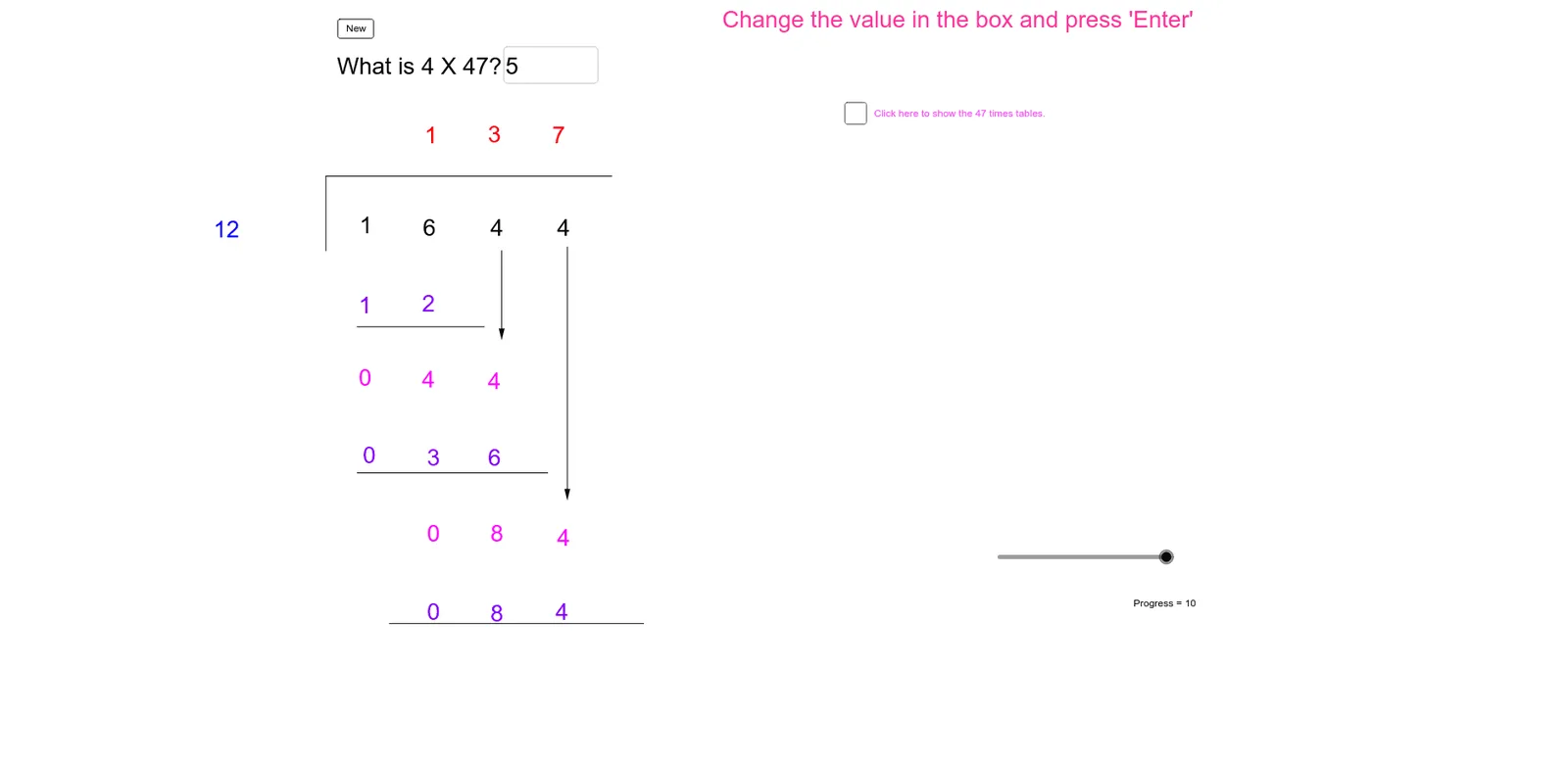
① This example demonstrates an interactive long division practice tool that randomly generates dividends and divisors, guiding users step-by-step through the vertical division algorithm with immediate correctness feedback. ② Core math concepts include integer division, remainders, the relationship between quotient and divisor, and place-value decomposition (ones, tens, hundreds, thousands). ③ Construction highlights: GeoGebra commands such as Random generate random divisors and dividends, Div and Mod compute quotient and remainder, Segment and Vector draw the division bracket and arrows, Textfield provides input boxes, a button (button1) triggers checking, and multiple text objects (text1~text10) display the question, progress, and feedback. ④ Suitable for upper elementary or middle school students to practice long division, and useful for teachers in classroom demonstrations or for self-paced learning, reinforcing division rules and place-value understanding.
GeoGebra Commands & Parameters
Random(0, 9) → QuotientUnitsRandom(0, 9) → DivisorUnitsRandom(1, 4) → DivisorTensRandom(1, 9) → QuotientTensRandom(1, 2) → QuotientHundredsDiv(Dividend, 1000) → DividendThousandsDiv(Mod[Dividend, 1000], 100) → DividendHundredsDiv(Mod[Dividend, 100], 10) → DividendTensMod(Dividend, 10) → DividendUnitsSegment(A, B) → aSegment(B, C) → bTextfield(answer) → QuestionDiv((QuotientHundreds * Divisor), 10) → Product1TensMod((QuotientHundreds * Divisor), 10) → Product1UnitsSegment(D, E) → cDiv(RemainderTens, 10) → Difference1TensMod(RemainderTens, 10) → Difference1UnitsVector(F, G) → uDiv((QuotientTens * Divisor), 100) → Product2HundredsDiv(Mod[(QuotientTens * Divisor), 100], 10) → Product2TensMod((QuotientTens * Divisor), 10) → Product2UnitsSegment(H, I) → dDiv(RemainderUnits, 10) → Difference2TensMod(RemainderUnits, 10) → Difference2UnitsVector(J, K) → vSegment(L, M) → e
AI Drawing Prompt Reference
Create an interactive long division practice diagram. At the top, show a randomly generated dividend and divisor. Below, draw a vertical division bracket using horizontal and vertical line segments. Inside the bracket, display the quotient, products, and remainders step by step, with arrows or vectors connecting each calculation step. Include a text input field for the answer and a button to check it. Add text labels showing the current problem, progress, and feedback. The layout should be clear and suitable for students practicing division.
The prompt above was compiled from the original drawing commands and is for reference only.